

AI CCTV safety monitoring for industrial sites
Woodcock AI turns the CCTV already covering your factory floor, yard and stores into safety monitoring: it watches for smoke or flame at a line or an intruder at the fence, and can add safety modules such as PPE detection, where supported, confirmed in your site assessment. It alerts the right people with the clip in seconds.
What each camera watches for across an industrial site
Tap an area of the site to see the detection modules that usually cover it.
PPE detection CCTV for UK sites
Woodcock AI offers safety modules such as PPE detection, where supported, confirmed in your site assessment. They run in the zones you define on the CCTV you already have, and alert you with the clip. See PPE detection on existing CCTV.
- In the zones and at the times you choose
- An alert with the clip, so a supervisor can act straight away
- Runs alongside smoke, fire and intrusion detection on the same camera
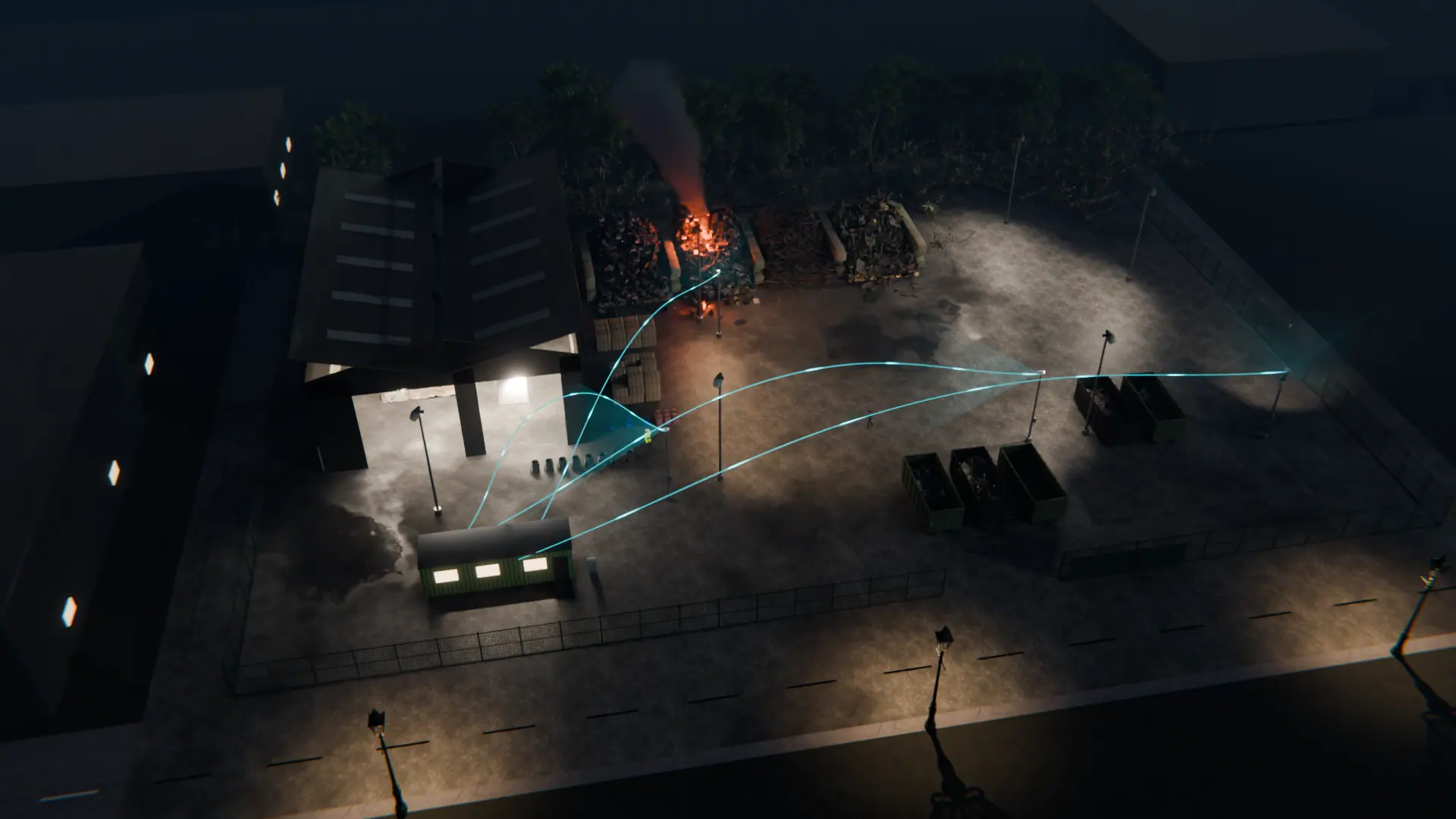
Edge or cloud at each site
With the Woodcock AI Cloud, cameras can be managed remotely and alerts arrive in the Woodcock AI app. Each site can run on its own edge server or in the cloud. If you run several sites, we will talk through how to set them up on the free site assessment.
 Illustrative
Fire and safety risks on an industrial site
Most industrial sites already have cameras over the places where things go wrong: production lines, extraction units, battery charging areas, stores of fuel or chemicals, loading bays and the yard. Those cameras usually record but nobody watches them in real time, especially at night and at weekends.
A fire that starts in dust, packaging or stock can grow quickly when nobody is on the floor. A person in a restricted store or on the fence line after hours is easy to miss on a wall of camera feeds, and the same is true of construction sites that stand empty overnight. Woodcock AI watches every connected camera continuously and raises an alert when it sees something that matches the modules you have switched on for that view.
You decide which modules run on each camera, which zones within the view they cover, and at what times. A camera over the loading bay might look for smoke all day and for people only after the site has closed. A camera over a store might look for smoke and flame around the clock.
How a rollout usually runs
It starts with a free site assessment. We look at your cameras, what they can see and the risks in each area, and suggest the modules and zones that fit.
Your cameras connect by entering their logins, either on an edge server on your network or in the Woodcock AI Cloud. Woodcock AI works with ONVIF or RTSP cameras and recorders, so most sites can use the CCTV they already have. Then we set up zones, schedules and who gets which alert, and you review real alerts from your own cameras before deciding.
The AI is not one general model left to fend for itself. A self-learning AI is fitted to each site and learns its cameras' views. Every detection in the app has a feedback button, and your answers feed into retraining, so it keeps getting better at telling a real event from something that only looks like one.
Alerts reach your team in the Woodcock AI app with the clip and a plain-English description. Alerts to a monitoring centre (ARC) and phone-call alerts are available as optional add-ons.
What it needs to work well
Camera-based detection is only as good as what the camera can see. These are the things that matter most, and the free site assessment checks each one.
- A clear viewCameras need a clear view of the area, with enough light or infrared. Distant or very small targets may be missed.
- Alongside your systemsIt complements, and does not replace, certified fire detection and alarm systems or your health and safety procedures.
- Sensible zonesZones and schedules keep alerts relevant. Drawing them around the areas that matter, rather than the whole view, cuts out alerts you do not need.
- A network connectionAn edge server keeps detecting on site if the internet drops. The cloud option needs a reliable connection from each camera or recorder.
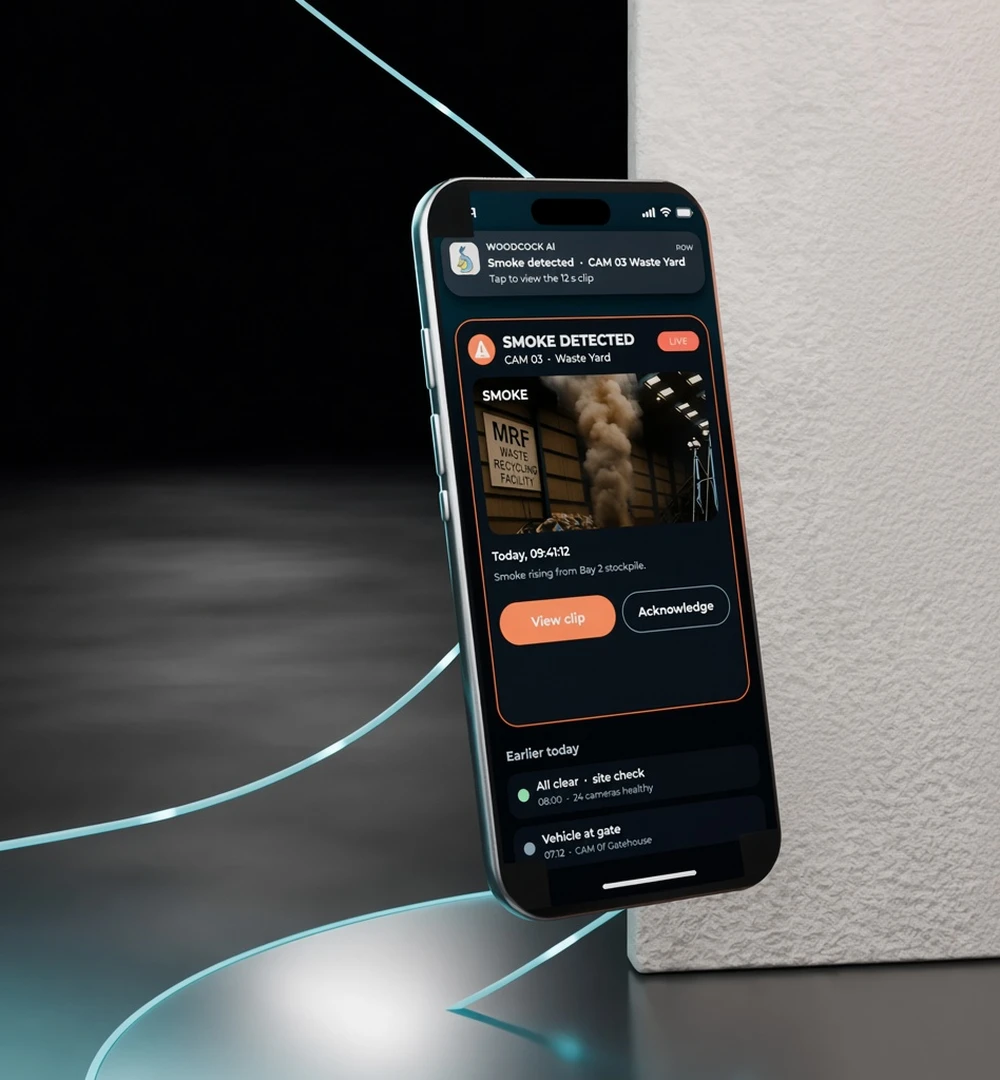
The right person sees it first
Each alert goes to the people you choose, such as a shift supervisor for safety alerts or a site manager for smoke, with the clip and a plain-English description. Learn more in how Woodcock AI works, AI intrusion detection and our guide to video smoke detection on existing CCTV.
Industrial site questions
Detection, multiple sites and getting started.
Which detections are available for industrial sites?
Can it cover multiple sites?
How quickly can it go live?
Does PPE detection work on our existing cameras?
Turn your site CCTV into safety monitoring
A free site assessment looks at your cameras and the risks on your floor, yard and stores, and suggests the modules that fit.
Illustrative 3D render