Reseller programme · UK installers & security companies

AI CCTV reseller programme for UK installers

The Woodcock AI reseller programme lets UK CCTV installers, integrators and fire-safety companies add AI smoke and fire, intrusion and safety detection to the cameras they already fit, and sell it as a recurring monthly service, under your brand or ours. We set up the accounts, analytics and NVR in the background, so there's nothing to configure on site.
  • Keep the customer's existing cameras
  • Recurring monthly revenue
  • White-label option: your brand, your app
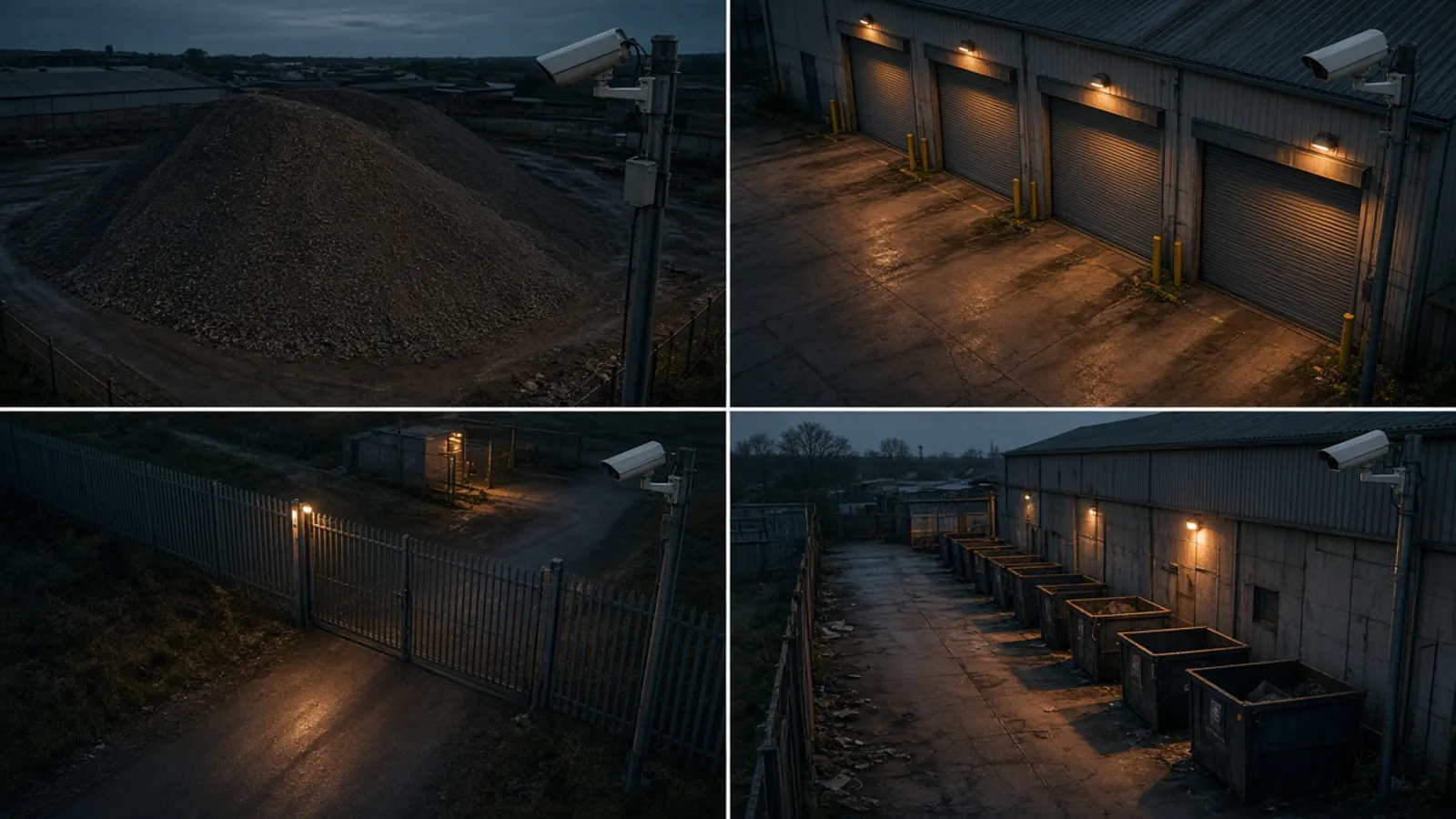
Grid of existing site cameras covering a yardExisting cameras
Grid of existing site cameras covering a yard
Partner dashboard

Every site and camera, at a glance

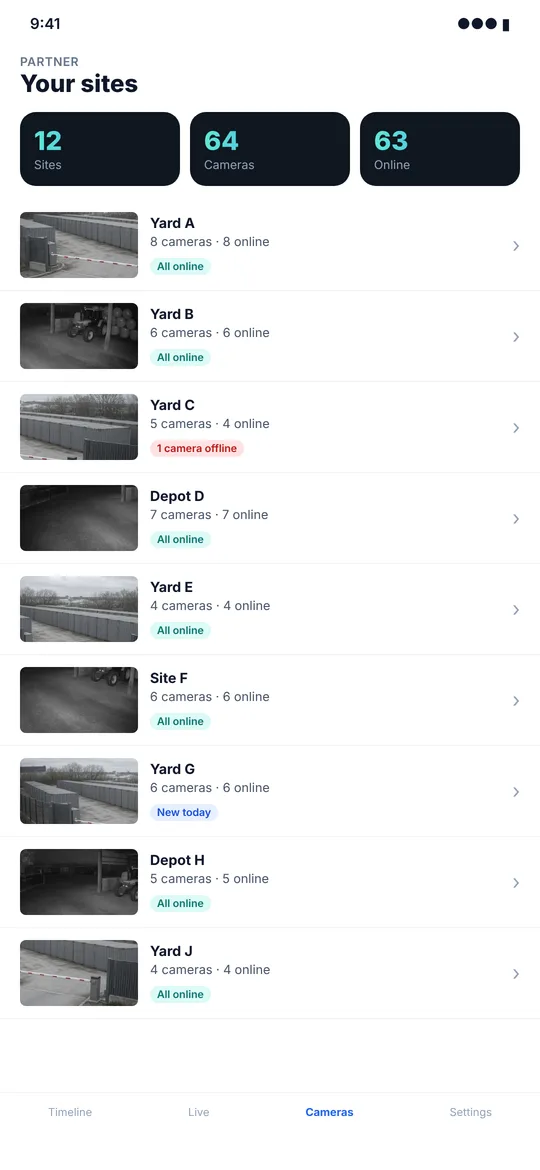
The partner dashboard shows each customer site you have connected, which cameras are online and which need a look. When a camera drops off and comes back, you see it without a site visit.

  • All your customer sites in one place
  • Camera health checked for you
  • New sites added from the existing recorder
Installer partner dashboard showing connected AI CCTV customer sites and the online status of their cameras
Partner dashboard: customer sites and camera health in one list
Status card: camera back online at Yard C
Status card: new site connected, Yard G
Status card: camera health checked across all sites
Why installers add it

Install less. Deliver more

Win better clients, justify higher pricing and deliver modern, intelligent systems, without extra technical work on site.
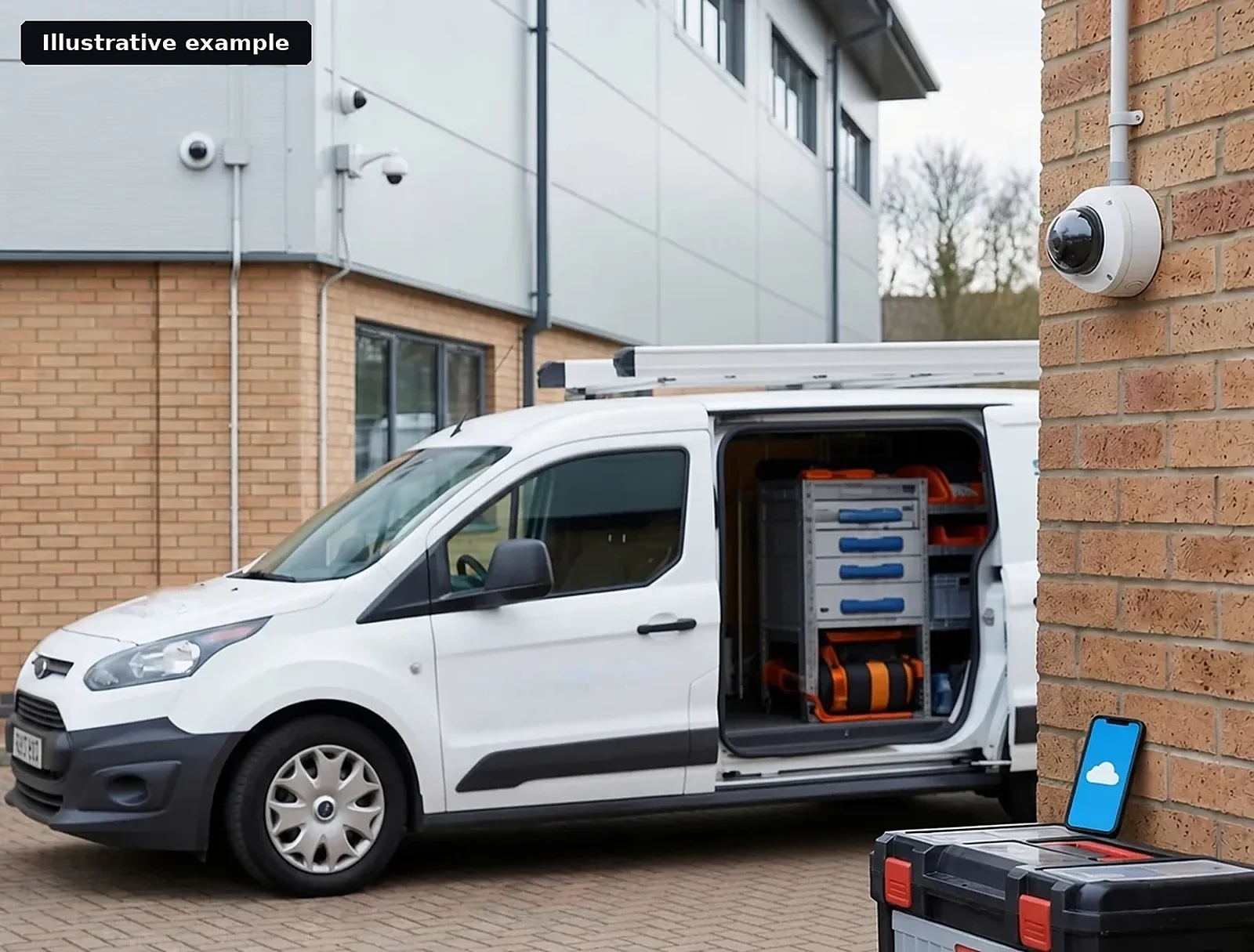
Example of a dome CCTV camera on a wall beside an installer's van
Commissioned remotely

Recurring revenue

Sell the AI features as a monthly service on top of every install and every existing site you maintain.

No rip and replace

Work with the cameras already on site. No changes to cameras or infrastructure.

Nothing to configure

We set up the accounts, analytics and NVR, virtual or physical, in the background.

Fewer site visits

Speedy, automated commissioning, with updates and tuning managed by us.

Try it

What would you sell on your next site?

Pick the type of site. We'll show the detection pack we'd recommend and the risks it covers.

When customers on waste sites ask why fire detection matters now, the UK battery fire statistics page gives sourced figures you can share.

Selling into waste and recycling? See AI fire detection for waste sites, or how video smoke and fire detection works on existing cameras. Customers asking how it works? Share our guide to video smoke detection on existing CCTV, follow our installer guide to adding AI to existing CCTV, or walk them through how Woodcock AI works, including RTSP setup for Hikvision.

How the partnership works

From first call to your first site live

Four steps take you from applying to a customer site sending alerts. There is nothing to install in the cameras and no AI to configure on site: the work is done remotely, with our technical team alongside you.

  1. 01

    Apply for partner access

    Fill in the short form on this page or email office@woodcock.ai. Tell us roughly how many sites you look after, the kind of customers you serve and the camera and recorder brands you usually fit.

    • No commitment to a minimum number of sites to apply
    • Fire-safety companies and integrators are welcome as well as CCTV installers
  2. 02

    Onboarding call

    We walk you through the platform, the affiliate and white label tiers, partner pricing and how support works. You get access to the partner area, where pricing and the earnings calculator sit behind your login.

    • A walkthrough of detection areas, alerts and alert schedules
    • Agree how you want to introduce it to your customers
  3. 03

    Connect your first site remotely

    Pick a customer site with cameras you already maintain. We connect to the recorder or cameras over ONVIF or RTSP, using the device username and password, and our technical team helps with the set-up remotely. Choose an on-site edge server or the Woodcock AI Cloud.

    • Polygon detection areas drawn around what matters on each camera
    • Alert schedules and recipients set per camera
  4. 04

    Go live and keep improving

    Alerts start reaching your customer by app, with the clip, and by email. Every detection has a feedback button, and that feedback is used to retrain the model for that site, so accuracy keeps improving after go-live.
    • Add more cameras and modules as the customer needs them
    • Billed monthly, and you keep the relationship
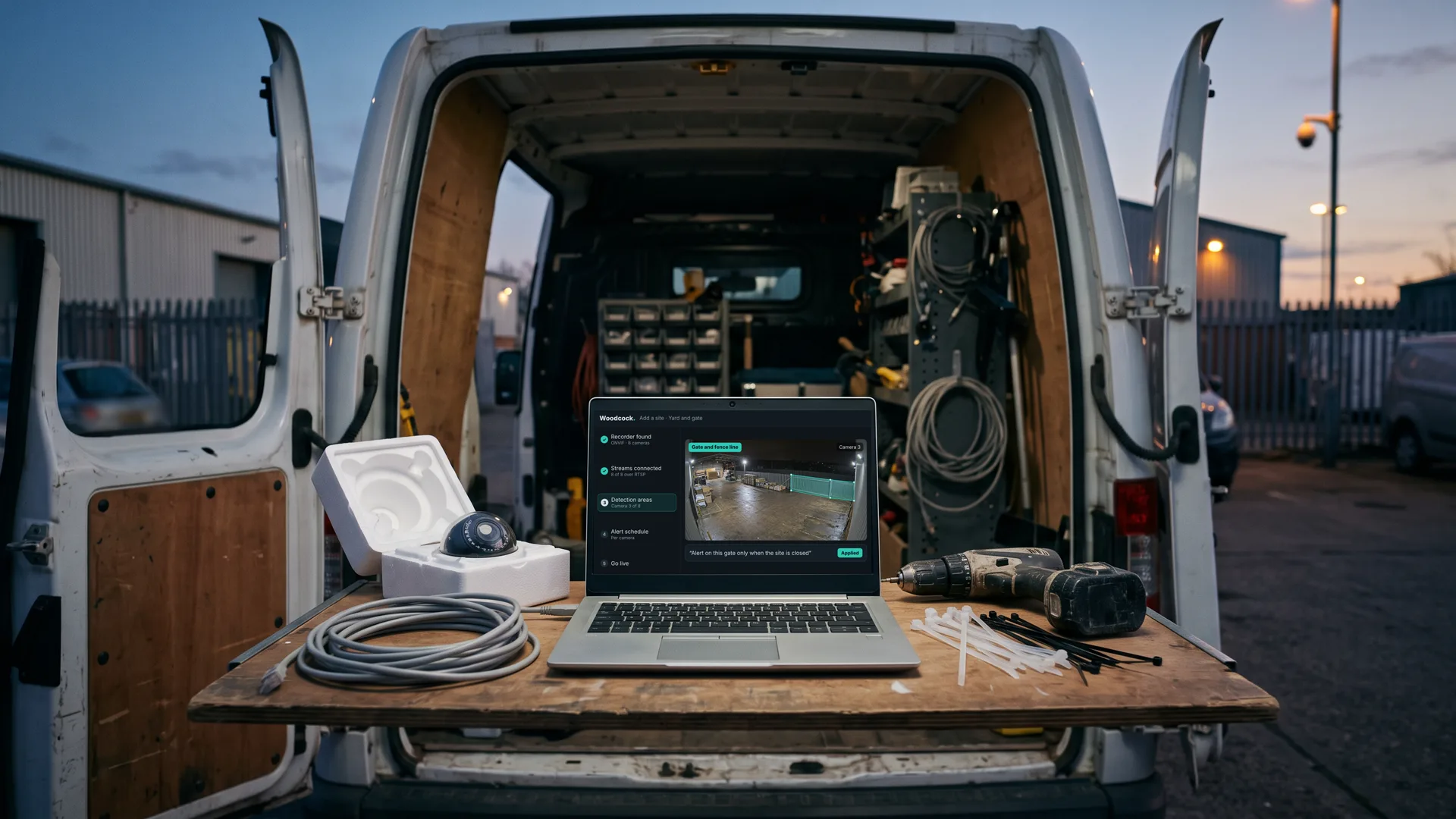
Laptop on a van tailgate showing the Woodcock AI add-a-site screen, with a recorder found over ONVIF, eight streams connected and a polygon drawn along a yard gate and fenceRemote set-up
A yard camera being added from the van, without a ladderThe recorder is found, its streams connect and a polygon is drawn tightly along the gate and fence. A schedule then decides when that area should alert.

Most installers start with one customer who already has a problem the cameras could solve: fires in a waste bay, break-ins out of hours or people walking into a vehicle area. Prove it there, then offer it across the rest of your maintenance book. Our installer guide to adding AI to existing CCTV covers the site survey in more detail, and the free site assessment checks a customer's cameras, recording and network before you quote.

Two ways to partner

Affiliate or white label

Both tiers buy recurring monthly software licences at a partner price, with the same platform, set-up and support behind them.

Affiliate

Sell Woodcock AI to your customers

  • Buy at a partner price, sell at the standard rate
  • Cloud or edge deployment
  • Accounts, analytics and NVR set up for you
White label

Your brand. Your app

  • For approved white label partners
  • Optional custom branding and a fully branded app
  • The customer remains yours

Partner pricing and the earnings calculator are in the partner area. Request partner access.

What you sell

Modules you can add camera by camera

Each camera can run the detections that suit what it sees. A camera over the waste bays runs smoke and fire, the one on the gate runs intrusion and vehicles, and the one over the loading bay checks PPE. You sell what each customer actually needs, as a monthly service.

1Smoke and fire detection

Video smoke and flame detection on the cameras that already watch stockpiles, bays, plant and buildings. It sees smoke in the picture, so it suits open yards and high roofs where ceiling detectors struggle.

Good fit: Waste and recycling, skip hire, scrapyards, industrial units.

2Intrusion detection

People and vehicles detected inside the polygon areas you draw, on the schedule the site needs, with line-crossing on fences and gates. Foxes, headlights and swaying trees are filtered out.

Good fit: Out-of-hours yards, compounds, construction sites, solar farms.

3PPE detection

Hard hats and hi-vis checked in the areas where they are required. Useful for loading bays, yards and production areas.

Good fit: Industrial sites, warehouses, waste and recycling.

4Vehicle detection

Vehicles detected entering, leaving or stopping in the areas you choose, such as a gate, a weighbridge approach or a compound after hours.

Good fit: Vehicle yards, depots, builders' merchants, construction.

5Plain-English video search (coming soon, early 2027)

From early 2027 you'll be able to type what you are looking for, such as a white van at the gate last night, and jump to the matching footage. Clips can be downloaded and shared with the customer, their insurer or the police.

Good fit: Every site, especially busy multi-camera ones.

6Cloud recording

With the Woodcock AI Cloud, footage is recorded off site, so evidence survives if a recorder is damaged or stolen. The how it works page sets out what is standard.

Good fit: Sites where the recorder itself is at risk.

7Monitoring centre and phone-call alerts

Alerts go by app, with the clip, and by email as standard. Alerts to an alarm receiving centre (ARC) and automated phone-call alerts are optional add-ons for customers who need a person to respond.

Good fit: Unmanned and remote sites, out-of-hours cover.
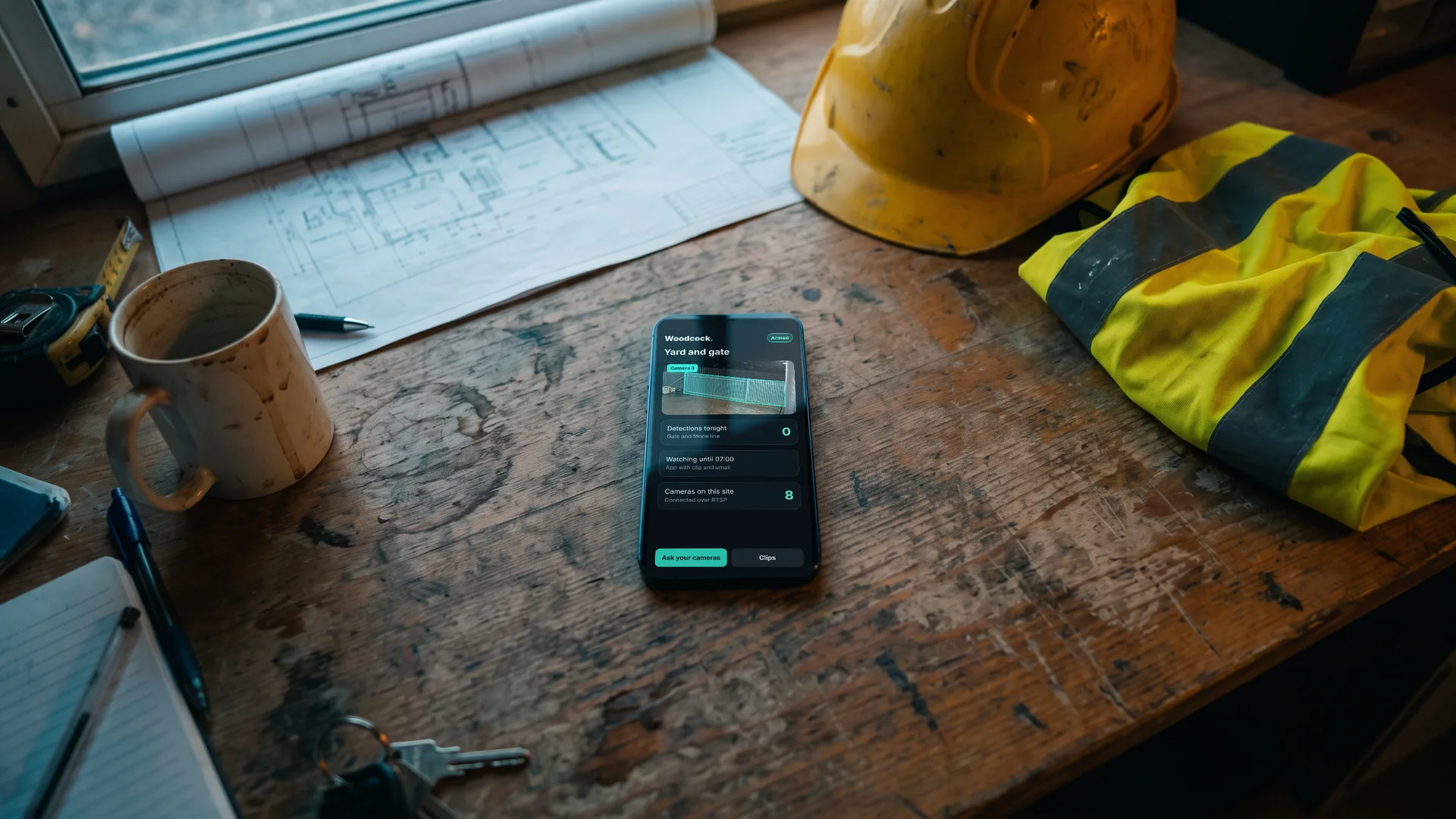
Smartphone on a site office desk beside a hard hat and hi-vis vest, showing the Woodcock AI app with a yard camera armed, a polygon along the gate and no detections so far tonightCustomer view
What the site manager sees once the yard is armedThe gate area is watched until the morning, alerts go by app with the clip and by email, and nothing has crossed the line yet.
One platform, so the conversation grows. Customers rarely buy every module on day one. Start with the risk that worries them most, usually fire or out-of-hours intrusion, and add PPE or vehicle detection when they see the alerts are reliable, and plain-English video search once it launches (coming soon, early 2027). Each addition is set up remotely on cameras that are already connected.
Why installers choose Woodcock

Built for the way installers actually work

These are the reasons installers give for choosing it over adding another box of analytics to the rack.

1Polygon detection areas on every camera

Draw a detection area that follows the real shape of a bay, a fence line or a walkway, point by point. Many systems only give you a line or a rectangle, which picks up roads, neighbouring yards and parked plant. A tight polygon means fewer false alarms and fewer call-outs for you.

2Zone and schedule changes, handled remotely

When a customer needs a camera to behave differently, for example to alert on a gate only when the site is closed, the zone or schedule is updated remotely. Small changes for a customer no longer need a trip to site.

3Self-learning, site by site

The AI is fitted to each camera's scene and learns from that camera's normal footage. Every detection has a feedback button, and that feedback goes into retraining, so the system gets more accurate on that particular site over time.

4Any ONVIF or RTSP camera or recorder

Connect the cameras and recorders already on site, including the mainstream brands installers fit every day, using the device credentials. No rip and replace and no changes to the camera settings your customer relies on.

5Edge or cloud, per site

An on-site edge server processes video on site and keeps working without internet. The Woodcock AI Cloud processes video off site, with remote management. Choose what suits each customer's connection and risk.

6Remote set-up help from our team

Our technical team helps you connect each site remotely, draw the first detection areas and check the alerts. Technical support and customer services are open Monday to Sunday.

Edge server beside the NVR
Analytics happen inside a customer's cabinetA compact unit sits below a recorder already on site, so detections carry on if internet drops. Cloud processing needs no extra box.
Fits the sites you already look after

Start with the customers already on your books

The quickest wins are sites where you already maintain the cameras. You know the layout and the people, and the cameras are already pointing at the risk.
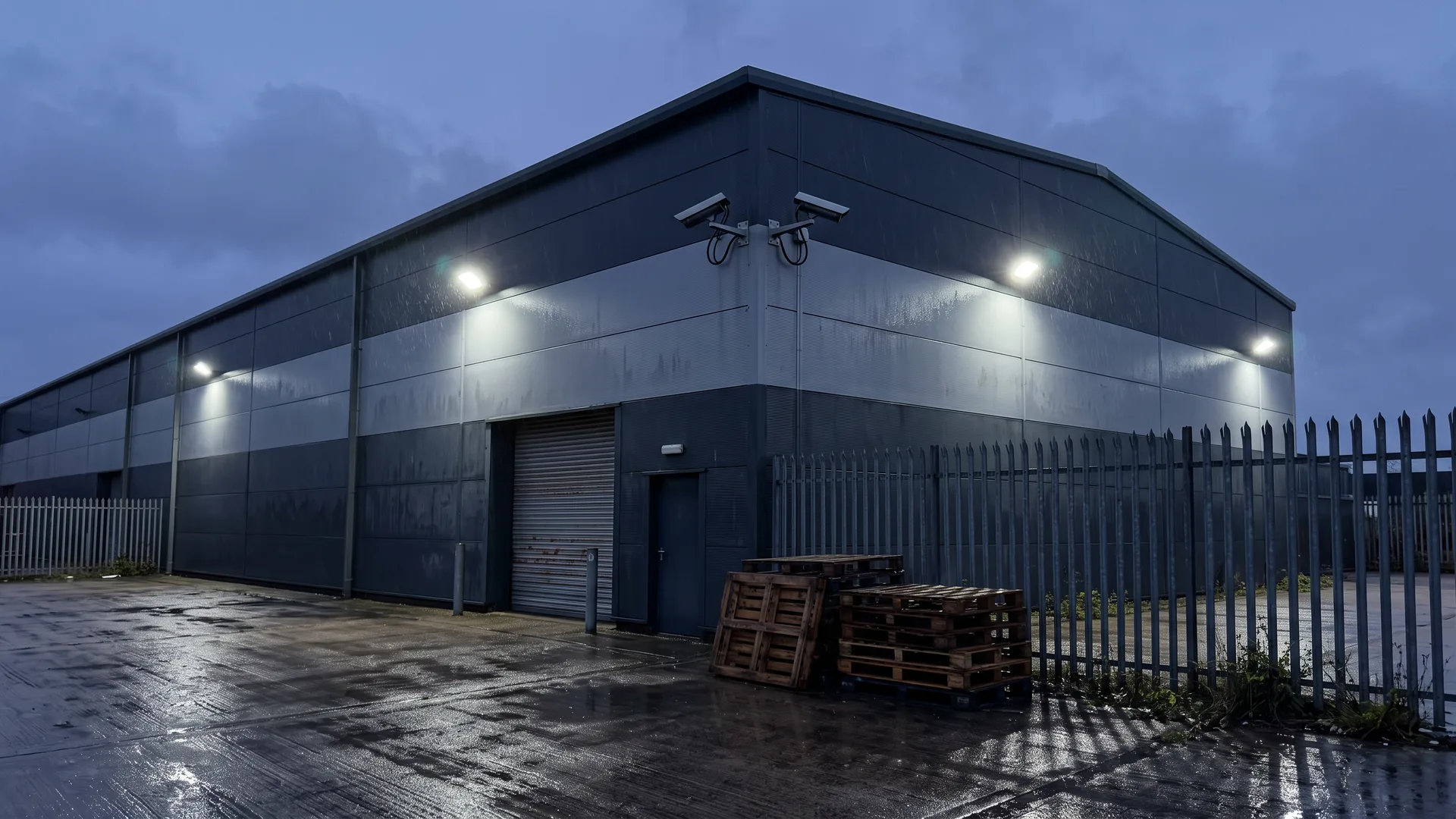

Industrial unit at blue hour with two bullet cameras on the wall overlooking a palisade fence and stacked palletsIn place today
A typical maintenance-contract siteTwo wall-mounted bullets cover the pallets and fence, which is often all a first detection area needs.
Bullet camera and LED floodlight on a galvanised pole beside a palisade fence at a scrap metal yard at dusk, with scrap piles and a skip behindPerimeter risk
Scrap and metal-theft sites value night coverA pole camera over the fence line can watch for people and vehicles after hours and for smoke from the piles behind it.

Waste and recycling

Fire in stockpiles and bays is the biggest risk, and many sites need a fire prevention plan. Smoke and fire detection on the cameras already watching the bays is the natural first sale.

Skip hire and scrapyards

Mixed loads, hot metal and open yards. Smoke and fire detection by day and night, plus intrusion and vehicle detection after hours.

Industrial and warehousing

Production areas, loading bays and yards: smoke and fire, PPE where it is required and intrusion out of hours, on the same cameras.

Construction

Site cameras watching plant, materials and cabins. Intrusion detection inside the hoarding after hours, and PPE checks at the gate.

Vehicle yards and depots

Out-of-hours intrusion and vehicle detection around stock, fuel and keys, with polygon areas that ignore the public road outside.

Solar farms and battery storage

Remote fence lines and cable runs at risk of metal theft, plus smoke detection around battery storage.

Your customer, your relationship

Sell it as part of your own service

White label partners

Approved white label partners sell Woodcock AI as their own service, with optional custom branding and a fully branded app. We run the technology, platform and support in the background, and the customer remains yours.

Affiliate partners

Sell Woodcock AI alongside your installs and maintenance contracts, on the same platform and with the same set-up help. If you would like your name alongside ours, talk to us about co-branding.

What stays behind the login

Partner pricing, the earnings calculator and your sites are all in the partner area. Request access and we will set up your login after the onboarding call.

Before you quote

What to check on a site visit

You already walk your customers’ sites. These six checks tell you which cameras will make good detection views and how the site should be connected, so the quote is right first time.

Sizing recorder drives or checking network load for a quote? Our CCTV bandwidth and storage calculator estimates bitrate, total bandwidth and storage from cameras, resolution, codec, frame rate and retention days.
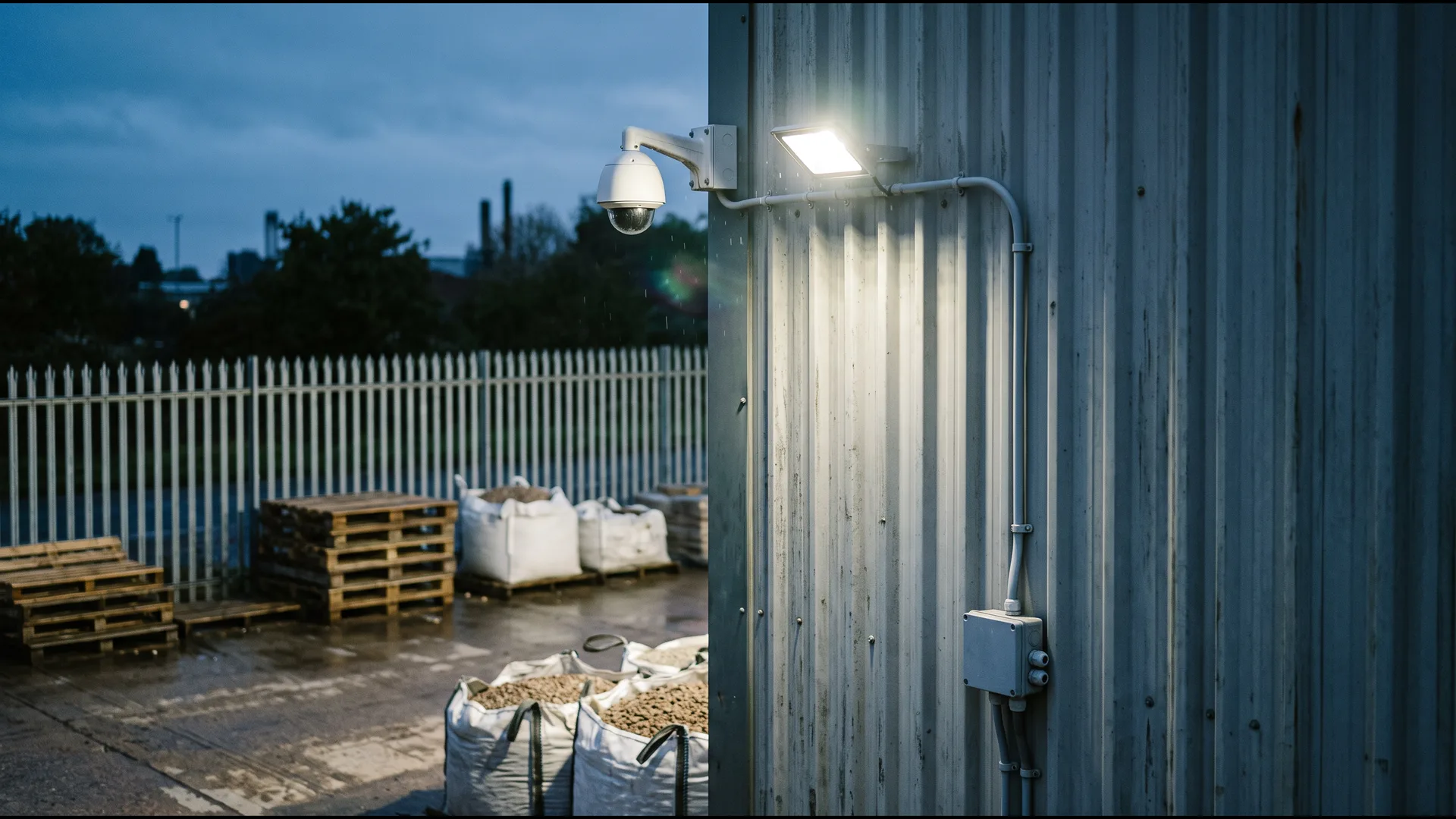
Dome CCTV camera and LED floodlight on a steel-clad warehouse wall at dusk, lighting bagged aggregate and pallets in a builders’ merchant yard with a palisade fence behindNight view
Check how each scene looks after darkA dome with a floodlight beside it gives the AI a clear picture of the yard, the bags and the fence line once the site has closed.

Camera positions and views

Look at what each camera actually sees. A view across a yard, a bay, a fence line or a gate is ideal. A camera pointed at a doorway at close range, or one that is mostly sky, gives the AI little to work with. Note which views matter most to the customer, because those are where detection areas will go.

Recorder and stream access

Check the make and model of the recorder and whether it offers ONVIF or RTSP streams. You will need the device username and password, and a way for the streams to be reached securely. If the recorder is very old or locked down, flag it early so it can be covered by the site assessment.

Network and internet connection

A reliable connection suits the Woodcock AI Cloud. Where the line is weak or shared with heavy site traffic, an on-site edge server keeps detection working locally. Either way, a quick look at the router, switch and spare ports saves a second visit.

Lighting after dark

Most incidents that matter happen out of hours. Check whether each view has infrared or white-light illumination, and whether floodlights come on with a timer or a sensor. Good night images make a bigger difference to alert quality than camera resolution.

Who should be alerted, and when

Agree who receives alerts for each camera and at what times: the site manager, a keyholder, the night shift or a monitoring centre. Alerts go by app with the clip and by email, and ARC or automated phone-call alerts can be added as options.

What the customer worries about most

Ask what keeps the customer up at night. On a recycling site it is usually fire in the stockpiles; on a builders’ yard it is people climbing the fence; on a busy unit it may be hard hats and hi-vis. Start with that, then add modules as they see the value.

Not sure about a site? Send us the camera list and a few snapshots, and we will run a free site assessment before you quote. See also how to choose an AI CCTV system.

Talking to your customers

Answers to the questions customers ask you

“We already have CCTV.”
That is the point. Woodcock AI works with the cameras and recorder already on site, so the customer gets detection and alerts without replacing what they have paid for. The cameras stop being a record of what went wrong and start warning someone while there is still time to act.
“We tried motion alerts and turned them off.”
Basic motion alerts react to anything that moves: rain, shadows, headlights and wildlife. Woodcock AI looks for specific things, such as smoke, flame or a person, and only inside the polygon areas you draw, with schedules per camera. The feedback button lets the customer mark an alert as not relevant, and the models improve on their site. Our AI CCTV vs motion detection comparison sets out the difference in plain terms.
“Who will look after it?”
You do, with us behind you. We manage the platform, updates and model tuning in the background, and changes to detection areas can be made remotely, so small requests no longer need a trip to site.
“Does it replace our fire alarm?”
No. Video smoke and fire detection supports a life-safety fire alarm system; it does not replace it. It is most valuable where a conventional detector struggles, such as large open buildings, outdoor stockpiles and yards.
Installer FAQ

Questions installers ask

Anything else, just ask. Technical support and customer services are open Monday to Sunday.

Talk to the partner teamoffice@woodcock.ai
Which camera brands and recorders does it work with?
Most cameras and recorders that support ONVIF or RTSP connect, using the device's username and password. That covers the Hikvision and Dahua kit installers fit every day. If a site is on a closed manufacturer system, we'll say so on the free site assessment and advise on a compatible upgrade.
How do I earn recurring margin?
Woodcock AI is billed monthly. As a partner you buy at a partner price and sell the service to your customer, so you earn every month for as long as the customer keeps it. Partner pricing is shared once you have partner access.
How long does onboarding take?
Not long, and there's no AI configuration on site. Once you're approved we set up your partner account and talk you through the tiers. For each customer site we configure the accounts, analytics and NVR in the background, and cameras can be commissioned remotely.
What support do partners get?
Technical support and customer services are open Monday to Sunday. We manage the backend, updates and tuning. Support services such as health monitoring, offline alerts, managed updates and priority support can be quoted alongside your installs.
Can I sell it under my own brand?
Yes. Approved white label partners sell Woodcock AI as their own service, with optional custom branding and a fully branded app. We provide the technology, backend platform and ongoing support in the background, and the customer remains yours.
Can I see a demo or a live test first?
Yes. Request partner access and we'll arrange a walkthrough. For a customer's site, start with a free site assessment: if it's a fit, we can run a live test on 2–3 of your own cameras for about a fortnight, with no obligation to continue.
Does it replace a certified fire alarm?
No. Woodcock AI adds a visual early-warning layer to existing CCTV. It complements, and does not replace, certified fire detection and alarm systems or statutory health and safety procedures.
Which NVRs and recorders can you connect to?
Recorders and cameras that offer ONVIF or RTSP streams can be connected using the device username and password. We connect to the recorder where that is simplest, or to individual cameras. If something on site is closed or very old, the free site assessment will say so before you quote.
How long does it take to connect a site?
The connection itself is done remotely, so most of the time goes on getting network access to the recorder and agreeing the detection areas with your customer. We will give you a realistic timescale for each site on the onboarding call or the site assessment.
Who supports the end customer?
You keep the customer relationship, and our technical team backs you up. Technical support and customer services are open Monday to Sunday, and we manage the platform, updates and model tuning in the background.
Can I demo it to my clients?
Yes. Once you have partner access we will walk you through the platform so you can show it to clients, and for a real customer site you can start with a free site assessment and a live test on 2–3 of the customer's own cameras.
Do I need new hardware?
Usually not for cameras: Woodcock AI works with the cameras and recorders already on site. With the Woodcock AI Cloud there is no extra box. If a site suits on-site processing, a compact edge server is added alongside the existing recorder.
Edge or cloud: which should I choose?
An on-site edge server analyses video on site and keeps working without internet, which suits sites with a weak connection. The Woodcock AI Cloud analyses video off site, with remote management and cloud recording, and needs a reliable internet connection. Many partners use both, site by site.
How do alerts reach the customer or a monitoring centre?
Alerts go to the people set for each camera and time, by app with the video clip and by email. Alerts to an alarm receiving centre (ARC) and automated phone-call alerts are available as optional add-ons.
How do polygon detection areas reduce false alarms?
A polygon follows the real shape of what you want to watch, such as a bay, a fence line or a gate, so movement on a road or in the next yard is ignored. Combined with per-camera schedules and the feedback button, it keeps alerts relevant and call-outs down.
Which detections does PPE cover?
PPE detection checks hard hats and hi-vis, in the areas where they are required.
Live voice

Installer? Ask about partnering, live by voice

Ask our AI assistant how the partner tiers work, what you need to set up and how to get started. Press the button and just talk.

Will it work with Hikvision?Do I need to set up the AI?Can I sell it under my brand?

It’s an AI assistant, not a person. If it can’t answer something, it’ll offer to get our team to follow up. Voice chats are handled by ElevenLabs, our voice provider, and transcripts are kept for 90 days. Privacy policy.

Partner access

Add recurring AI revenue to every install

Tell us about your business. We'll get back to you to talk through the partner tiers, pricing and how set-up works, and give you access to the partner area and earnings calculator.

  • For CCTV installers, integrators, resellers and fire-safety companies
  • Prefer email? office@woodcock.ai

Request partner access

Fields marked with an asterisk are required.

Your business
Interested in

Your login appears straight away. No obligation.

Need us to deliver the whole job? Our AI CCTV design, supply and install service runs from site survey and design through installation and commissioning to go-live and 24/7 support.

Selling under your own name? See white-label AI CCTV analytics for installers.

Request partner access