

Industrial and manufacturing
Production lines and work areas, often alongside fire detection. See industrial sites.
PPE detection uses AI on your existing CCTV to check that people in a camera zone are wearing a hard hat and hi-vis. Woodcock AI flags a miss with the video clip in the app and by email, using polygon detection areas you draw per camera and a model that keeps learning your site.
PPE detection for hi-vis and hard hats is one of the AI CCTV detections.
Last updated

Set where hard hats and hi-vis are required, and when. If the camera sees someone in a PPE zone without them, the site lead gets an alert with the clip attached, logged on the timeline.
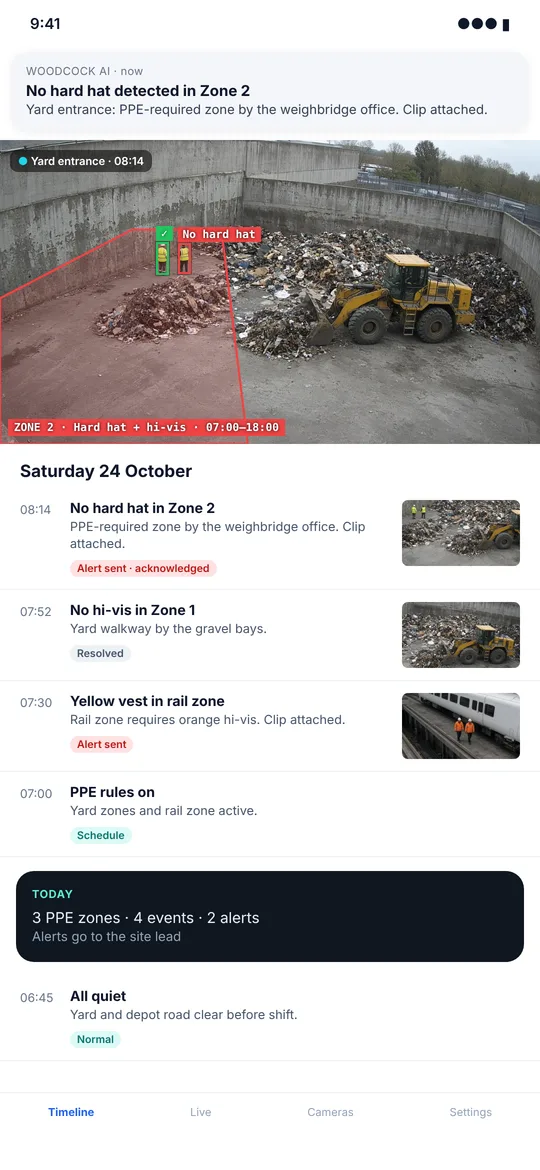
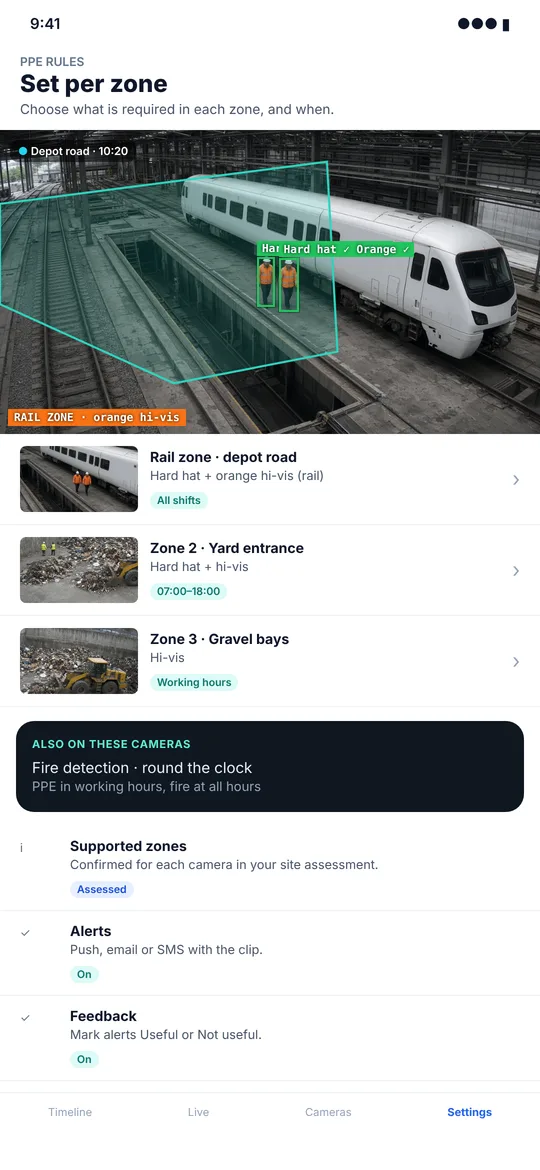
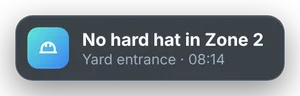
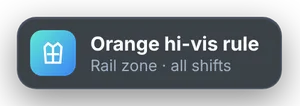
PPE detection is a safety module that watches the cameras covering your work areas for two items of personal protective equipment: hard hats and hi-vis. When it flags something in an area you have chosen, it sends an alert with the clip to the people who need to know.
It is not a replacement for supervision, training or your health and safety procedures. It adds a second pair of eyes to the CCTV you already run, so a team leader or safety manager can see what happened and decide what to do. Because every alert comes with the video, nobody has to act on a notification alone.
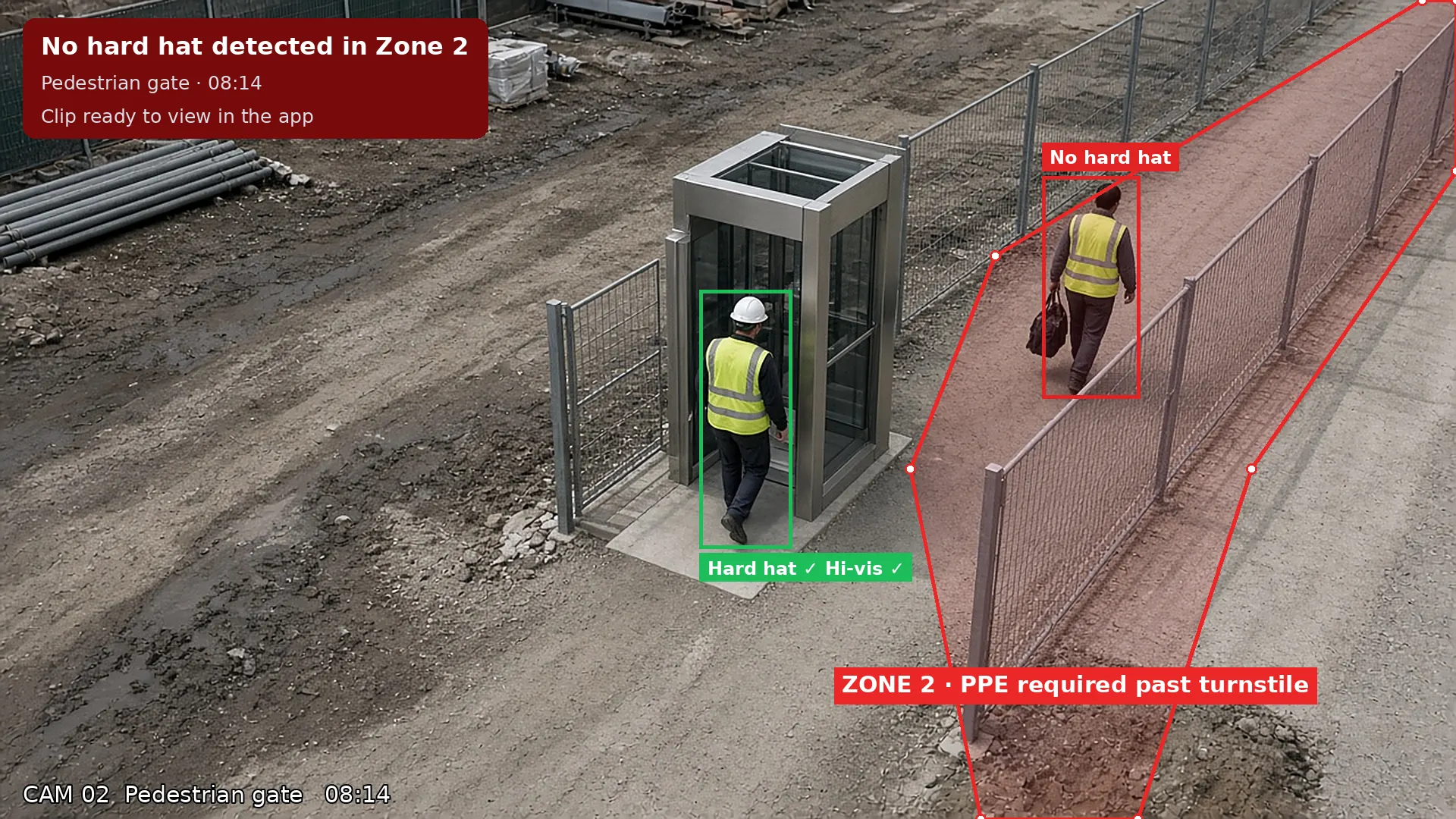
Woodcock AI checks two things: whether a person in a zone is wearing a hard hat, and whether they are wearing hi-vis. You decide which of the two each zone requires, so a walkway can ask for both while a loading apron asks only for hi-vis.
Zones are polygons that you draw on each camera's view, not rectangles. A polygon can follow the edge of a pedestrian route, the line of a scaffold base or the painted boundary of a loading bay, so the rule applies exactly where your site rules apply and nowhere else. Someone crossing the car park in a fleece is not flagged, because the car park has no PPE rule; the same person stepping onto the route from the gate is.
One camera can carry several zones with different rules. That matters on real sites, where a single gate camera often sees the pedestrian entrance, part of the yard and the edge of the car park. Each zone has its own rule, and each rule can be switched off without touching the others.
Read more about how the zones work on the polygon detection zones page.
Yes. Each camera and zone has its own schedule. PPE rules usually apply while people are working, so each camera and zone can have its own schedule. Set the hours of each shift, a shorter Saturday and nothing on Sundays, and PPE alerts only go out inside those hours.
Schedules keep alerts relevant. Outside working hours the same camera can switch to a different job: intrusion detection after the gates are locked, and smoke and fire detection round the clock. Each module keeps its own schedule, so a change to PPE hours never switches off fire cover.
Schedules are set per camera, which suits sites where areas run different patterns. A loading dock on two shifts and an office entrance on day hours can sit side by side, each with its own window, and holiday shutdowns can be handled by switching a rule off and back on again.
It depends on what each camera can see, so the site assessment checks every view first. PPE detection looks for hard hats and hi-vis. Whether it works on your site depends on your cameras and what they can see, so we confirm it camera by camera for each site.
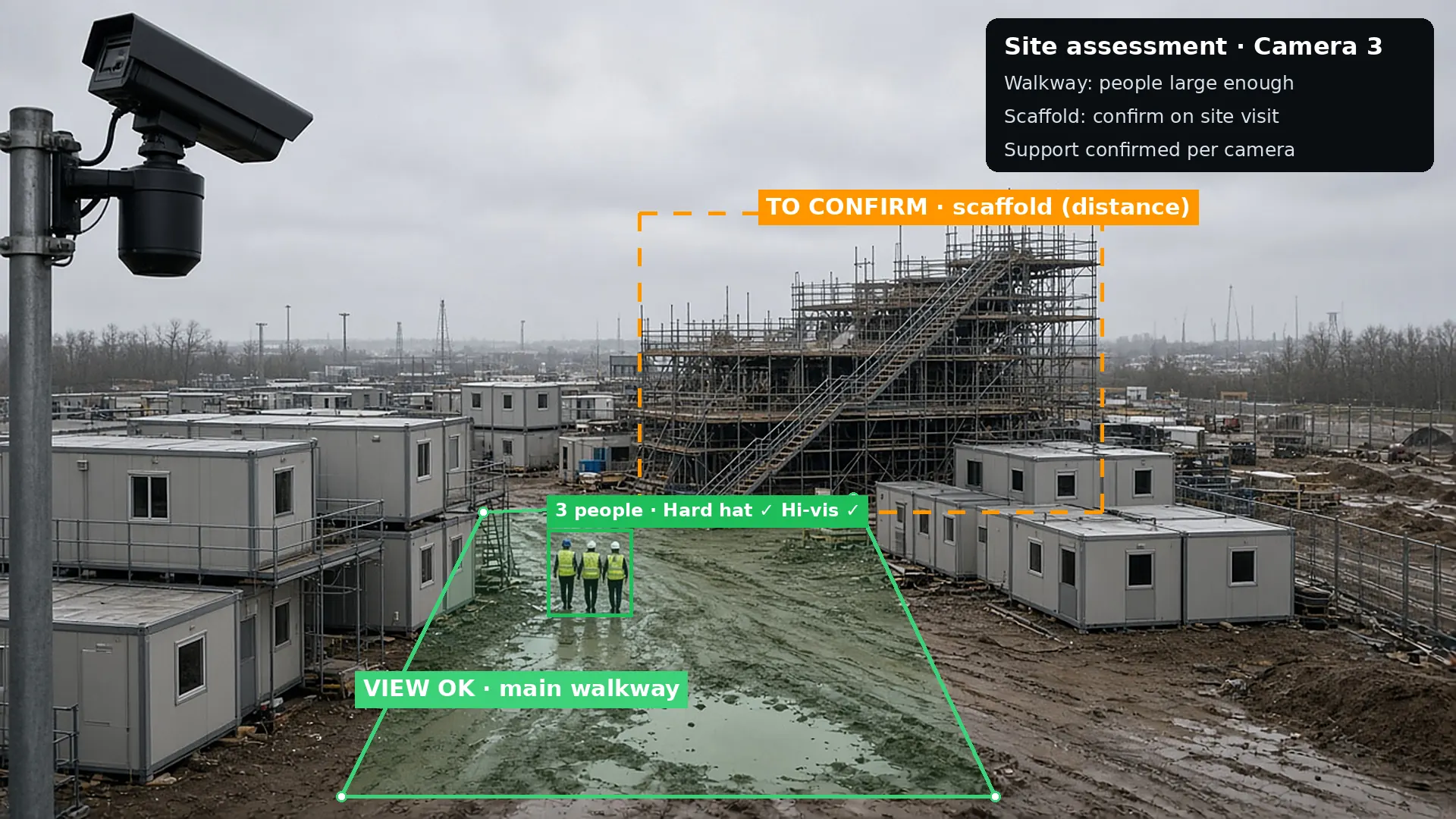
PPE detection needs to see what people are wearing, so the camera matters more than for fire or intrusion detection. Cameras on gates, docks and walkways are often well placed for it, and the site assessment checks every view before anything is set up.
A camera looking along a route, at a moderate downward angle, shows the head and torso clearly. A camera pointing straight down sees the top of a hard hat but very little of a vest, and a camera at head height is easily blocked by vehicles and stacked goods.
Cameras mounted on a building or a pole above head height usually give the right balance: high enough to see over people and pallets, low enough that a person still fills a useful part of the picture. We look at the real view rather than a figure on a drawing.
What counts is how many pixels a person takes up where the zone is drawn. A wide camera covering a whole yard may be fine near the gate and too far away at the back fence, so zones are drawn where people appear large enough to check.
Hi-vis is easiest to check in colour. Strong backlight from an open roller door, low sun or deep shadow can hide detail, and at night many cameras switch to infrared, which loses colour. Schedules usually keep PPE checks to working hours in good light.
Cameras need to be IP cameras or recorders that support ONVIF or RTSP. If a key area has no suitable view, we can recommend a camera position, and our design, supply and install service can fit one.
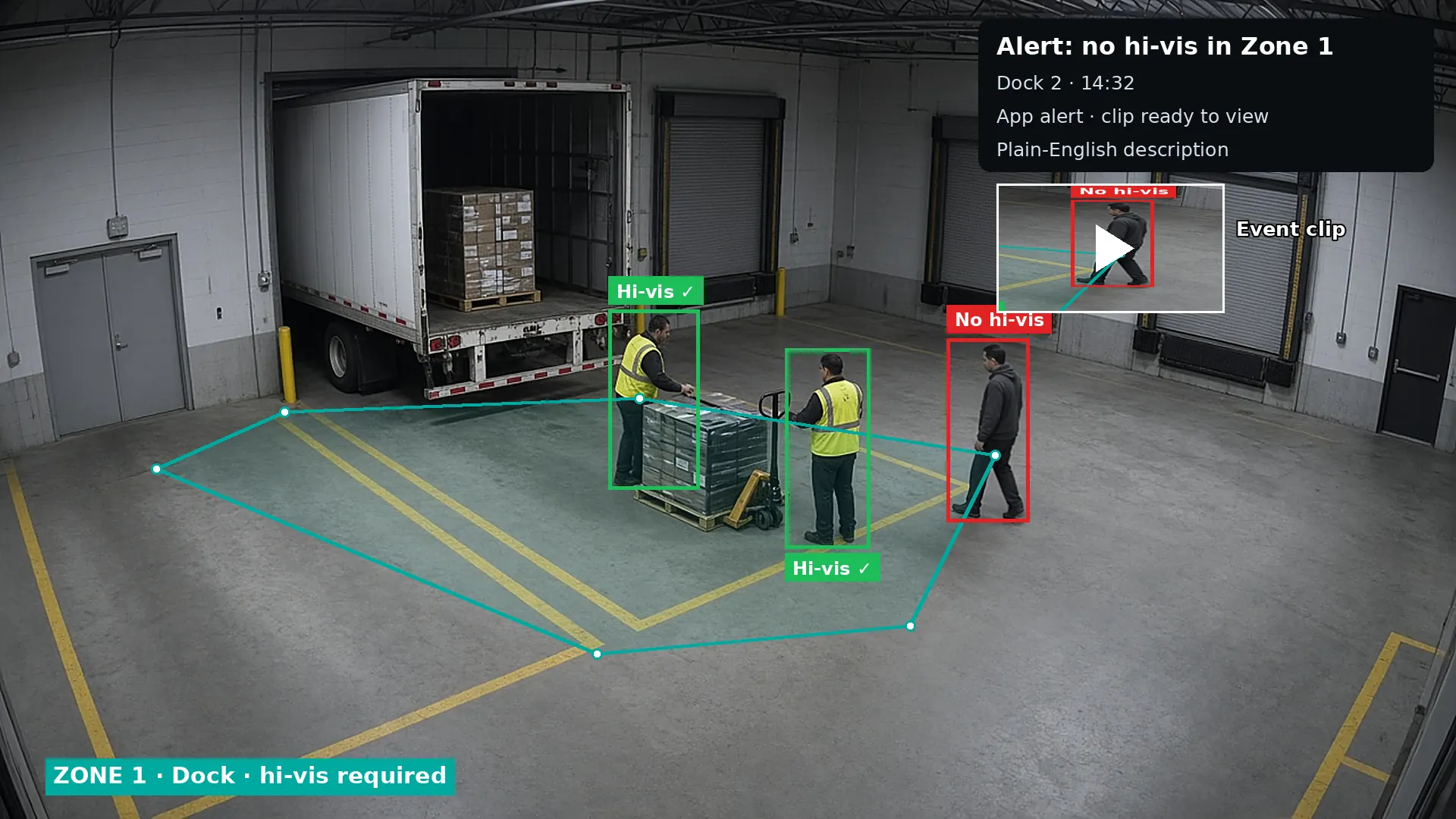
Alerts go to the people you choose by app push notification and email. Each one includes the video clip and a plain-English description of what the camera saw, so the right person can check it in seconds.
Alerts to a monitoring centre (ARC) and phone-call alerts are available as optional add-ons. The same app shows alerts from every module, so safety, fire and security events sit in one place.
Every PPE alert is built so the person receiving it can decide in seconds whether it needs action. It arrives as an app push notification with the clip, and by email.
The alert names the camera, the zone and the rule that was broken, with the time and a short video clip showing the moments before and after. A plain-English description says what the camera saw, for example one person walking from the gate towards goods in without a hard hat. Two buttons let the reviewer mark the alert as useful or not useful, and that feedback trains the AI for that camera.
Alerts can go to different people for different cameras: the site manager for the gate, a shift lead for the dock, the health and safety manager for everything. Alerts to a monitoring centre (ARC) and phone-call alerts are optional add-ons.
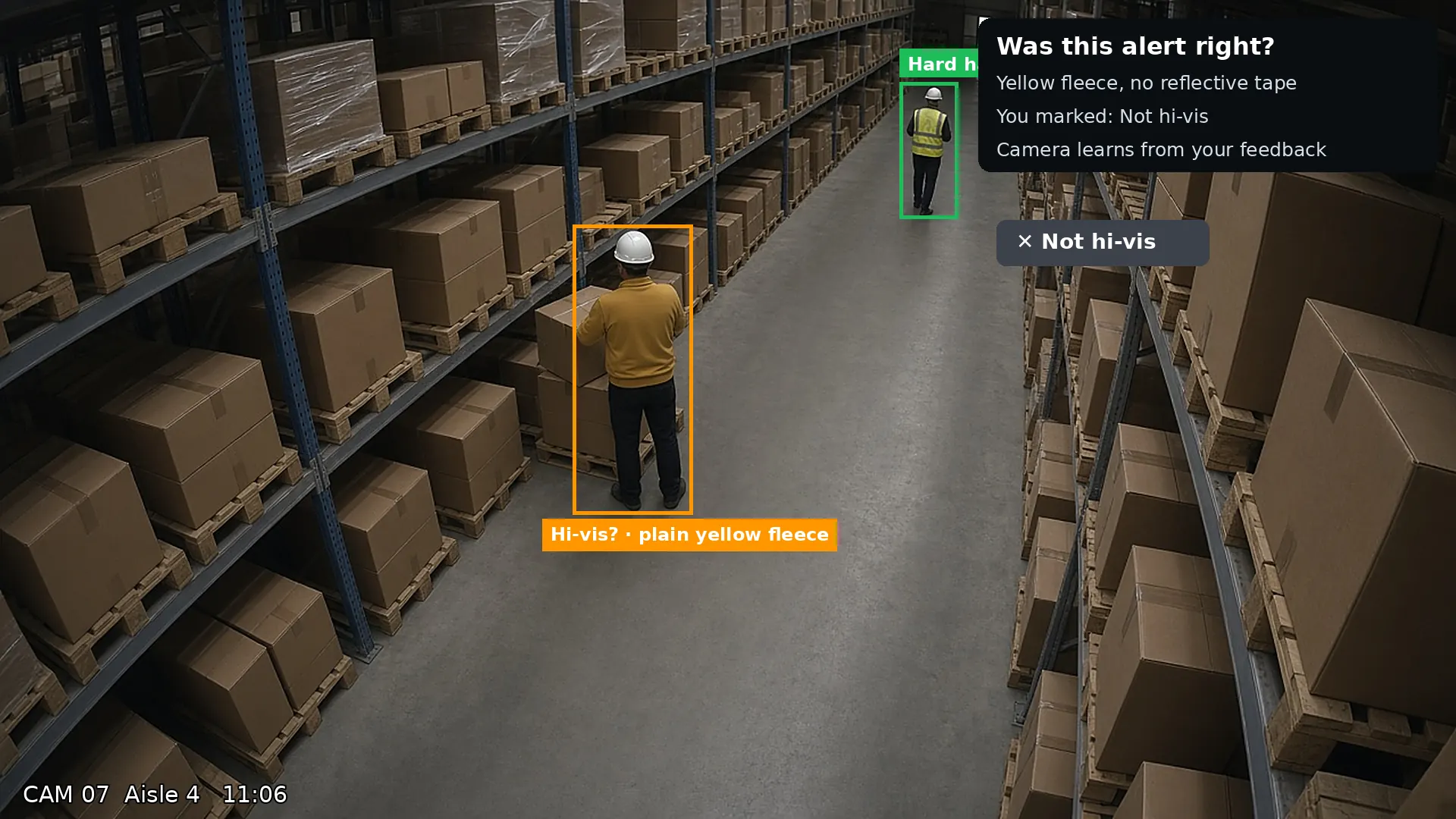
A self-learning AI is fitted to each site and learns what is normal for each camera view. Every detection has a feedback button: tell the AI whether a detection was right, and that feedback goes into retraining for your site.
Over time this helps the module get better at the views and work patterns on your site, rather than relying on a generic model alone.
Yes, on the same camera. Most sites start with their biggest risk, often smoke and fire, and add modules later. A camera covering a production floor can watch for smoke and flame, and run a safety module such as PPE detection too. After hours, the same camera can switch its attention to intrusion.
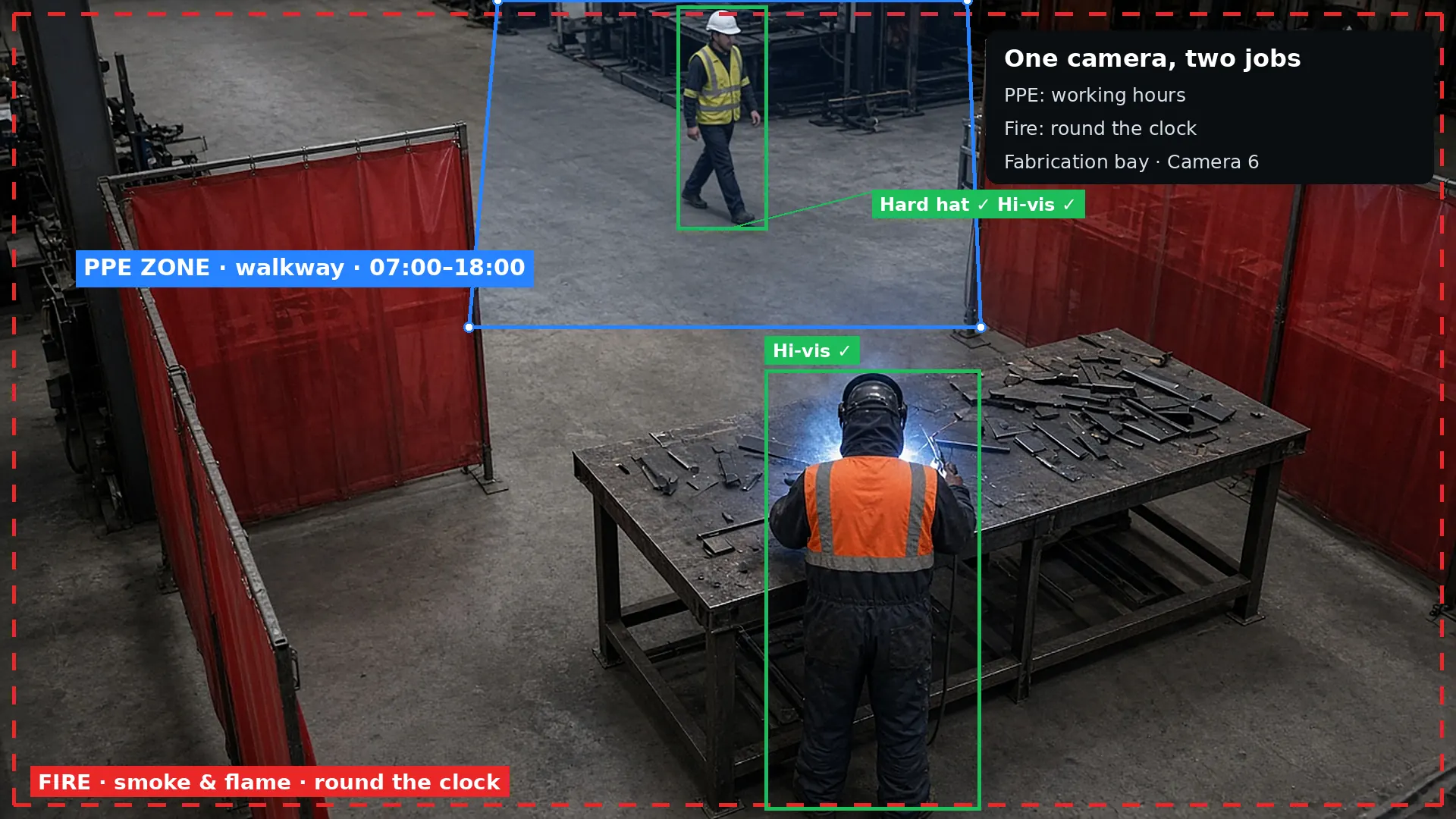
PPE detection suits sites where people work in areas with set PPE rules and cameras already cover the floor. Each camera is checked in the site assessment.
Production lines and work areas, often alongside fire detection. See industrial sites.
Loading bays and aisles where PPE rules apply. See warehousing and logistics.
Sites with CCTV coverage of work areas. See construction sites, or ask about it on a free site assessment.
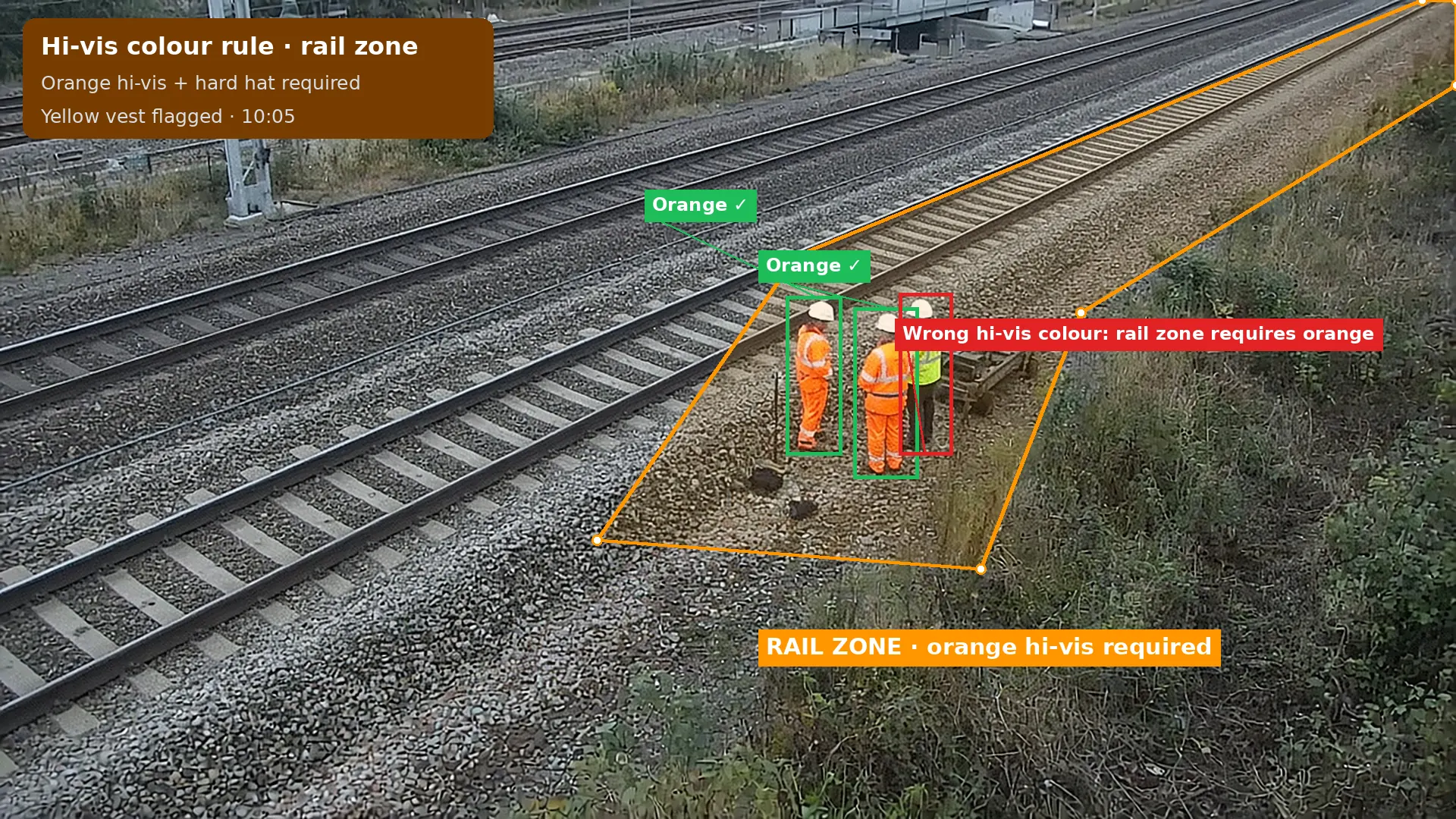
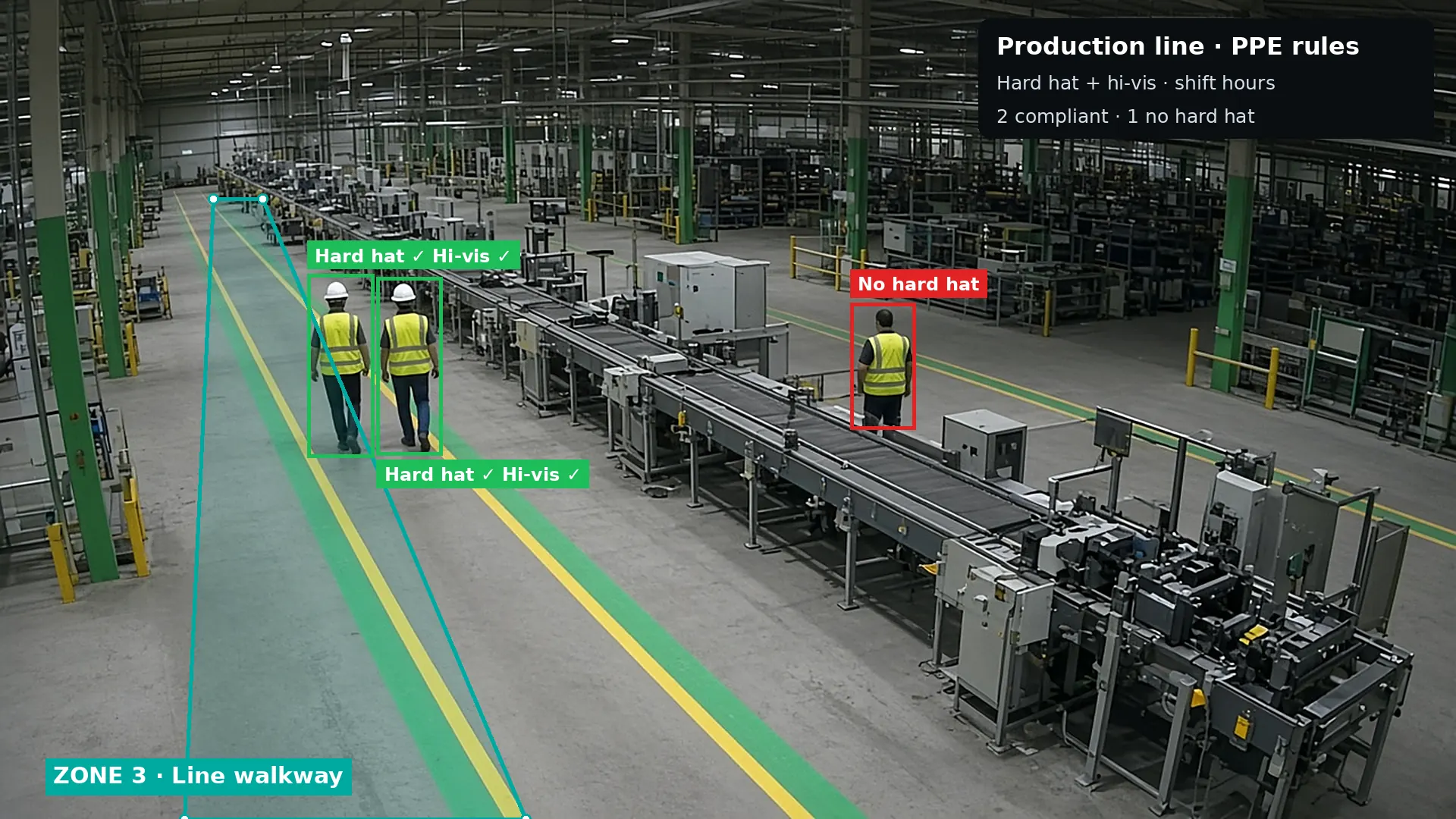
The module is the same everywhere; the zones, rules and schedules change with the site. These are the set-ups we see most often.
Site rules usually require hard hats and hi-vis beyond the welfare cabins. Cameras on the gate and the main pedestrian route are the natural place to check, with zones that stop at the cabins and the car park. As the build moves, zones are redrawn to follow new routes. See AI CCTV for construction sites.
Where vehicles and people share space, hi-vis is the rule that matters most. Zones on the gatehouse approach, the weighbridge and the vehicle routes flag anyone on foot without hi-vis, while the office entrance stays rule-free. See industrial sites.
Loading docks and marshalling areas are the busiest places for moving plant and people on foot. A hi-vis rule on the dock apron, scheduled to the shift pattern, is a common starting point. See warehousing and logistics.
Tipping halls, picking areas and yards combine heavy plant, moving loads and visitors. Hard hat and hi-vis rules can run in the operating hours while the same cameras watch stockpiles for smoke and fire round the clock. See waste and recycling.
Every PPE alert is kept in the Woodcock AI app with its clip, camera, zone, time and the review your team gave it. That builds a record of where PPE rules are being missed, and how often, without anyone writing it up by hand.
The record is useful in toolbox talks and safety meetings: if most alerts come from one gate at the start of the morning shift, the answer may be a PPE station by that gate rather than another reminder email. It also shows that alerts were reviewed by a person, which matters for both safety and privacy.
Under the Personal Protective Equipment at Work Regulations 1992, employers must provide suitable PPE where risks are not adequately controlled in other ways and take all reasonable steps to make sure it is properly used. Since 6 April 2022 those duties also cover a wider group of workers. HSE describes PPE as a last resort, used after other ways of controlling the risk. On construction sites, the principal contractor must plan, manage and monitor the construction phase under CDM 2015.
PPE detection does not make a site compliant on its own, and it does not replace supervision, training or your risk assessment. What it adds is a consistent, reviewable view of what your cameras saw. For the regulations in more depth, read our UK guide to PPE detection on CCTV and the compliance hub.
No. PPE detection looks for equipment, not for people's identities. It asks whether a hard hat and hi-vis are being worn inside a zone; it does not match faces, read names or build profiles of individuals. Woodcock AI is not facial recognition.
The footage is still CCTV, so the usual UK GDPR rules apply. Workers should be told that cameras are used for PPE checks, and the ICO expects a data protection impact assessment (DPIA) for workplace monitoring that is likely to be high risk. A good DPIA records the purpose, the zones and hours covered, who sees alerts, how long clips are kept and the human review step.
Polygon zones and schedules help here: checks run only in the areas and hours where PPE is required, which is easier to justify and easier to explain at induction. For the full checklist, read AI CCTV and GDPR: a UK guide.
The fastest way to see whether PPE detection suits your site is a live test on your cameras. We connect 2–3 of your existing cameras for about a fortnight, draw the zones and schedules with you, and your team receives real alerts with clips.
Pick the cameras where PPE matters most, usually the main gate, a loading dock or the route into a work area. During the test your team marks alerts as useful or not useful, and the AI uses that feedback to fit each camera to your site. At the end we review what was flagged together and agree which cameras to add.
If you would rather start with a conversation, book a site assessment and we will review your camera views, your PPE rules and the areas where they apply.
Short answers on scope, zones, cameras, alerts and privacy. For the UK rules, zone set-up and a rollout checklist, read our guide to PPE detection on CCTV in the UK. More in the Woodcock AI FAQ.
It is a safety module that watches existing CCTV for hard hats and hi-vis in the areas where your site requires them. Woodcock AI flags anyone in a zone without the PPE that zone requires and sends an alert with the clip.
Hard hats and hi-vis. Whether it works on each camera depends on the view, so the site assessment confirms what is supported on your cameras before anything is set up.
Often, where the view allows. It runs on ONVIF or RTSP cameras and recorders you already have, but it needs a camera with a clear enough view of people in the area. The free site assessment checks each camera.
Yes. Several modules can run on one camera, so a camera covering a production floor could watch for smoke and fire round the clock and check for hard hats and hi-vis in working hours.
To the people you choose, by app push notification and email, each with the clip and a plain-English description. Alerts to a monitoring centre (ARC) and phone-call alerts are available as optional add-ons.
A self-learning AI is fitted to each site and learns what is normal for each camera. Every detection has a feedback button, and that feedback goes into retraining for your site.
No. It supplements your health and safety procedures, supervision and training. It gives a team leader or safety manager an alert with the clip, so they can see what happened and decide what to do.
Through a site assessment, or a live test on 2–3 of your own cameras. We review your cameras, their views and the PPE your site requires, and confirm what is supported before anything is set up.
No. It checks for equipment, not identity. It flags that a person in a zone has no hard hat or no hi-vis and sends the clip to your team. It does not match faces or names anyone.
Yes. You draw polygon zones on each camera and give each zone its own rule: hard hat, hi-vis or both. One camera can carry several zones, and areas such as car parks can have no rule at all.
Yes. Each camera and zone has its own schedule, so PPE alerts only go out in working hours. The same camera can run intrusion detection at night and smoke and fire detection round the clock.
A view along the area at a moderate downward angle, with people large enough in the picture to see their head and torso, in reasonable light. Very distant views, cameras pointing straight down and strong backlight make checks harder.
Hi-vis is easiest to check in colour, and many cameras switch to infrared at night, which loses colour. Most sites schedule PPE checks for working hours in good light; the site assessment checks the views you need.
Zones, rules and schedules keep checks to the areas and hours that matter, and your feedback on each alert trains the AI for that camera. The live test shows the real volume on your site before you commit.
Yes. Every alert is kept in the app with its clip, camera, zone, time and your team's review, so you can see where and when PPE rules are being missed.
We connect 2–3 of your existing cameras for about a fortnight, set up zones and schedules with you, and your team receives real alerts. At the end we review the results together.
Yes, if you follow the usual CCTV rules: a clear purpose, a lawful basis, a DPIA where the monitoring is likely to be high risk, telling workers and keeping clips only as long as needed. Our UK GDPR guide covers the detail.
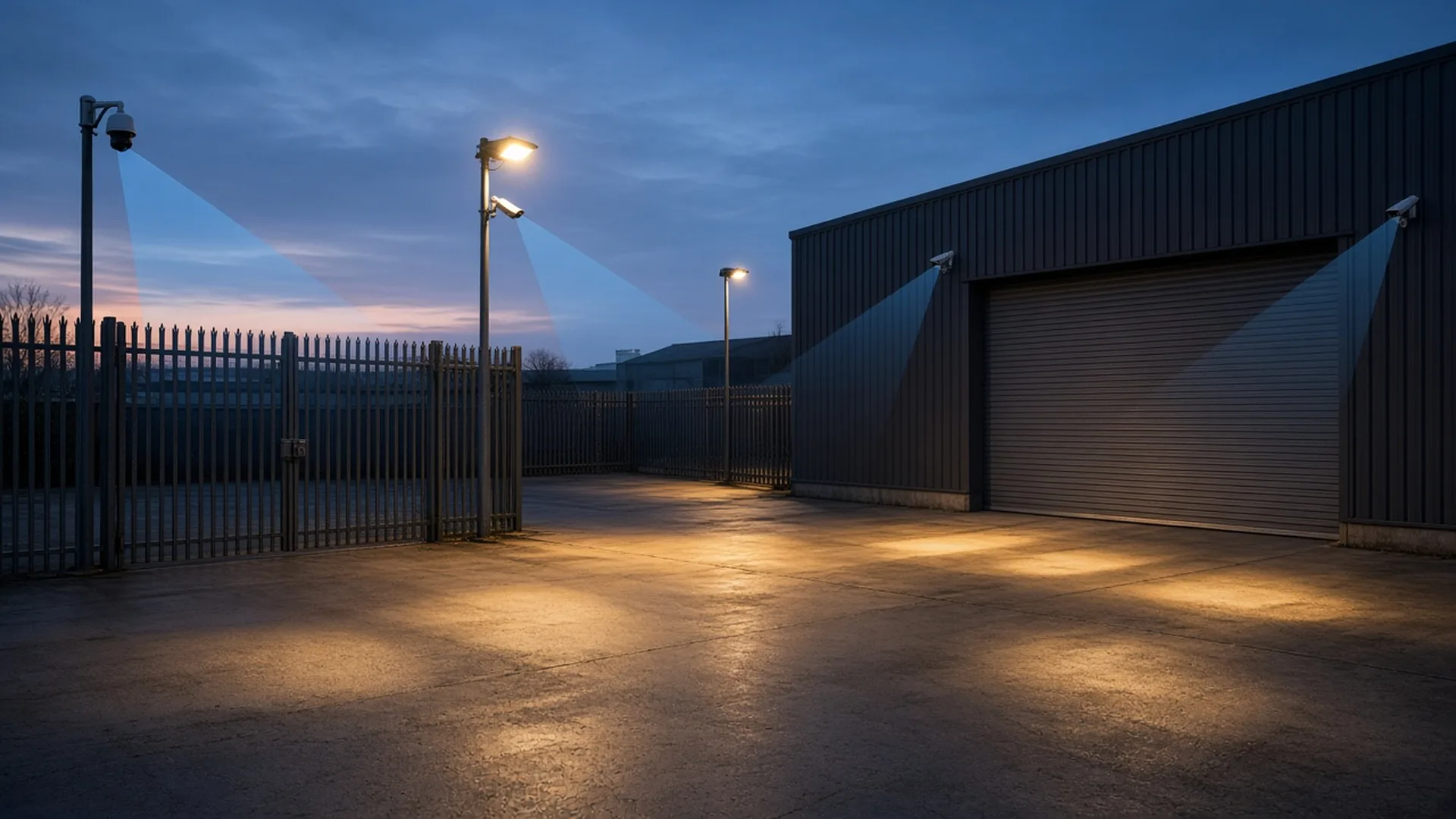
A free site assessment looks at your cameras, their views and the PPE your site requires, and confirms what is supported before anything is set up.
Each module runs on the same platform, so the same tools apply wherever you use it.
Recording PPE zones in your risk assessment? Use our free AI CCTV risk assessment template.