

Video smoke detection on existing CCTV
Video smoke detection uses AI to watch the CCTV cameras you already have for visible smoke and flame, then sends an alert with the video clip in seconds. It works with most ONVIF and RTSP cameras and recorders, so there is usually nothing new to buy, and it supplements, rather than replaces, your certified fire alarm.
See how AI CCTV adds smoke and fire detection to existing cameras.
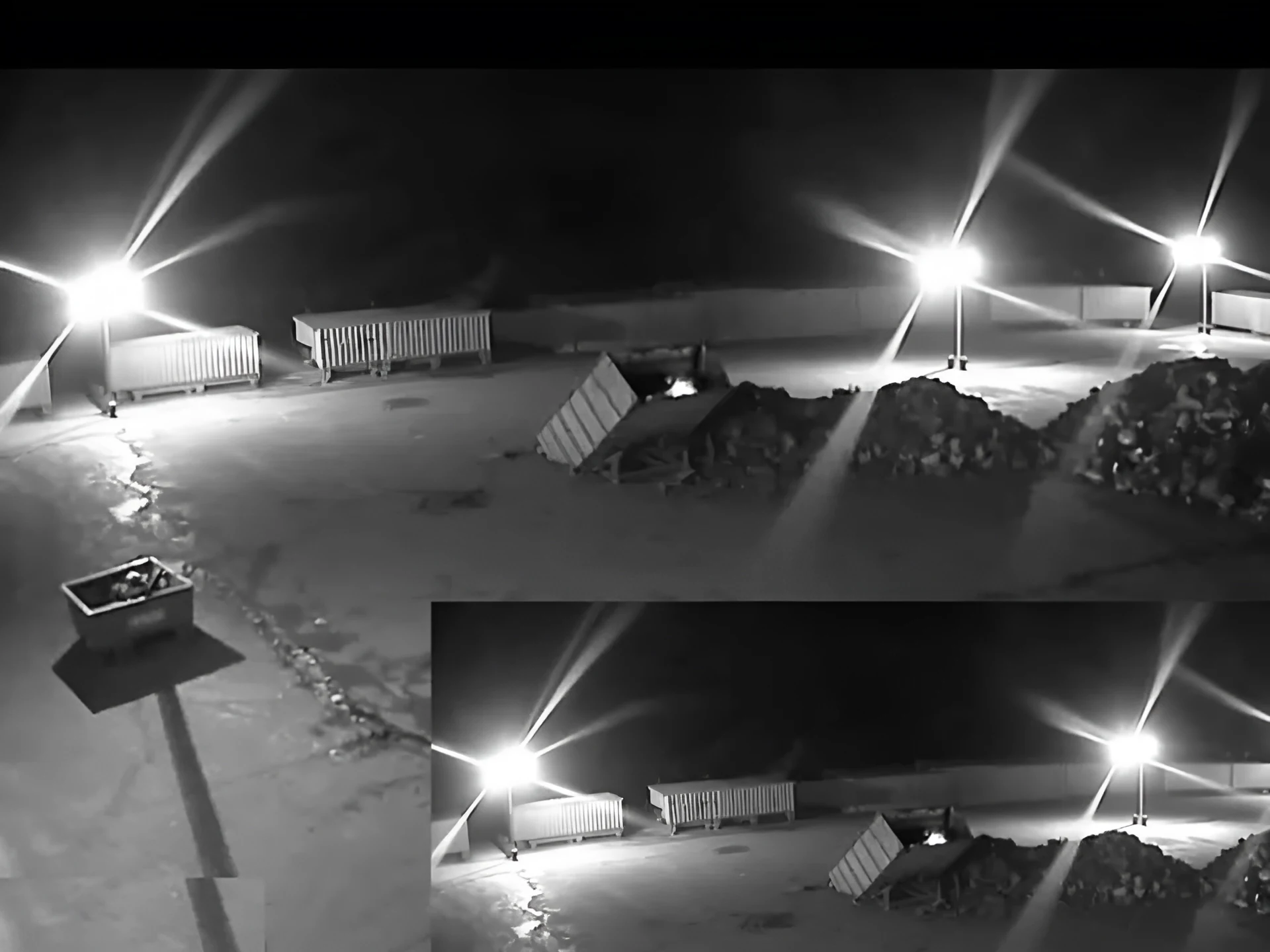
A low-cost way to add smoke and fire alerts to Hikvision cameras in the UK
For many UK sites, the lowest-cost route is usually software on the cameras you already have, rather than new hardware. Woodcock AI connects to Hikvision cameras and NVRs over ONVIF or RTSP, using the device login, and is billed monthly. There are no new cameras to buy, and you only add detection to the cameras that watch a fire risk.
- No new cameras: works with the Hikvision, Dahua and other ONVIF or RTSP kit installers fit every day
- Add detection only to the views that cover a risk
- Keep your NVR, use a Woodcock virtual NVR, or run without one
- live test on 2–3 of your own cameras for about a fortnight, with no obligation to continue
Alternatives exist: on-camera analytics, such as Hikvision HEOP apps, and thermal cameras can also detect fire, but they usually need new or specific camera hardware. Software that runs on the cameras you already have avoids that. On Hikvision NVRs, RTSP or ONVIF must be enabled before the recorder can be connected.
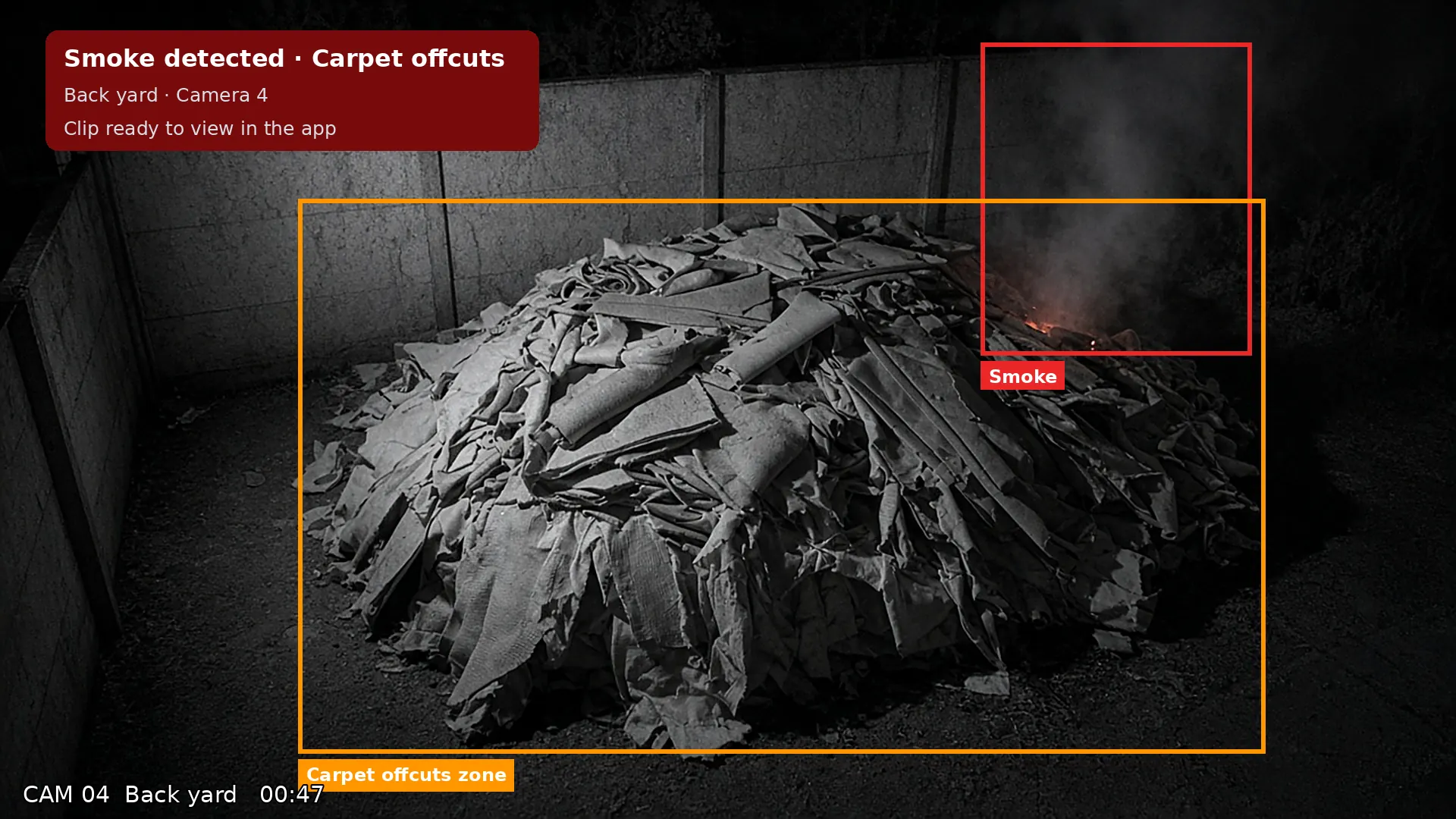
- Smoke outlinedThe plume is boxed and labelled, so whoever gets the alert can see what triggered it.
- Flame outlinedVisible flame at the base of the pile is labelled separately from the smoke.
- The camera viewThe same moment as the existing camera recorded it, before labelling. No new camera was needed.
How the AI sees smoke, from frame to alert
Tap each stage to see what happens between a camera picking up smoke and your phone buzzing.
Will it work with my cameras and NVR?
Answer three quick questions. The result is a guide based on what Woodcock AI supports; the free site assessment confirms it for your site.
Supported: ONVIF or RTSP cameras and recorders, including NVRs and legacy DVRs,, with H.264, H.264+ or H.265 streams.
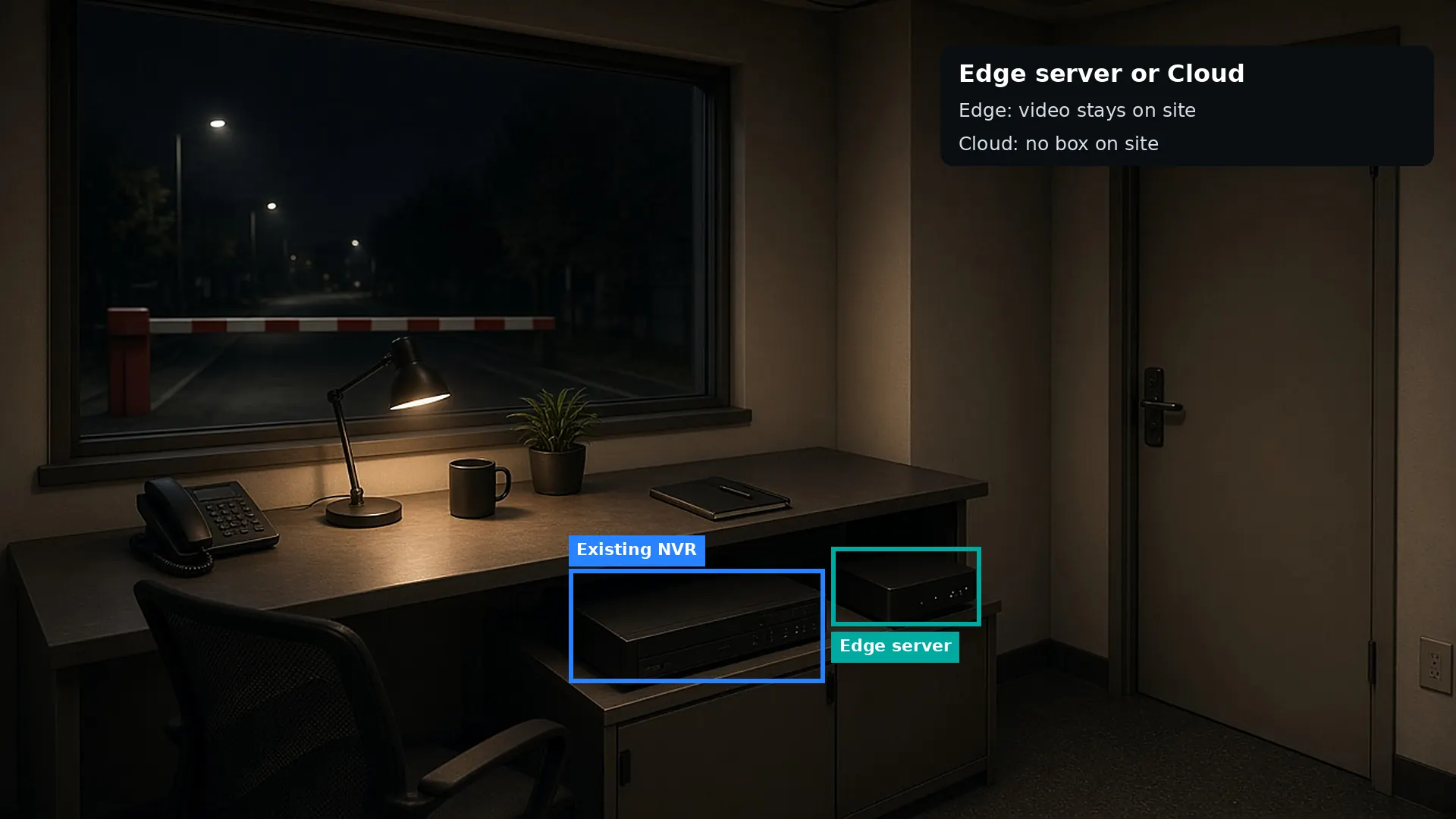
On-site edge server or the Woodcock AI Cloud
Edge server
Processes video on your local network and works without an internet connection. Footage stays on site, and alerts go out from the server by push notification and email.
Woodcock AI Cloud
Needs no NVR on site and adds remote management and cloud recording, with alerts and live view in the Woodcock AI app.
See the full system, from camera to alert, in how Woodcock AI works.
What video smoke detection can't do
It is a powerful early-warning layer, but only within what a camera can see. Plan around these limits.
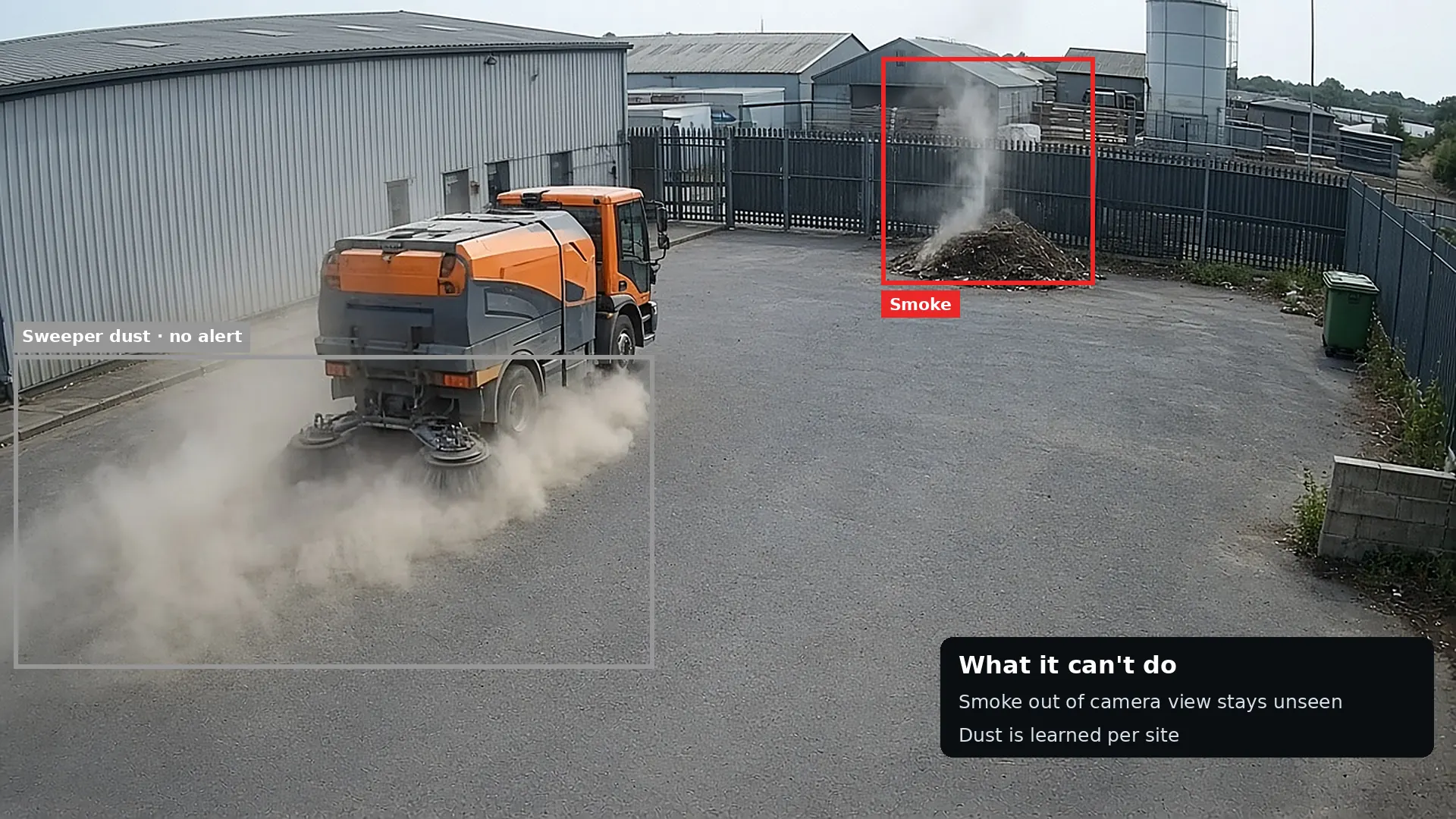
Steam, dust and weather are not smoke
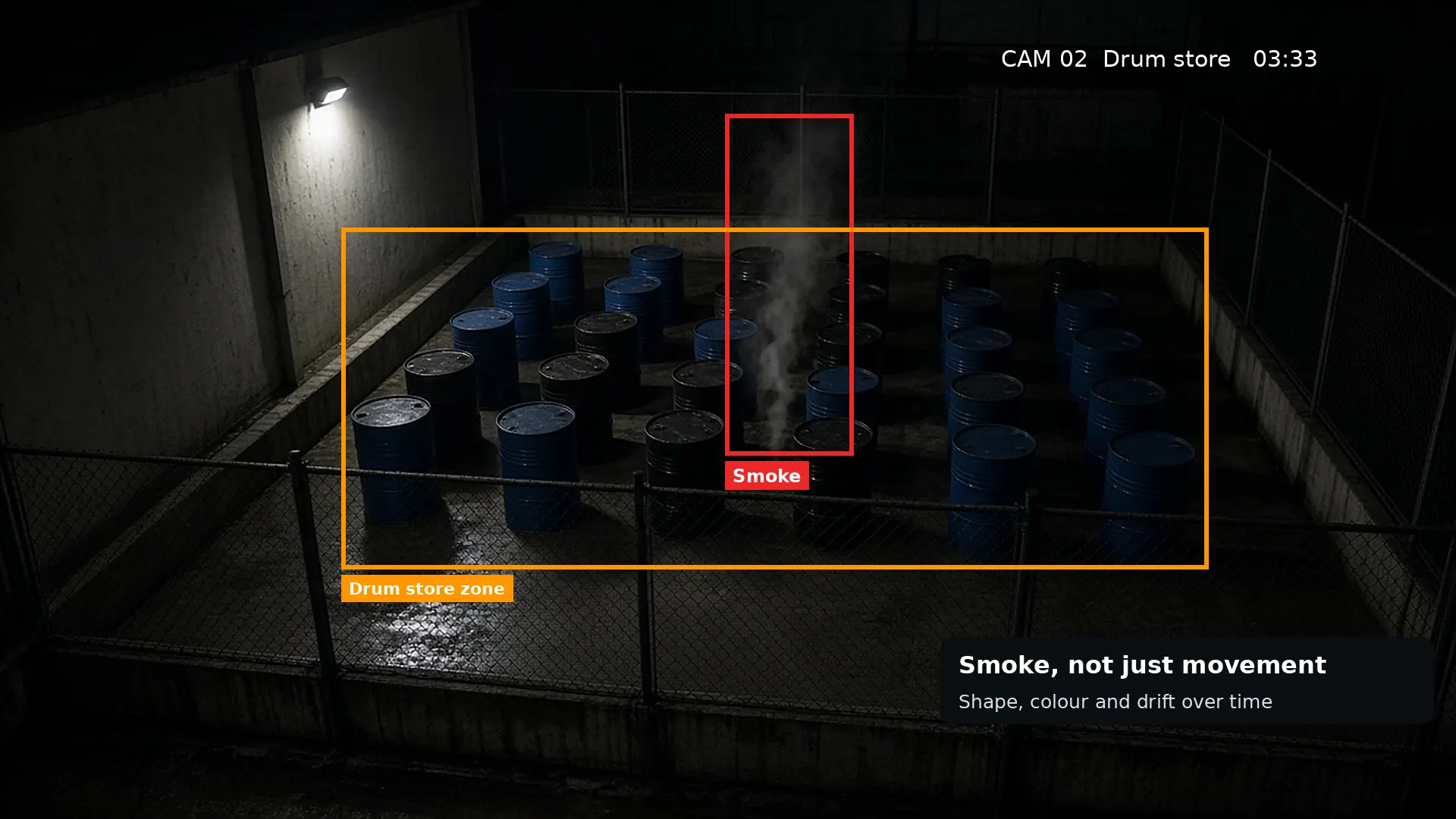
A self-learning AI is fitted to each site and learns what is normal for each camera, such as steam from a process stack or dust behind lorries. Every detection has a feedback button that feeds into retraining. Every alert still comes with the clip, so a person can check it in seconds.
- Line of sight onlyIt detects visible smoke and flame. It cannot see inside a stockpile, behind racking, in a closed container or outside a camera's field of view.
- Image quality mattersA dirty, out-of-focus or badly placed camera sees less. Dense fog, heavy rain on the lens or pointing into strong light can reduce what it can see.
- Not a certified fire alarmIt supplements, and does not replace, certified fire detection and alarm systems, suppression systems or statutory fire safety procedures. See how Woodcock AI smoke and fire detection fits alongside them.
- Someone must actAlerts reach people in seconds, but your team or monitoring provider still needs to verify the clip and follow your fire procedures.
- Closed systemsSome manufacturer systems do not expose ONVIF or RTSP. We'll tell you on the assessment and advise on a compatible upgrade.
- Power and networkCameras, recorders and the edge server need power and a working local network to keep watching; the cloud option also needs internet.
Designing video smoke detection the way the FIA guidance describes
The Fire Industry Association (FIA) publishes Guidance on Video Smoke Detection Technology (VSD) for the people who specify, install and use it. It is short and practical, and nearly all of it applies whether the cameras are new or already on site. Here are its main design points in plain English, with what each one means on a waste or industrial site.
1Camera, lens and line of sight
The guidance says image quality is critical. The lens decides how far and how small a plume the system can pick out, and each camera needs a direct line of sight to the risk it protects, allowing for temporary obstructions.
On a waste site: stockpiles grow, plant is parked in front of bays and skips are swapped. Check each view with the piles at their highest, not on a quiet day.
2Air movement and open spaces
Dilution and air movement can reduce sensitivity or delay an alarm. The guidance also explains why VSD suits large open areas, high roofs and outdoor sites: it sees smoke in the camera's view instead of waiting for it to reach a ceiling detector.
On a waste site: wind across an open yard thins and flattens a plume, so cameras placed close to the bays they watch give a clearer view of it.
3Light at night, glare by day
VSD needs a minimum level of light. Low-light cameras or infrared (IR) illuminators help at night, but they change the range, field of view and sensitivity. Cameras should be mounted to keep glare from the sun and floodlights out of the picture, with hoods where needed.
On a waste site: check every view after dark and in low winter sun, as well as in daylight.
4False-alarm sources and masking
The guidance lists steam, gas plumes, vehicle exhaust, vapour, dust and sprays, plus fog, mist, snow, rain and insect swarms outdoors. Its answer is tuning, a monitored test period and dividing the image into areas, masking known sources.
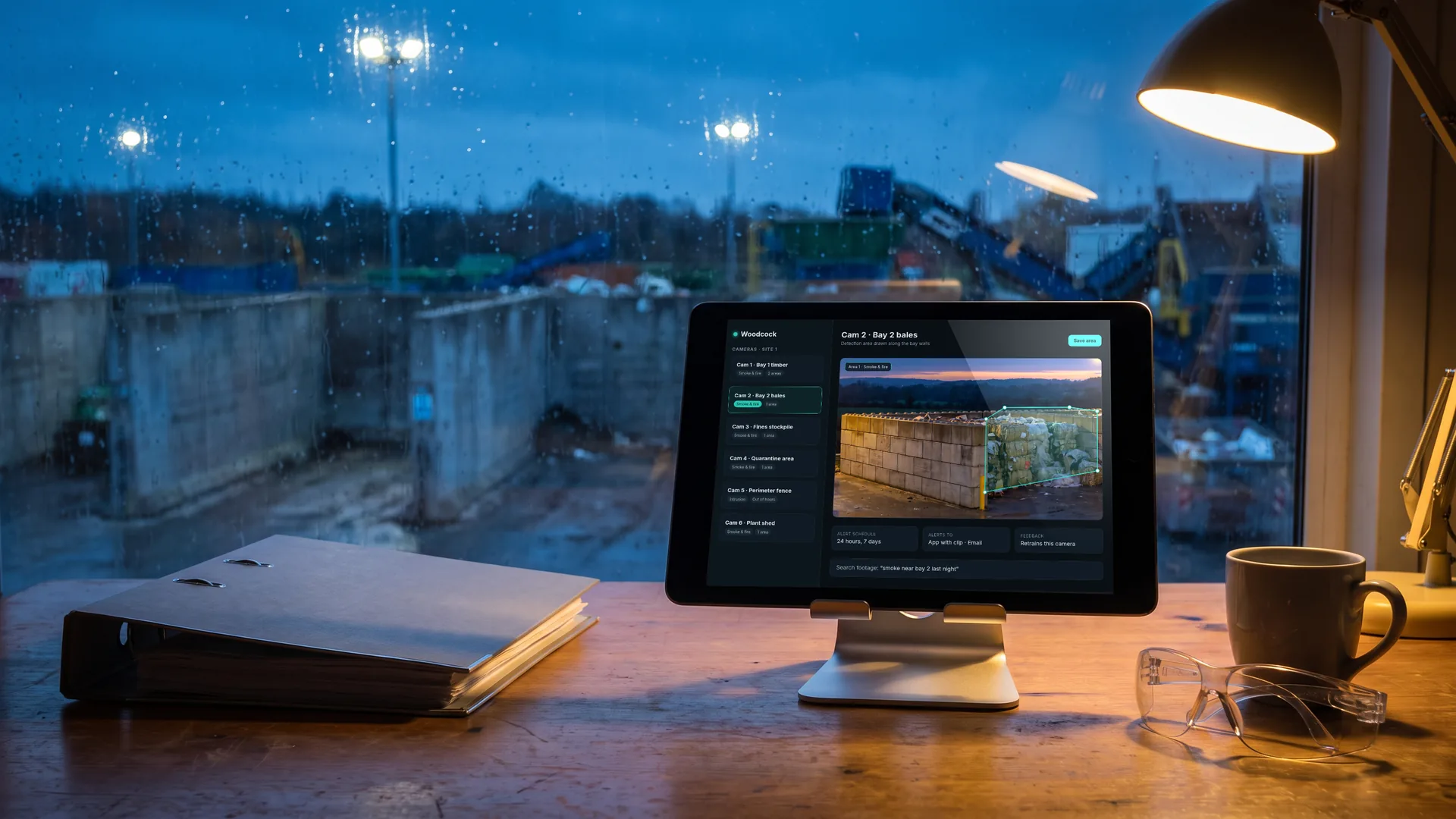
With Woodcock AI: polygon detection areas are drawn around the bays that matter, so a steam vent or road outside the area is ignored. The AI is fitted to each camera and learns from that camera's footage where nothing happened, and the feedback button on every detection feeds retraining.
5System integrity and lens care
The guidance covers reliable data storage, protected cabling, an adequate power supply, fault monitoring and contamination of the lens or housing window.
On a waste site: dust settles on lenses quickly, so set a cleaning interval and log it. Agree how you will notice if a camera stops sending pictures and add it to your checks. The free site assessment looks at power, recording and network for each camera.
6Verification and lessons learned
A real strength of VSD, the guidance notes, is that the alarm comes with live video, so someone can verify it, and stored clips show what caused an alarm so settings can be adjusted.
With Woodcock AI: every alert arrives by app, with the clip, and by email, to the people set for that camera and time. Alerts to a monitoring centre (ARC) and phone-call alerts are optional add-ons.
Source: Fire Industry Association, Guidance on Video Smoke Detection Technology (VSD), version 1 (PDF). Points summarised in our own words; read the full guidance for detail.
How to add video smoke detection to existing CCTV
- 1
Check your cameras
Use the compatibility checker on this page, or list your cameras and recorder. Most ONVIF and RTSP devices connect.
- 2
Book a free site assessment
We review your CCTV and the fire risks on your site, and recommend which cameras should watch for smoke and flame.
- 3
Connect the cameras
Enter each camera or recorder login on the edge server or the Woodcock AI Cloud. Keep your current NVR, use a Woodcock virtual NVR, or run with no NVR at all. Our technical team helps for free, including remote setup.
- 4
Set zones, schedules and alerts
Draw detection zones for each camera, choose when it watches and who gets alerts by push notification and email.
- 5
Review alerts during a live test
Each alert arrives with the video clip. Review real detections during a live test on your cameras before deciding to continue.
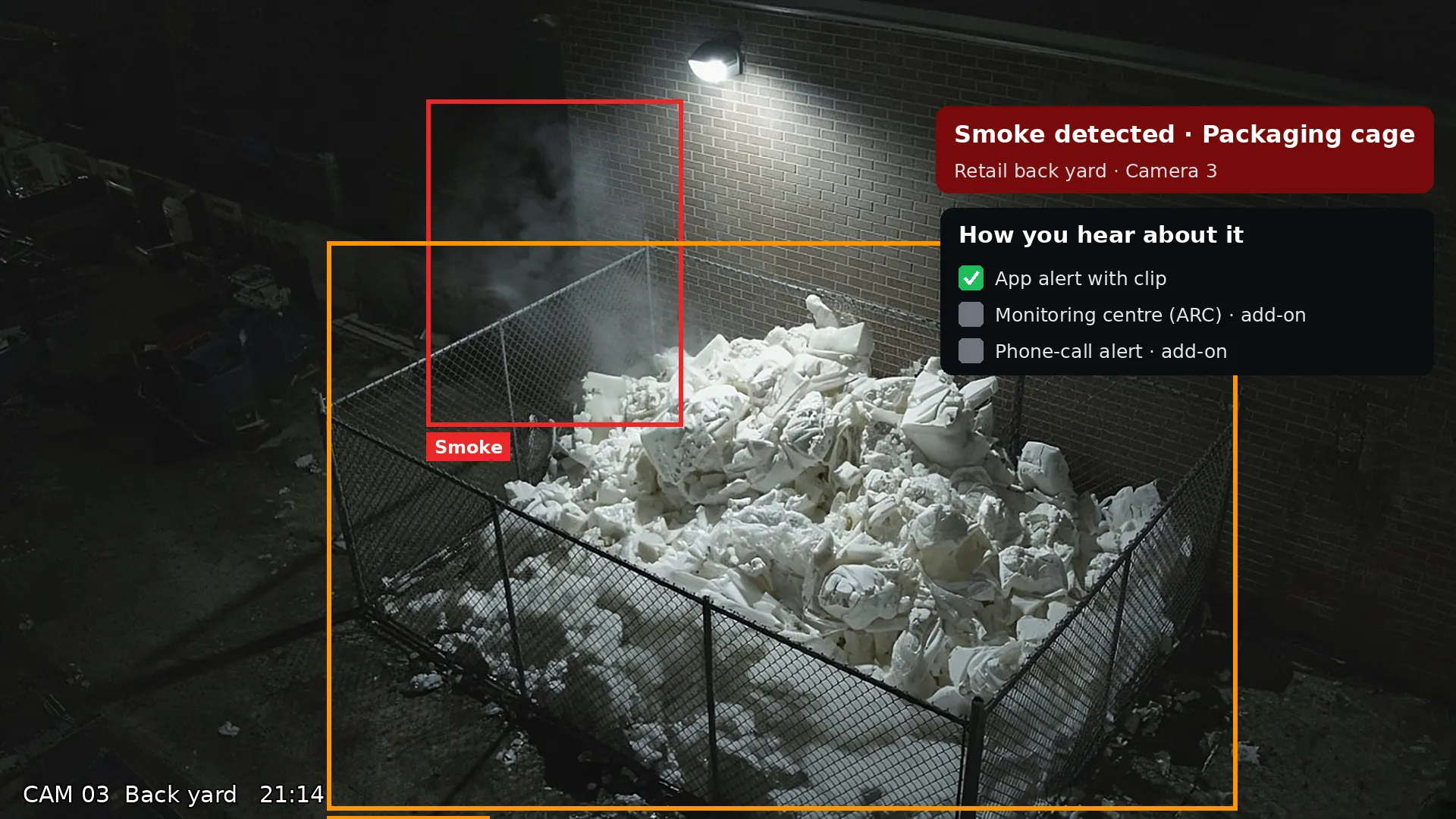
An alert with the clip, in seconds
Once cameras are connected and zones are set, each detection arrives by push notification and email with the video clip attached. Alerts to a monitoring centre (ARC) and phone-call alerts are available as optional add-ons.
Commissioning, testing and records for your FPP
The GOV.UK fire prevention plan guidance asks you to show how a fire is detected early and how the alarm is raised, both in working hours and when the site is closed. It also expects the plan to be tested with regular exercises and kept under review. The FIA guidance adds that video smoke detection should be tested with a method agreed at commissioning, with a monitored test period where false-alarm sources are uncertain, and that every test is documented.
In practice, the inspector wants to see the same few records each time. Keep them with your plan, and update them when the site changes.
Video smoke detection records checklist
Copy or print this list and keep the completed records with your fire prevention plan.
- Camera list: each camera, its view and the bay, stockpile or area it covers, so the plan shows every risk is watched.
- Detection areas: a screenshot of each polygon and the date it was drawn or last changed.
- Who gets alerts: the names or roles that receive alerts in working hours and when the site is closed, plus any ARC or phone-call add-on.
- Commissioning walk-test: a smoke test or test clip in front of each camera, with the date, time, result and the alert received.
- Re-test schedule: how often each camera is tested again, and a re-test after any change to bays, lighting or camera position.
- Maintenance and lens cleaning log: dates, what was cleaned, adjusted or replaced, and who did it.
- Alert and response log: each alert, who checked the clip and what action was taken.
Tip: print this page, or save it as a PDF from your browser, to keep a copy with the plan.
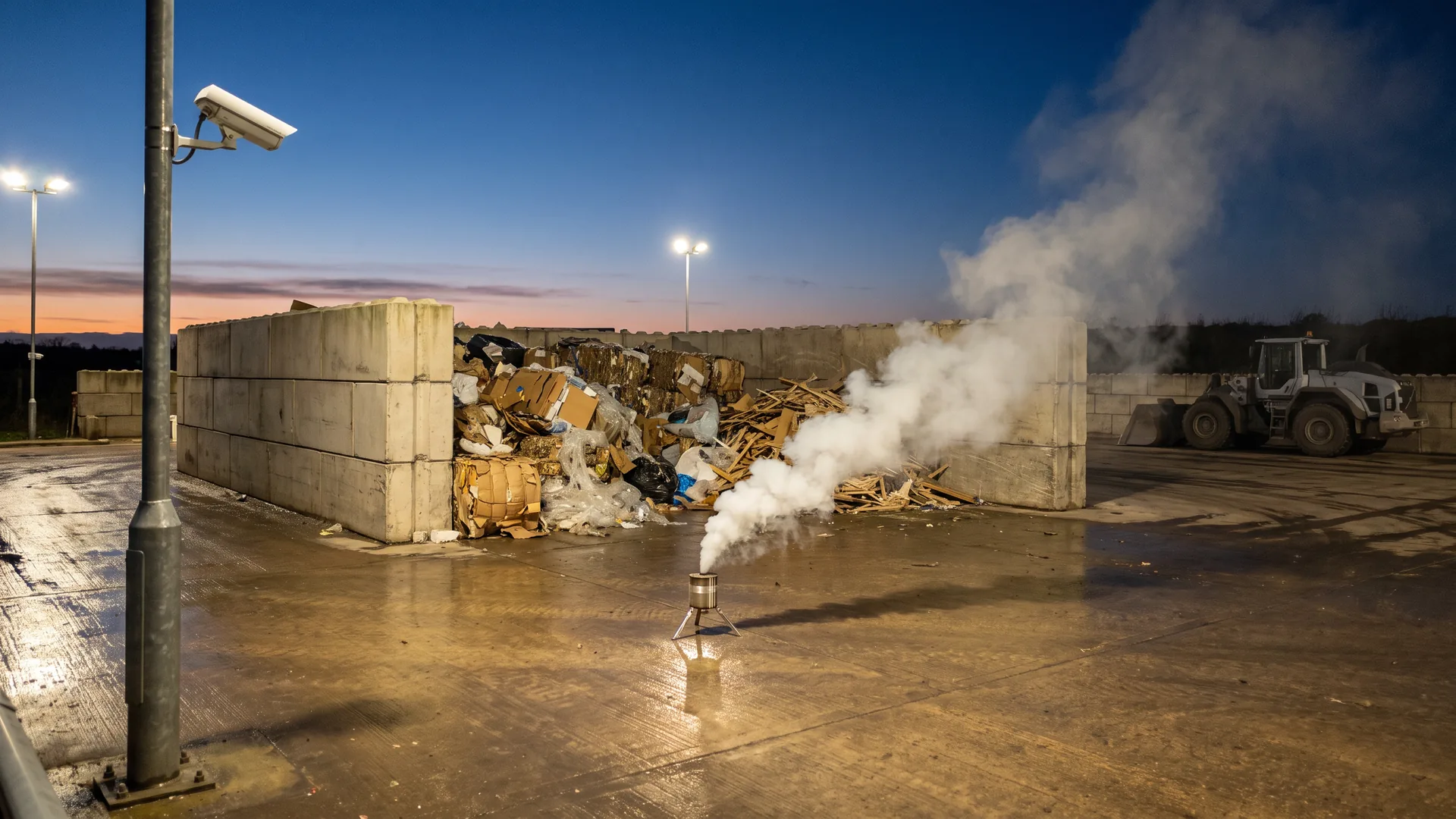
Woodcock AI saves every alert with its clip. From early 2027 (coming soon) you'll be able to search your footage in plain English, for example "smoke near bay 2 during Tuesday's test", and download the matching clip to attach to the test record or an incident report. Per-camera alert schedules make it easy to show who is told, and when.
For the rest of the plan, see the fire prevention plan checklist, how thermal cameras and AI CCTV compare for an FPP, and fire and security for waste and recycling sites.
Video smoke detection questions
Straight answers about running smoke detection on the cameras you already have.
Do I need new cameras for video smoke detection?
How does video smoke detection work?
What are the limits of video smoke detection?
How does it handle false alarms?
Does video smoke detection replace fire alarms?
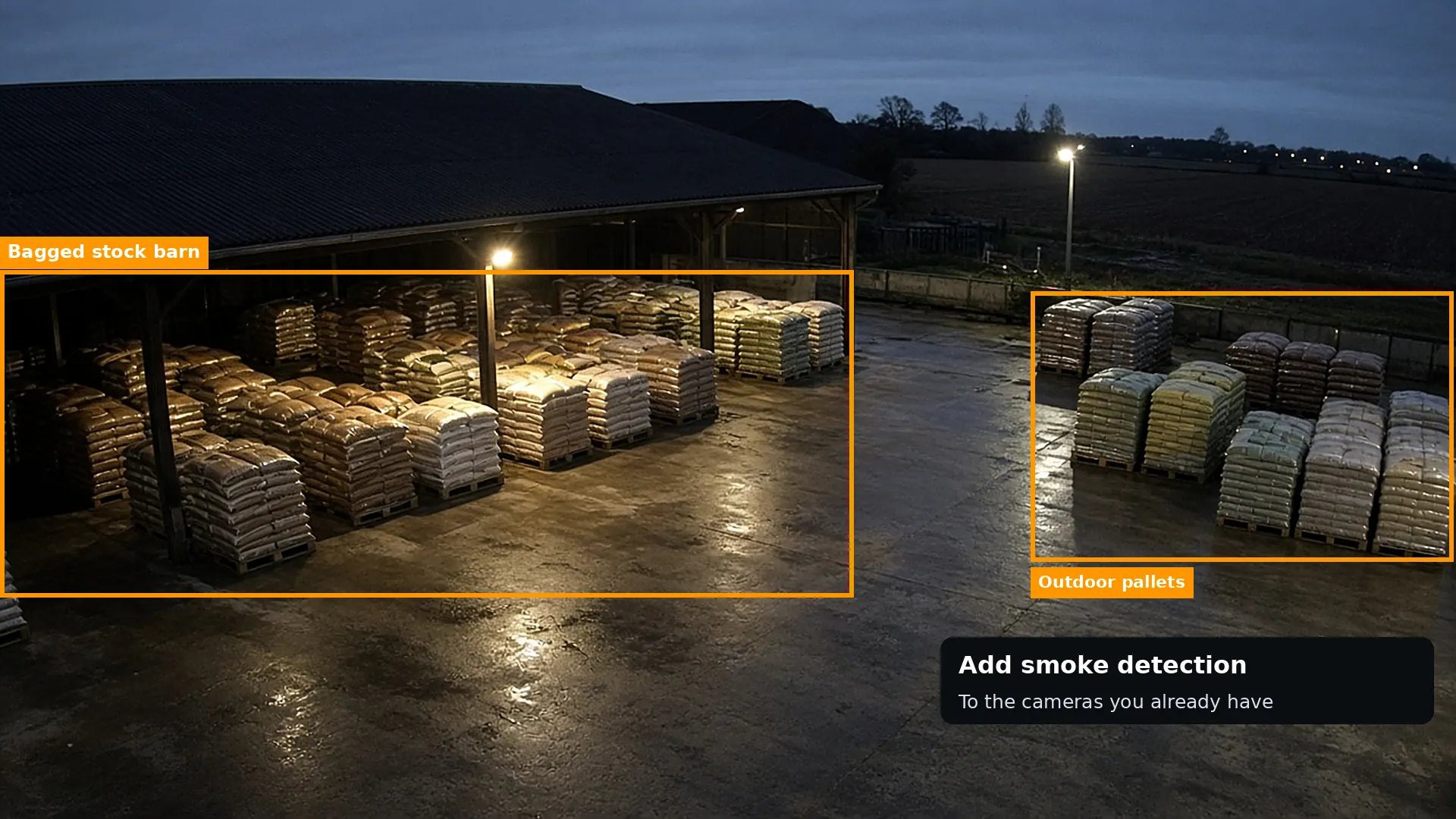
Add smoke detection to the cameras you have
A free site assessment checks your cameras and recorder, the fire risks on your site and which views should watch for smoke and flame.
Dusk CCTV of an agricultural merchant yard with pallets of bagged feedGo deeper by site and role
Applying this in a warehouse? See fire detection cameras for warehouses.
Smoke from a vehicle on a covered car park deck? See our car park security guide.
Smoke from a bin store at the foot of a block of flats? See our bin store fire safety guide.
Smoke from a scooter store or an undercroft car park below flats? See our block of flats security guide.
Smoke in racking aisles, yards and on warehouse roofs? See our warehouse fire safety guide.
Placing cameras so smoke over stacks and skips is seen early? See our CCTV camera placement guide.
Using a camera to watch a roof with solar: see our solar panel fire safety guide.
For how smoke zones work in kitchens, armed after close, see our commercial kitchen fire safety guide.
How does camera detection sit alongside a BS 5839-1 fire alarm? See our commercial fire alarm systems guide.