Guide · Definitions and types

What is AI CCTV? A plain-English UK guide

Last reviewed

Short answer: AI CCTV is CCTV where software watches the video and recognises what is in the picture, such as smoke, flame, people or vehicles, then sends an alert when something matches the rules you set. Ordinary CCTV records; AI CCTV notices. It can run inside a camera, on a small server on site or in the cloud, and it usually works with the cameras you already have.

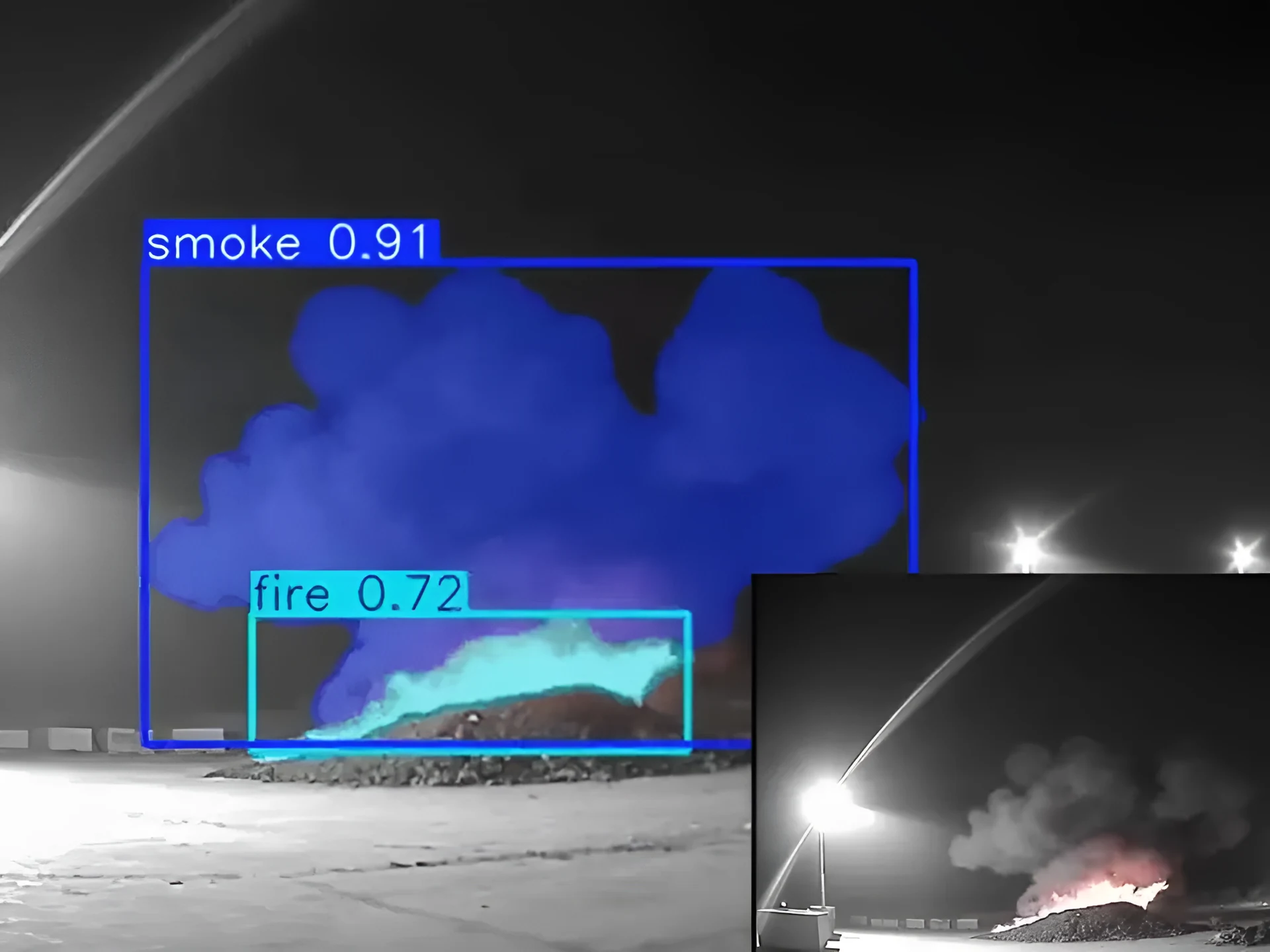
Real detection · Waste stockpile at night Smoke detectedAlert sent with the clip
Real footage from a camera running Woodcock AI, 8-second loop.
Definition

AI CCTV meaning: from recording to recognising

Traditional CCTV is a recording system. Cameras capture video, a recorder stores it, and a person watches live screens or goes back through footage after something has happened.

The weak point is attention. Nobody can watch dozens of screens all night. Basic motion detection alerts when pixels change, but it cannot tell a person from a fox, rain or headlights, so it produces more alerts than anyone can check.

AI CCTV adds a layer of understanding. A trained model looks at each frame and labels what it recognises: smoke, flame, a person, a vehicle. Rules then decide which of those matter on which camera, and only those become alerts. The result is CCTV that tells you when something needs a look, with the clip attached, instead of a library of video you search afterwards.

The term covers everything from simple rules on one camera to AI watching a whole site, so it helps to know the main types and terms such as bounding box, edge server and ONVIF.


Real night-time infrared CCTV frame of a waste stockpile where AI CCTV has labelled smoke and flame with bounding boxesReal footage
Real footage: an existing night camera on a waste site, with smoke and flame labelled by the AI. This is the difference between recording and recognising.
Types of AI CCTV

The four types of AI CCTV

Most AI CCTV falls into one of four types, depending on where the analysis runs and what the camera senses. Pick a type to compare them.

The first three analyse the ordinary picture, so they can often use your existing cameras. Thermal is a different sensor. Side by side: video AI vs thermal vs on-camera analytics.

Illustrative diagram of the four types of AI CCTV: on-camera analytics runs inside the camera; edge server AI runs on a small computer on site; cloud video AI runs on remote servers; thermal cameras sense heat with dedicated hardware On-camera analyticsRuns inside the cameraSimple rules: motion, lines, zonesVaries by camera modelNo extra hardware Edge server AIRuns on a small computer on siteAI classification on many camerasVideo analysed on your networkFootage can stay on site Cloud video AIRuns on remote serversAI classification in a data centreNothing extra on siteNeeds steady upload bandwidth Thermal camerasDedicated heat-sensing hardwareMeasures heat, not the pictureFinds hidden hotspotsNew cameras, not software Illustrative diagram. Many sites combine more than one type.
Illustrative diagram: the same question, what is AI CCTV, has four practical answers depending on where the analysis runs and what the camera senses.
Illustrative 3D render of a CCTV recorder linked to an on-site edge server, the cloud and a phone receiving an alert
Illustrative 3D render.
Edge or cloud

Where the AI runs changes what leaves your site

With an edge server, video is analysed on your own network and footage can stay on site. With cloud video AI, streams are sent to remote servers for analysis, so there is nothing extra to install but you rely on your internet connection.

Woodcock AI offers both: an on-site edge server or the Woodcock AI Cloud, chosen per site. See how Woodcock AI connects.

How it works

How AI CCTV works, from frame to alert

Whatever the type, AI video analytics follows the same basic chain. Here are the six steps on existing cameras.

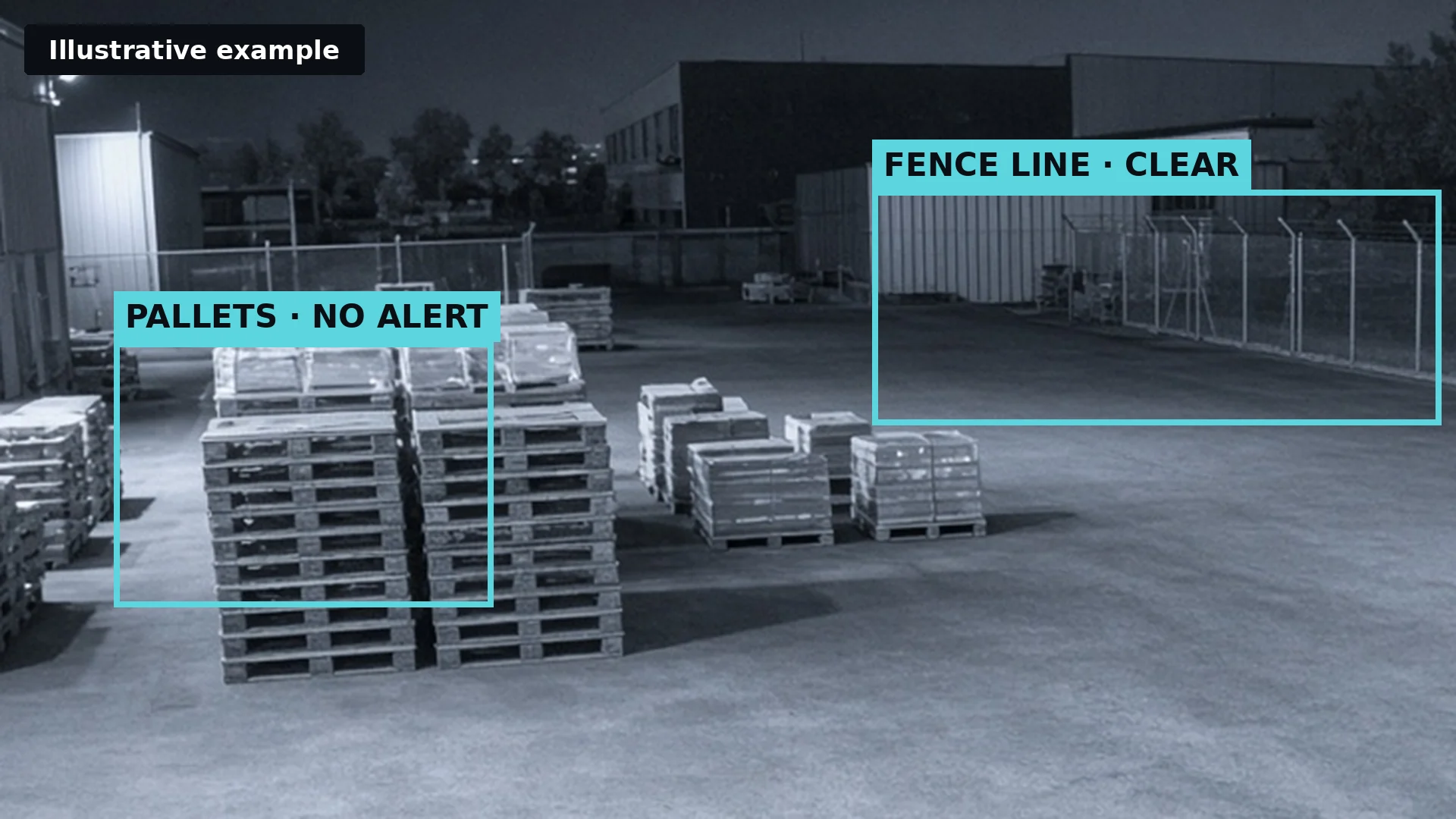
Illustrative infrared CCTV frame of a yard where AI CCTV labels stacked pallets as no alert and the fence line as clearIllustrative
Illustrative example: the AI recognises what is in view, and the rules decide that pallets in the yard are not an alert and the fence line is clear.

Classification is what separates AI CCTV from motion detection. A motion rule asks whether something changed; a trained model asks what it is. That is why AI can ignore swaying trees and headlights while still flagging a person at a closed gate or smoke rising from a stockpile, and why the rules step matters: a person in the yard is normal by day and worth an alert at night.

Honest limits

What AI CCTV can and can't do

AI CCTV is very good at watching lots of cameras without getting tired. It only knows what the camera can see, though, so it is a fast first warning rather than a replacement for alarms or people.

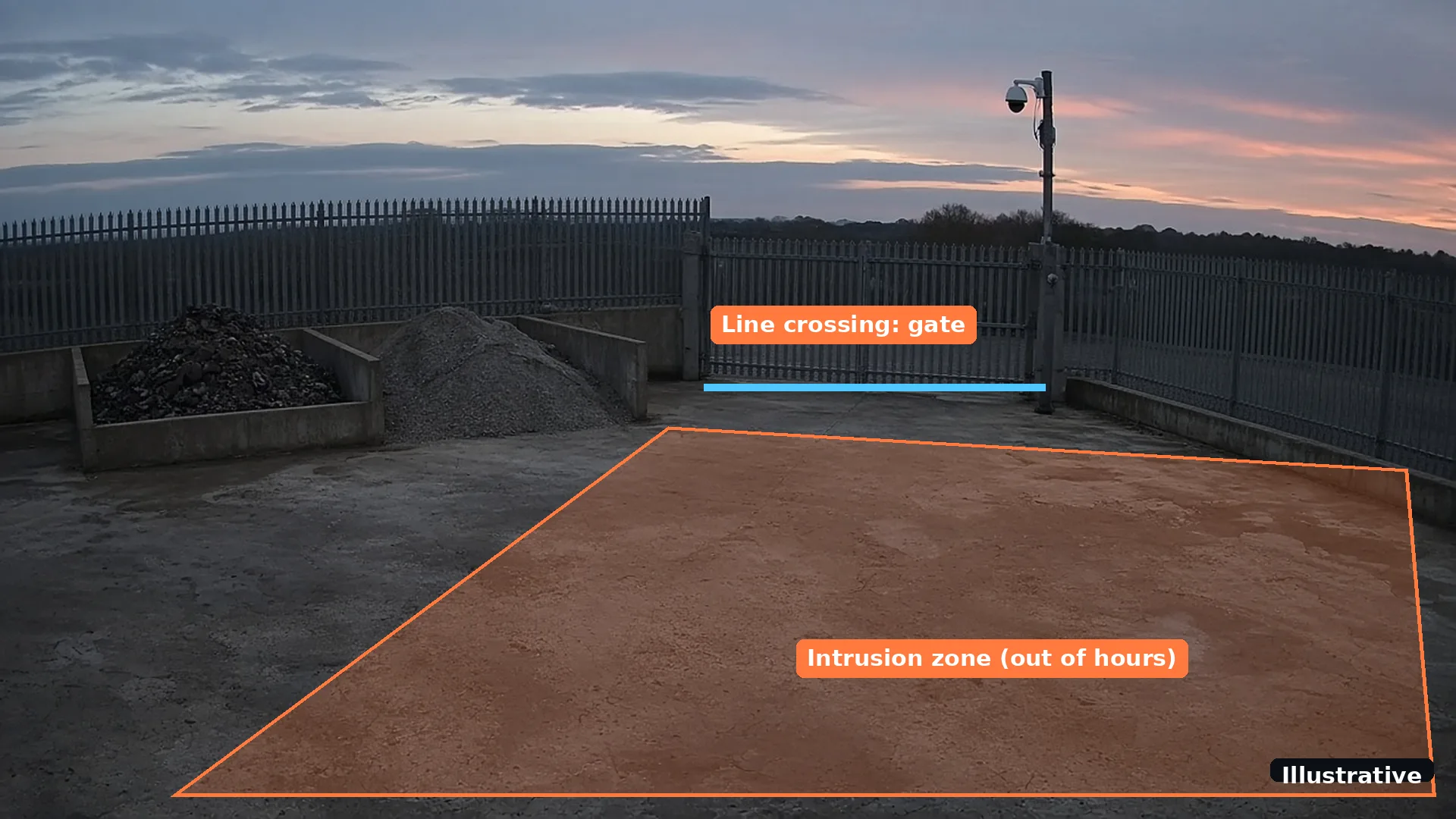
Illustrative CCTV view of an empty yard at dusk with an intrusion zone drawn on the ground and a line-crossing rule across the gateIllustrative
Illustrative example: an intrusion zone that is active out of hours and a line-crossing rule on the gate. Rules like these turn detections into the alerts you actually want.

Two limits are worth repeating. First, video AI sees what is visible: smoke and flame in the picture, not heat building inside a pile, which is where a thermal camera earns its place. Second, it supports people rather than replacing them. For fire, it complements certified fire detection; for security, it makes guards, keyholders and monitoring centres faster, as our comparisons of AI CCTV vs security guards and AI CCTV vs remote monitoring explain.

Your cameras

How AI CCTV fits existing CCTV

You rarely need to rip anything out. Most modern IP cameras and recorders share video using open standards, which is what lets AI software connect to them.

The two standards you will hear about are RTSP and ONVIF. RTSP is the protocol used to set up and control live video streams.[3] ONVIF is an industry body whose profiles are fixed sets of features that help products from different makers work together; only products registered as conformant to a profile can be called ONVIF conformant.[1] ONVIF even has a profile, Profile M, for analytics metadata and events such as object classification, covering both cameras and server- or cloud-based services.[2]

In practice, connecting a camera usually means entering its network address and login details so the AI can read the stream. Recorders such as NVRs, and many older DVRs, can pass on streams for several cameras at once. Cameras on a closed manufacturer system, or that do not cover the area at risk, are the usual exceptions, and a free site assessment finds them before anything is installed.

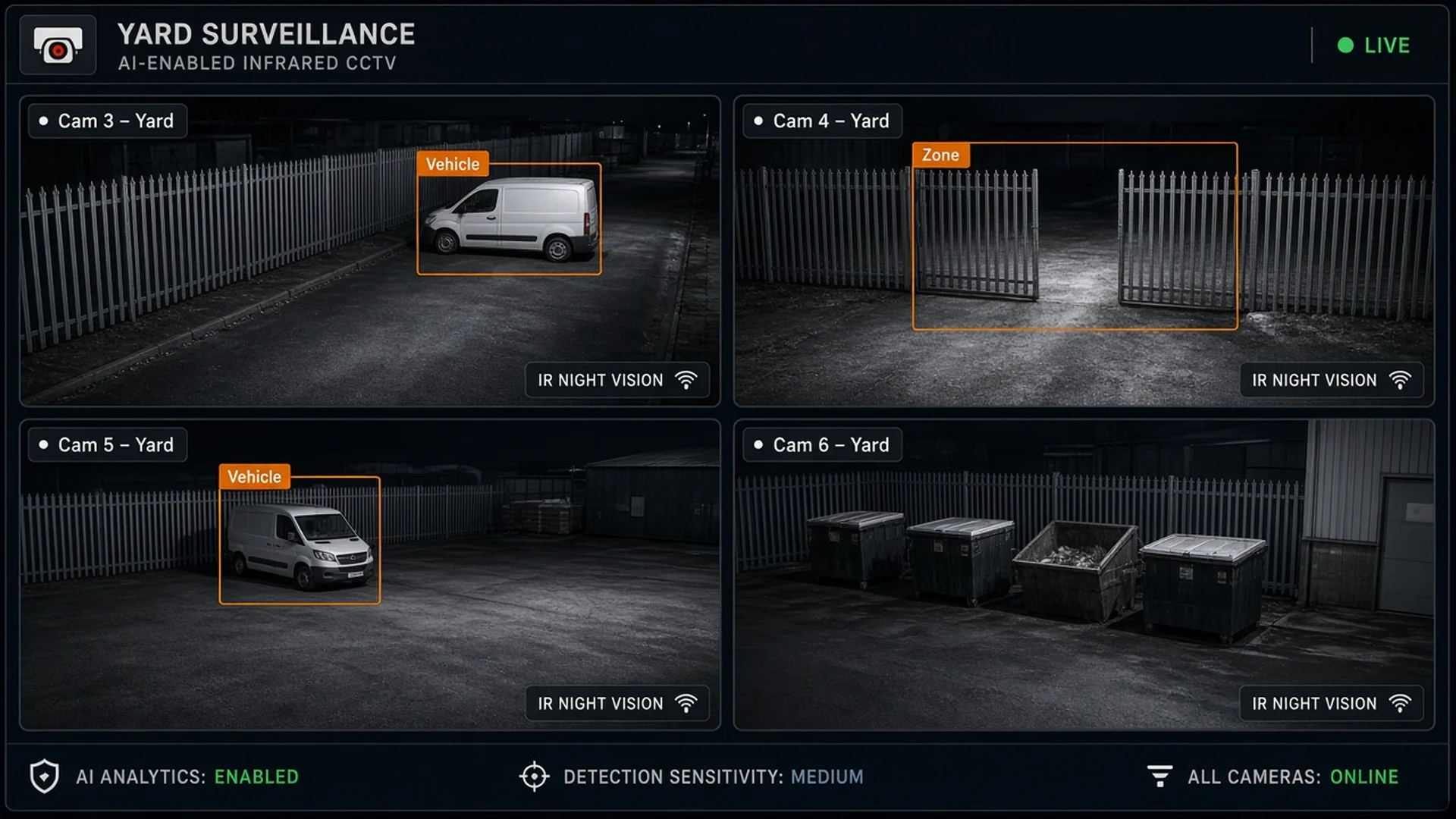
Illustrative mock-up of four night-time CCTV views of an empty yard with AI boxes around parked vans and an open gate zone
Illustrative mock-up.
Every camera, at once

AI CCTV watches all the views nobody has time to

A person can watch one screen at a time. The AI checks every connected view and only asks for attention when something matches.

Woodcock AI works with ONVIF or RTSP cameras and recorders, including NVRs and older DVRs. Installer guide to adding AI to existing CCTV.

Want to know what AI could do on your cameras?

A free site assessment checks which of your existing cameras and recorders can connect, which detections suit each view, and whether edge or cloud processing fits your site.

Getting better over time

Why AI CCTV improves on your site

Every site looks different. Steam, dust or road lights can confuse a model that has never seen that view.

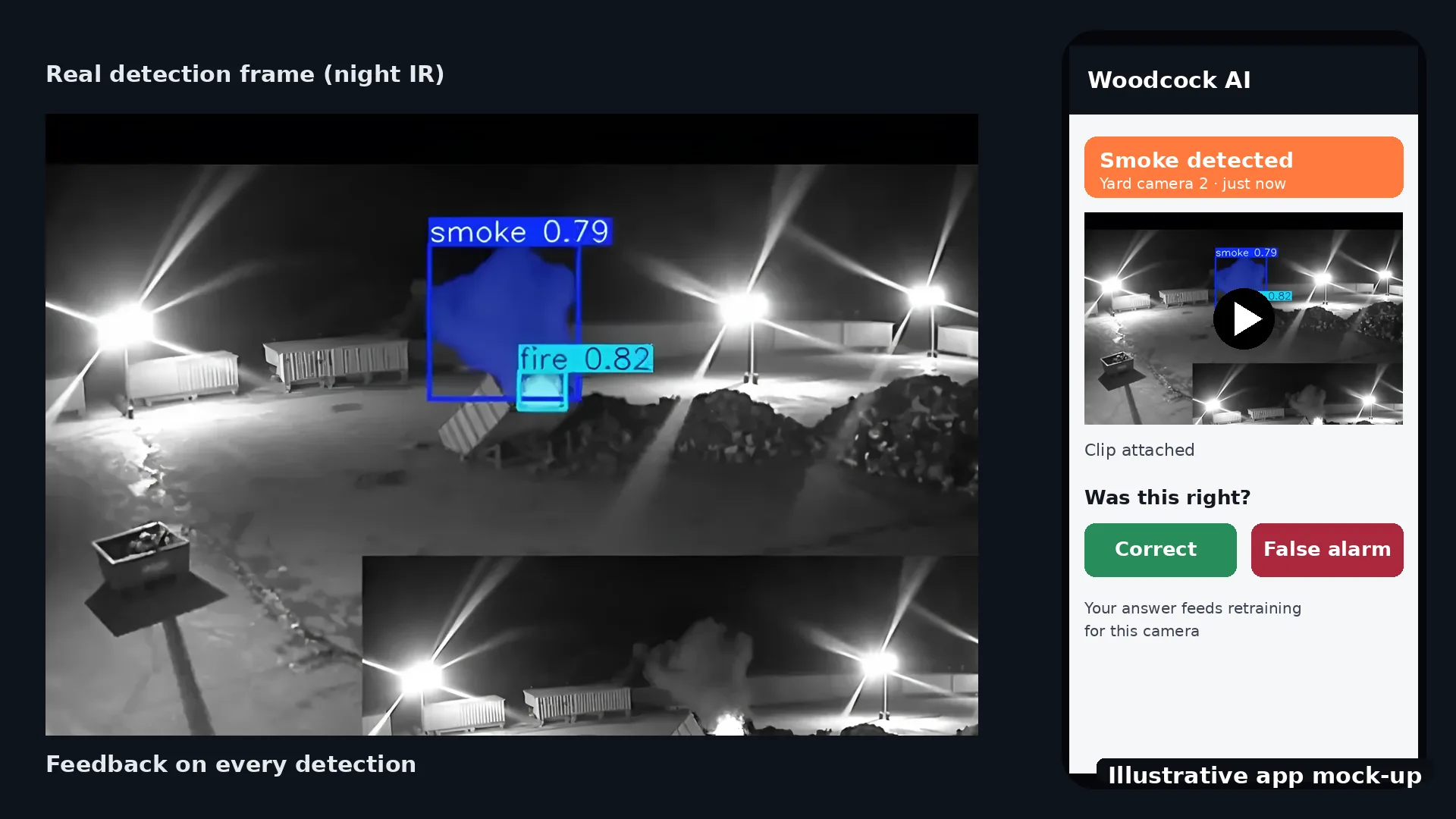
Better systems learn each camera. Woodcock AI learns what is normal for each of your cameras, such as natural movement and weather, and every detection in the app has a feedback button. Marking an alert as correct or as a false alarm feeds into retraining, so the system gets better at your site rather than staying generic.

Illustrative app mock-up of a smoke alert from a real night-time CCTV frame, with the clip attached and Correct and False alarm feedback buttons
Illustrative app mock-up, using a real detection frame.
Feedback

One tap tells the AI whether it was right

Each alert arrives with the clip, so checking it takes seconds. The answer you give is used to retrain the AI for that camera.

Read more about reducing CCTV false alarms.

Uses

What AI CCTV is used for

Most uses fall into fire, security and safety. A single camera can run more than one detection, for example smoke and fire all day and intrusion after hours.

The sectors that use it most are those with large outdoor areas, valuable stock or a high fire risk: waste and recycling sites, industrial sites, construction sites and vehicle yards. See all sectors or every detection module.

Before you buy

Questions to ask before you buy AI CCTV

Products vary a lot, and demos are filmed in good conditions. These questions get to what it will do on your cameras.

On the legal side, AI does not change who is responsible. You remain the operator of your CCTV, and the ICO says a data protection impact assessment applies in most cases for video surveillance, with extra care for more intrusive technology such as facial recognition and ANPR.[4] Our guide to AI CCTV and GDPR in the UK walks through the steps.

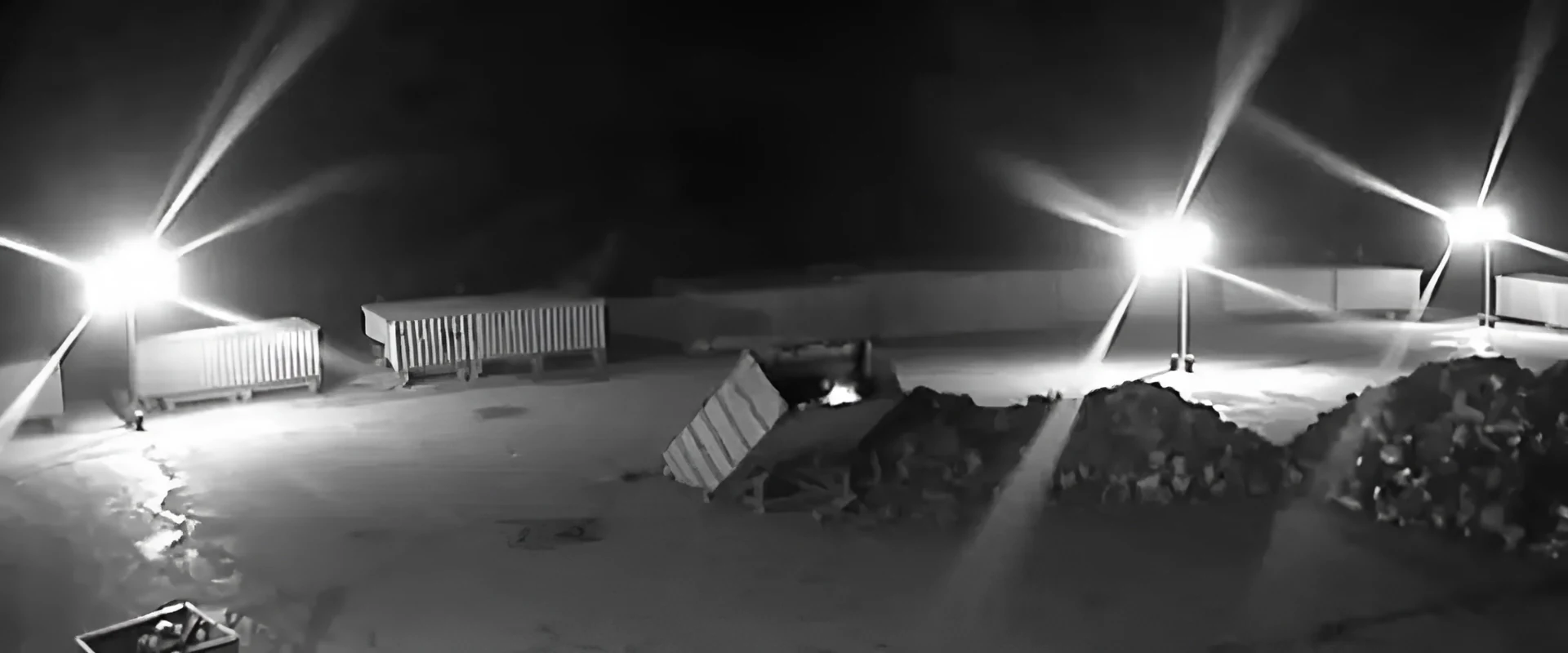
Real night-time infrared CCTV frame of an empty storage yard with floodlights, skips and stockpilesReal footage
Real footage: a typical night view from an existing camera. Ask any supplier how their AI performs on views like this, not just in a demo.
FAQ

AI CCTV questions

More in the Woodcock AI FAQ and the glossary.

What is AI CCTV in simple terms?

AI CCTV is CCTV where software watches the video for you. Instead of only recording footage for someone to review later, it recognises what is in the picture, such as smoke, flame, people or vehicles, and sends an alert when something matches the rules you set.

Is AI CCTV the same as video analytics?

Mostly. Video analytics is the wider term for software that analyses CCTV automatically, from simple motion rules to AI. AI CCTV usually means a trained model that recognises objects and events, not just movement.

How does AI CCTV work?

A camera or recorder streams video, usually over RTSP. Software analyses frames on an edge server or in the cloud, classifies what it sees, checks your rules and sends an alert with the clip.[3]

Do I need new cameras for AI CCTV?

Usually not. Video AI works on the picture your cameras already give, and most ONVIF or RTSP cameras and recorders can connect. Thermal detection is the exception, because it needs thermal cameras. A free site assessment confirms what your cameras can do.

Is AI CCTV the same as facial recognition?

No. Facial recognition is one specific and more intrusive use of AI, which the ICO singles out for extra care.[4] Woodcock AI does not identify people: intrusion detection flags that a person or vehicle has entered a zone you set, and smoke and fire detection looks for smoke and flame.

Can AI CCTV read number plates?

Number plate recognition (ANPR) is a separate technology. Woodcock AI's vehicle detection recognises vehicles such as cars, vans and lorries in a camera view, where supported, but it is not number plate recognition.

Does AI CCTV work at night?

Yes, where the event is visible in the picture, including infrared views. Very dark scenes, glare and heavy fog can still hide smoke or movement.

Does AI CCTV need the internet?

It depends on the type. With an edge server, video is analysed on your local network and footage stays on site, but a connection is still needed to send alerts to phones. Cloud video AI needs a steady connection with enough upload bandwidth for the streams.

Can AI CCTV replace a fire alarm or a security guard?

No. It adds an early visual warning to your CCTV and complements certified fire alarms. It can watch every camera at once and alert guards, keyholders or a monitoring centre, but people still decide how to respond.

Is AI CCTV legal in the UK?

Yes, when you follow the same data protection rules as for any CCTV, including a clear purpose, signs, sensible retention and, in most cases, a DPIA.[4] Our AI CCTV and GDPR guide explains the steps.

Sources

Sources

Standards and guidance referred to in this guide. This guide is general information, not legal advice.

  1. ONVIF, Profiles. ONVIF profiles are fixed sets of features that ensure compatibility between conformant products. Only products registered as conformant to a profile can be called ONVIF conformant. Last checked 23 October 2026.
  2. ONVIF, Profile M. Profile M covers metadata and events for analytics applications, including generic object classification. A conformant product can be an edge device such as an IP camera, or a server- or cloud-based service. Last checked 23 October 2026.
  3. IETF, RFC 7826: Real-Time Streaming Protocol Version 2.0. RTSP is an application-level protocol for the setup and control of the delivery of data with real-time properties, such as audio and video. Last checked 23 October 2026.
  4. ICO, Video surveillance guidance: what are our responsibilities in terms of accountability?. A DPIA applies in most cases relating to video surveillance. Data protection by design is particularly important for more intrusive systems such as ANPR and facial recognition technology. The ICO notes this guidance is under review after the Data (Use and Access) Act. Last checked 23 October 2026.
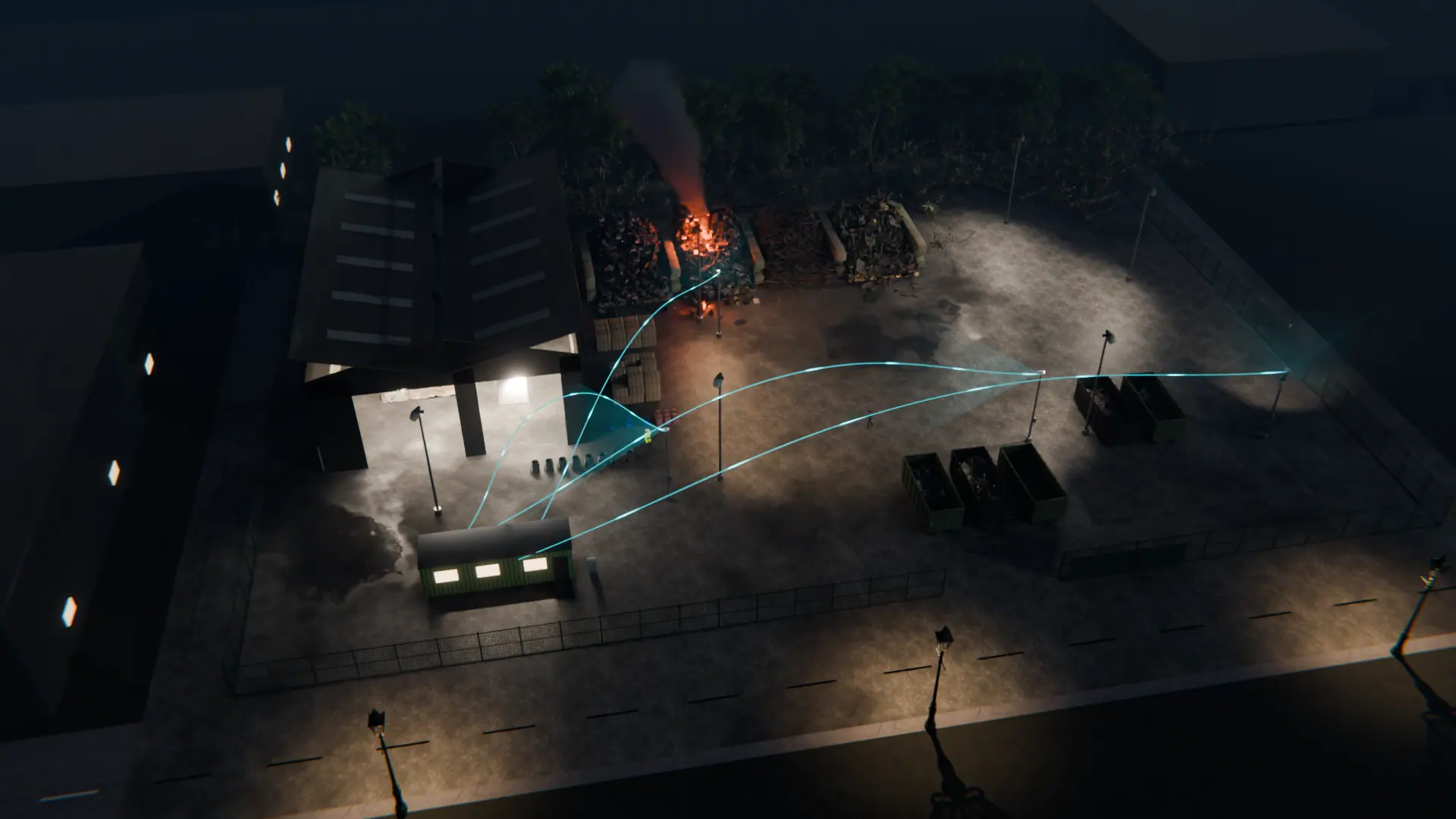
Night-time 3D view of a waste site with CCTV cameras linked to Woodcock AI watching the stockpiles, yard and buildings
Next step

See what AI CCTV would do on your cameras

A free site assessment reviews your existing cameras and recorder, the risks on your site and whether edge or cloud processing suits you. Support is available 24/7. Alerts to a monitoring centre (ARC) and phone-call alerts are available as optional paid add-ons.

Illustrative 3D render
Book a free site assessment