

AI CCTV design, supply and install, from site survey to go-live
Updated
Short answer: Woodcock AI can take a site from first survey to a working, supported AI CCTV system. We survey your cameras and risks, design the coverage and detection areas, supply the cameras and edge AI hardware you need, install and commission it, then support it 24/7 after go-live. Where your existing cameras are good enough, we reuse them and only add what is missing.
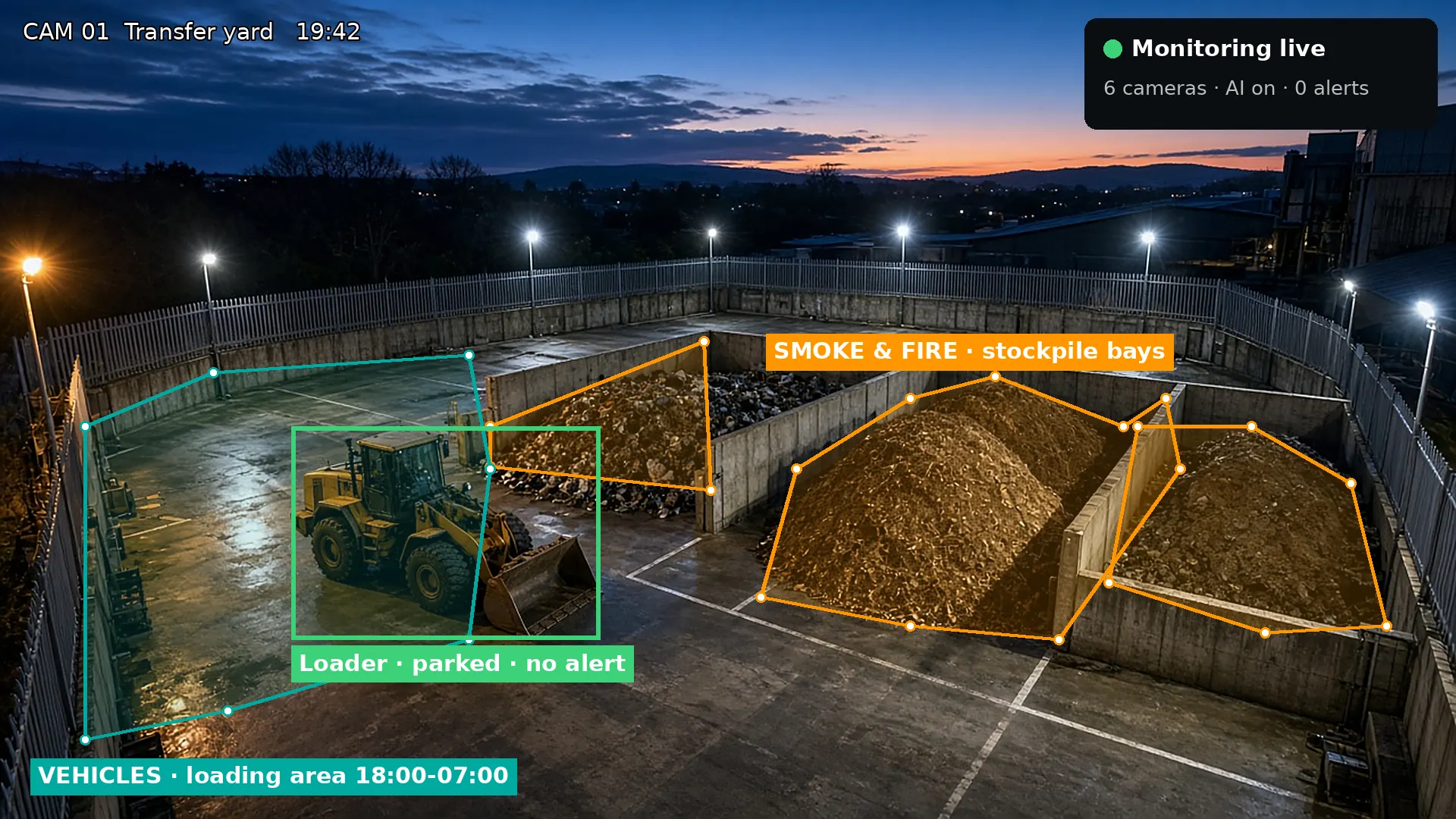
Seven stages from survey to ongoing support
One team runs the whole job, so nothing gets lost between the person who surveys the site, the person who designs it and the people who fit it.
Many sites end up with cameras chosen by one supplier, analytics bolted on by another and nobody quite owning whether the system actually catches a fire at three in the morning. Our design, supply and install service is built the other way round. We start from the risks on your site, smoke and fire on stockpiles, intrusion out of hours, vehicles in places they should not be, and work back to the cameras, hardware and settings that cover them. Every stage below has a clear output you can check before the next one starts.
- Site surveyCameras, risks and blind spots
- DesignCoverage and detection areas
- SupplyCameras, edge AI, network
- InstallationMounting, cabling, power
- CommissioningZones drawn and tested
- Go-liveAlerts to the right people
- Ongoing support24/7, health and retraining
Site survey: what you have and what you need to protect
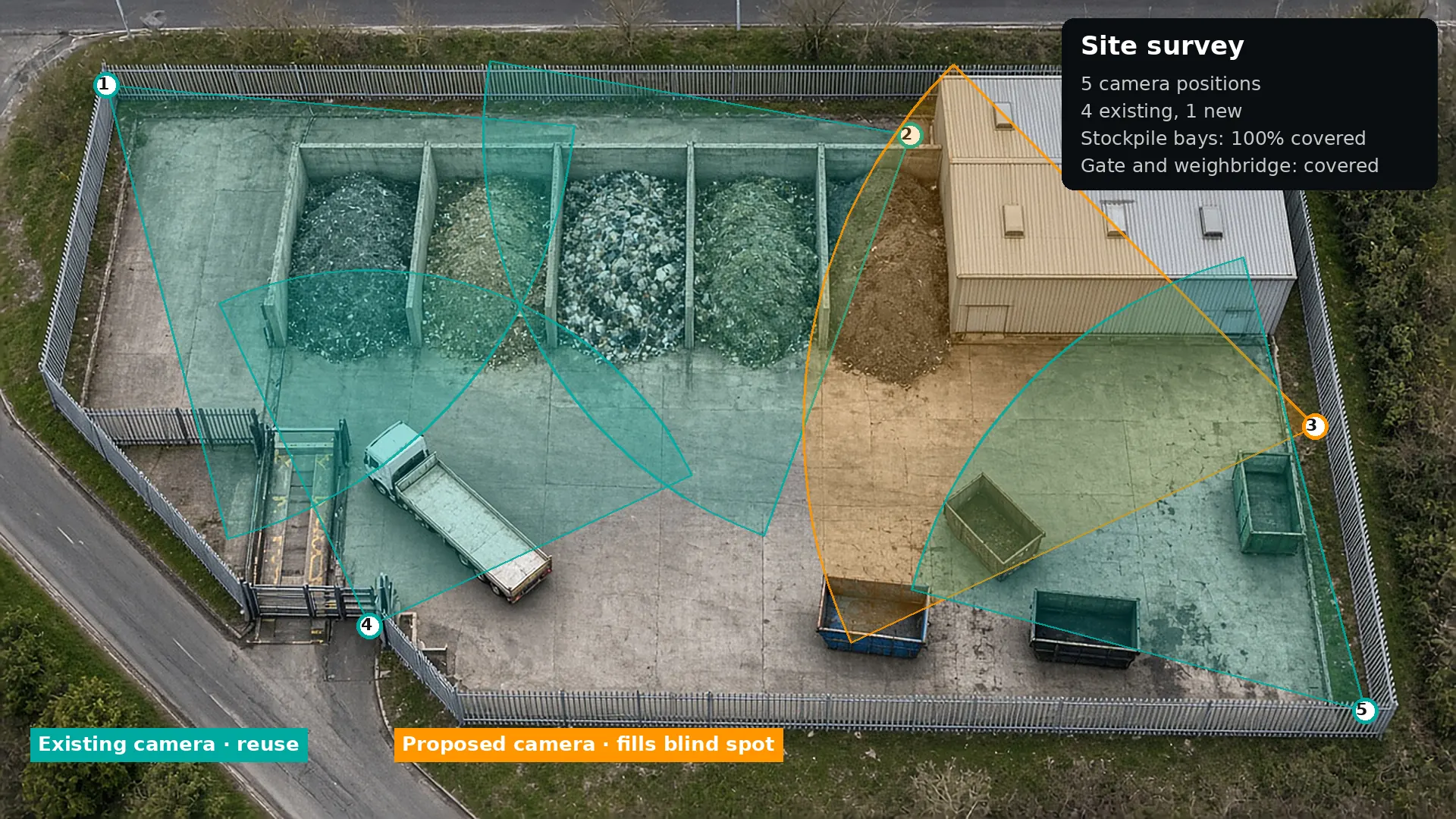
The survey starts with your free site assessment. We look at the cameras and recorder already on site, what each camera can see by day and at night, and how the site is used across a full 24 hours. For a waste or recycling site that means stockpile bays, quarantine areas, fuel and gas stores, the gate and weighbridge, and the perimeter. For a construction compound or industrial yard the priorities shift towards the fence line, plant storage and site cabins.
- Existing cameras – make, position, resolution, infrared range and whether they stream over ONVIF or RTSP.
- Risks and assets – where a fire is most likely to start, where intruders get in, and where vehicles move.
- Blind spots – areas no camera covers well, or that a camera only sees side-on or out of focus.
- Network and power – where cabling, PoE and a mounting point are already available.
Design: coverage, detection areas and schedules
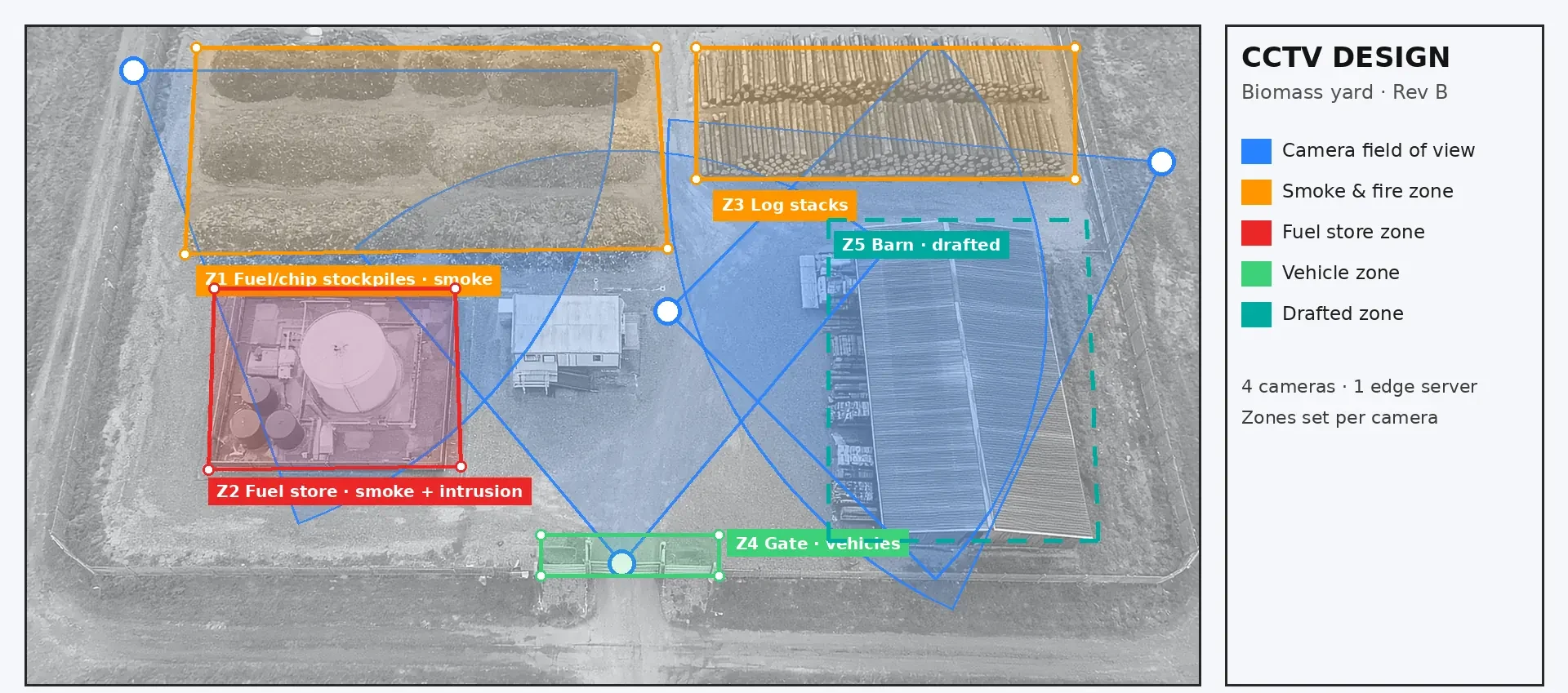
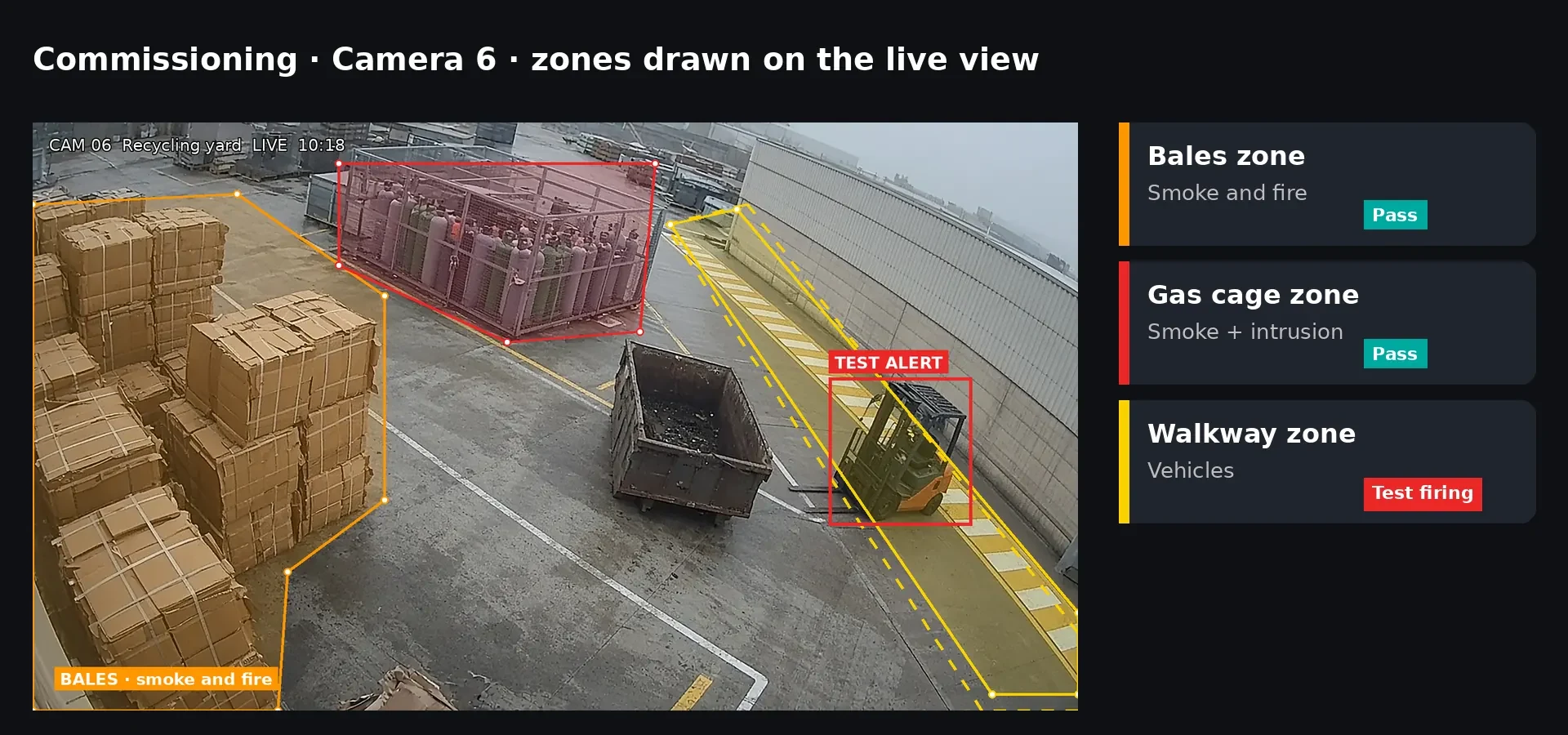
The design turns the survey into a drawing you can sign off. It shows each camera's field of view, which detections run on each camera, and the polygon detection areas that decide where alerts can fire. Unlike a simple line or rectangle, a polygon detection area follows the real outline of a stockpile, a fuel store or a gate, so the AI watches what matters and ignores roads, floodlights and neighbouring units.
We also set out an alert schedule for each camera. A stockpile camera may watch for smoke and fire around the clock, while a fence-line camera only raises intrusion alerts out of hours. Where the survey found gaps, the design shows exactly which new camera fills each one and from which mounting point.
Supply: only the hardware the design calls for
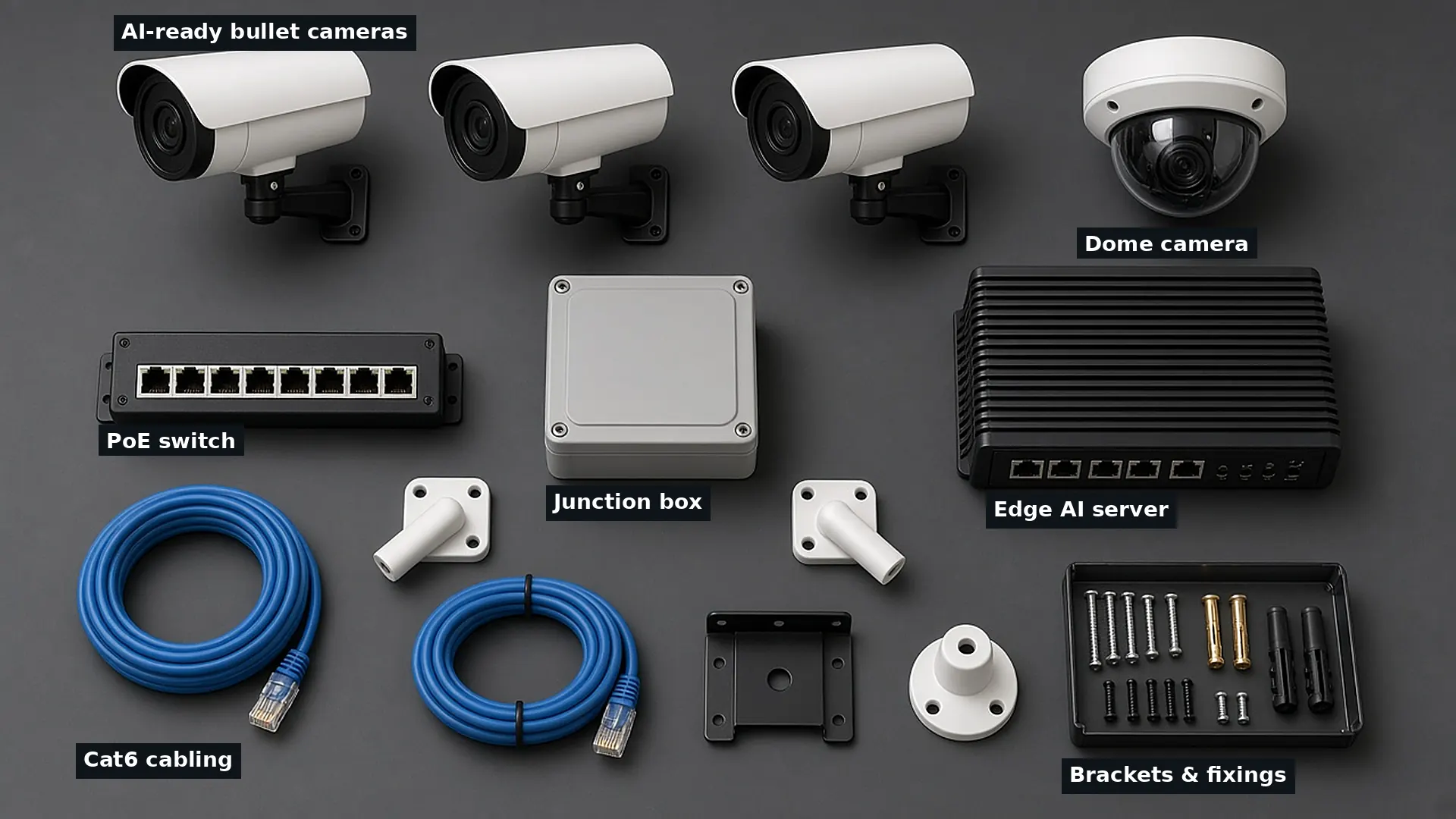
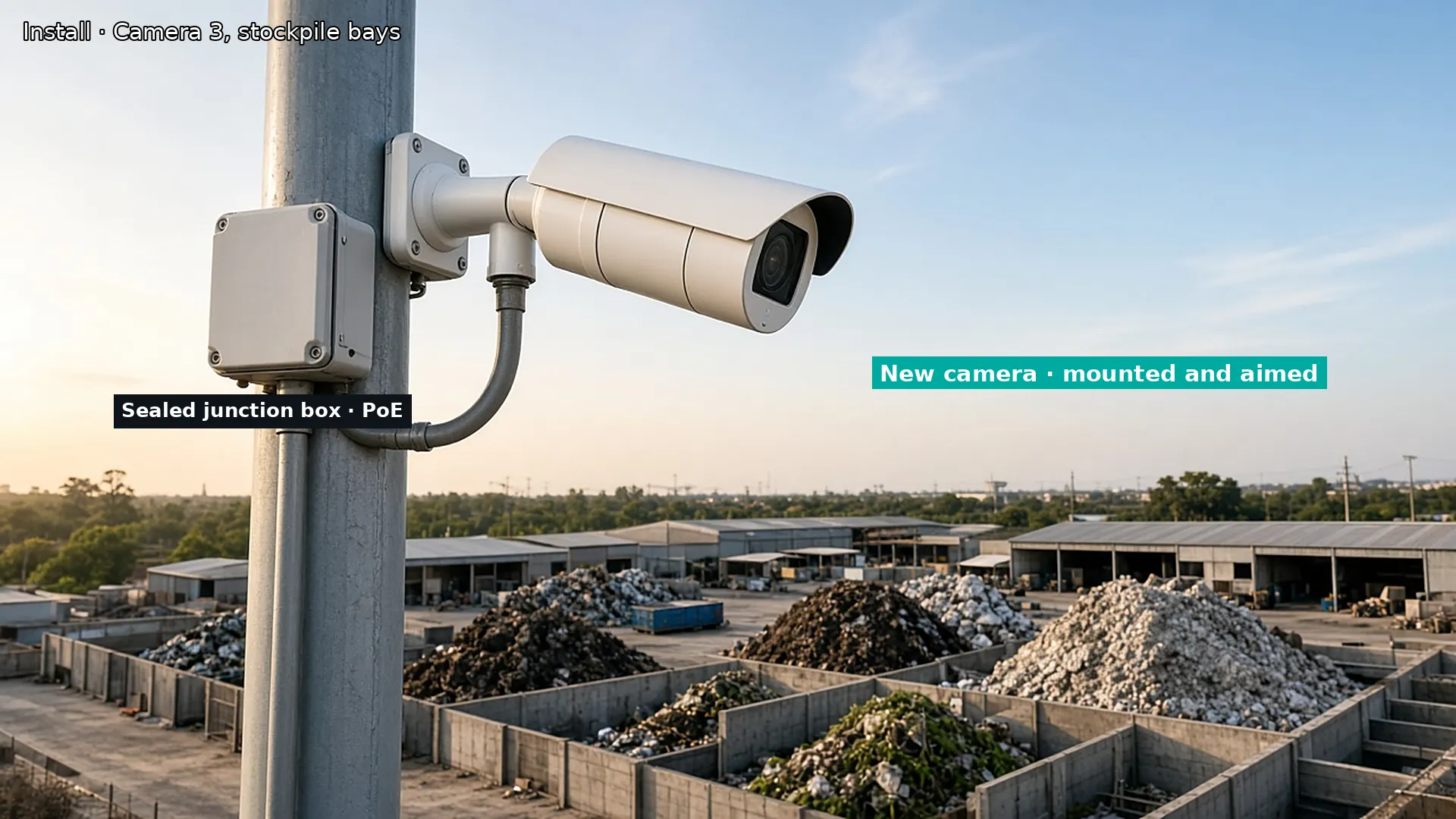
Woodcock AI works with the CCTV you already have, so supply is often small. We specify and supply what the design needs and nothing more. That can include new bullet or dome cameras for blind spots, an edge AI server that runs detection on site, a PoE switch, cabling, junction boxes, brackets and fixings. Hardware is chosen to suit outdoor yards: weather-rated housings, infrared suited to the distances involved, and mounting that copes with wind and vibration.
Because detection runs in Woodcock AI rather than inside the camera, you do not need cameras with built-in analytics. Existing cameras keep recording to your recorder as they do today.
Installation: mounting, cabling and power
Installation follows the design drawing. New cameras are mounted on masts, walls or buildings at the agreed positions and aimed to the fields of view in the design. Cabling is run back to the network point, connections are sealed in junction boxes against the weather, and the edge AI server is installed in a secure, ventilated spot such as the site office or a comms cabinet.
We plan the work around how your site runs, so access for plant and vehicles is kept clear and noisy or high-level work is scheduled for quieter periods. Existing cameras that the survey marked for adjustment are re-aimed or refocused at the same time.
Commissioning: zones drawn and tested on the live view
Commissioning is where the design becomes a working system. The polygon detection areas from the design are drawn on each camera's live view, detection types are switched on per area, and alert schedules are set. Each area is then tested: a test alert is triggered and we check it reaches the app with its clip.
This is also where the self-learning AI starts to learn your cameras. Every detection carries a feedback button, and marking an alert as right or wrong feeds into retraining for your site, so the system gets to know your floodlights, dust, steam and weather.
Go-live: alerts to the right people at the right times
At go-live the system starts watching for real. Alerts arrive in the Woodcock AI app with a short clip so the person receiving it can see straight away what is happening. We walk your team through the app, the feedback button and what to do when an alert comes in.
Alerts to a monitoring centre (ARC) and phone-call alerts are available as optional add-ons. You choose who gets alerts, for which cameras and at what times.

Ongoing support: 24/7 help, camera health and retraining
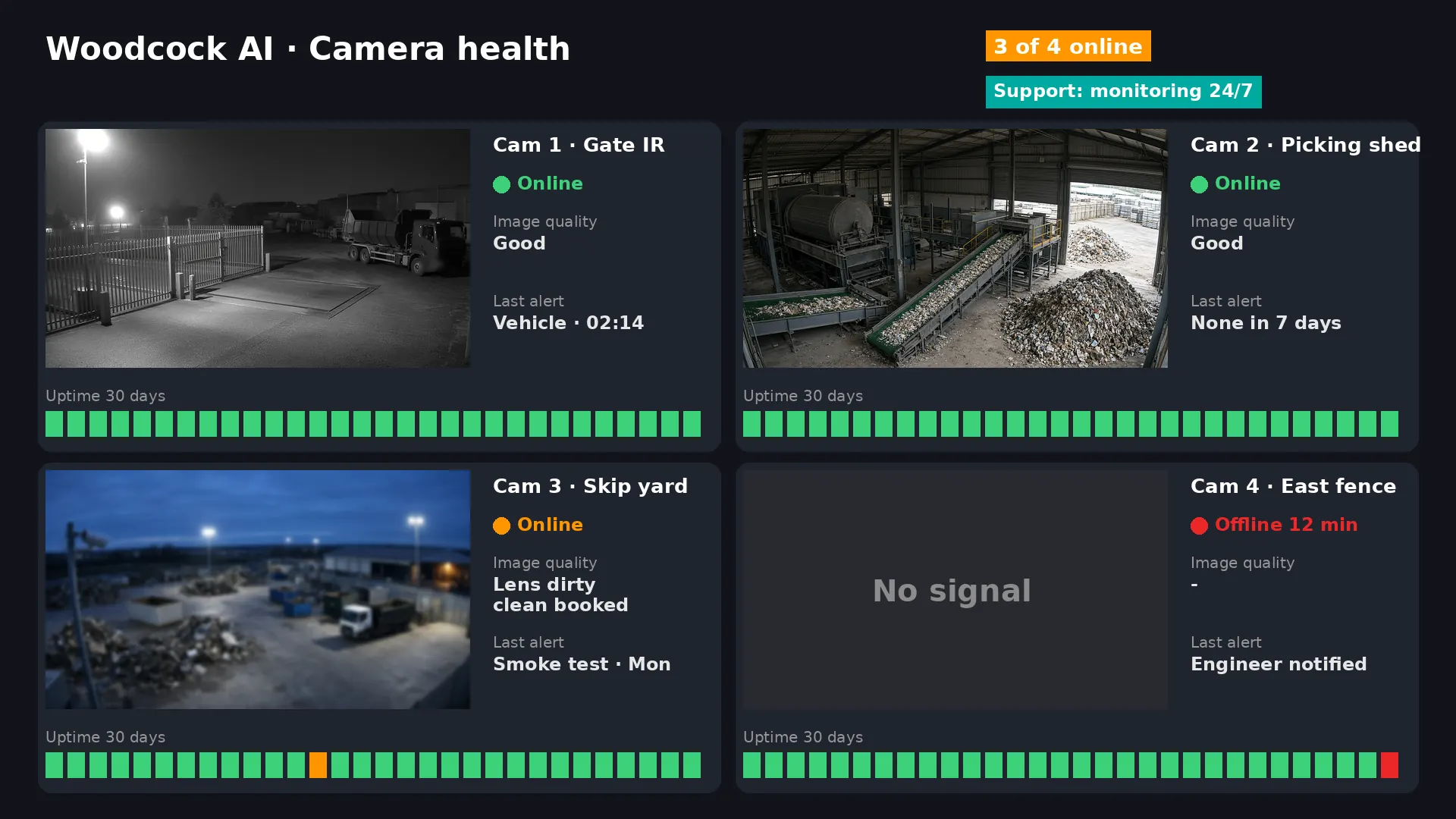
Sites change. Stockpiles move, bays get reused, new gates go in and cameras get knocked or dirty. Our support team is available 24/7, and camera health is watched so an offline camera or a poor image is picked up rather than discovered after an incident. When the layout changes, detection areas are redrawn to match, and feedback from your team keeps feeding into retraining for your site.
Why use one team from survey to support
- One owner for the outcome – the people who design the detection areas are the people who test them and support them.
- Reuse before replace – your existing cameras are kept wherever they are good enough; see how it works.
- Built around your risks – smoke and fire, intrusion and vehicles are designed in from day one, for sectors such as waste and recycling, scrapyards, skip hire, industrial sites and construction.
- Works with installers – if you already have a CCTV installer, they can join through our installer programme.
Design, supply and install questions
Do I need new cameras?
Often not. Woodcock AI works with existing ONVIF or RTSP cameras and recorders. The survey shows which cameras can be reused as they are and where a new camera is worth adding to cover a blind spot.
What happens at the free site assessment?
We look at your camera views, the risks on your site and how it runs across 24 hours, then mark out the areas worth watching and suggest what each camera should detect and when. It is the starting point for the survey and design.
Can you install alongside my existing CCTV installer?
Yes. We can carry out the full install ourselves, or work with your existing installer through our installer programme.
What are polygon detection areas?
They are shapes drawn on each camera's view that follow the real outline of a stockpile, fence line or gate. Alerts only fire for detections inside them, which cuts out alerts from roads, floodlights and neighbouring land.
How does the system get better after go-live?
The AI learns each of your cameras. Every detection carries a feedback button, and marking an alert as right or wrong feeds into retraining for your site.
Can alerts go to a monitoring centre?
Alerts to a monitoring centre (ARC) and phone-call alerts are available as optional add-ons. You choose who gets alerts, for which cameras and at what times.
What support is there after installation?
Our support team is available 24/7. Camera health is monitored, and detection areas are updated when your site layout changes.
How is it billed?
Woodcock AI is billed monthly. The free site assessment sets out exactly what your site needs.
Start with a free site assessment
Tell us about your site and cameras. We will look at what you have, the risks you need covered and what it would take to get from survey to go-live. Woodcock AI, Swan Buildings, Manchester M4 5JW.