

AI CCTV vs motion detection alerts: what is the difference?
Motion detection sends an alert whenever enough of the picture changes, so rain, headlights, shadows and animals set it off. AI CCTV recognises what moved, a person, a vehicle, smoke or flame, and only alerts for what you chose, inside the zones you draw and at the times each camera is armed.
Updated 27 October 2026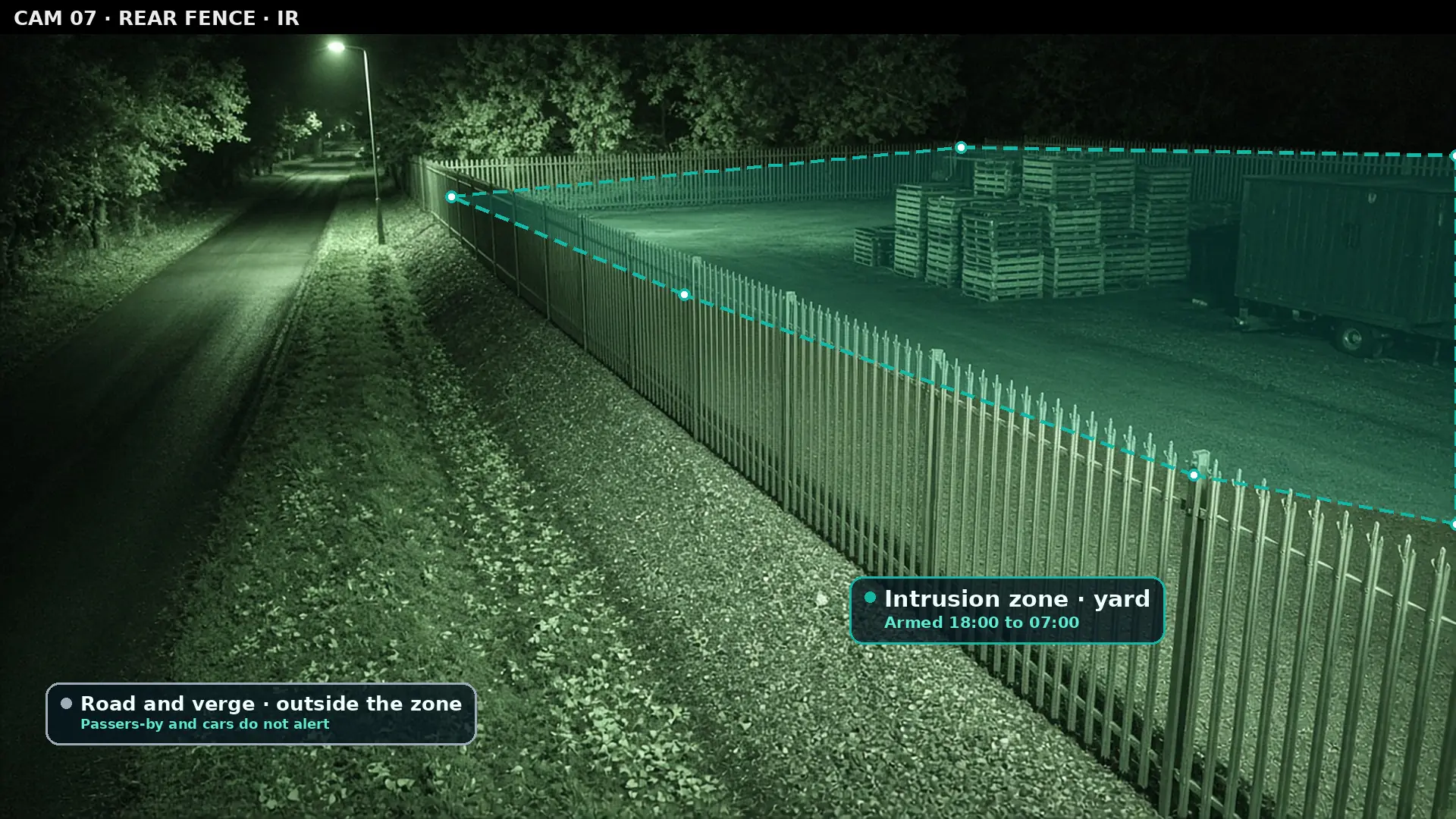
- 23:12Motion detected
- 23:40Motion detected
- 00:05Motion detected
- 00:31Motion detected
- 01:18Motion detected
- 02:02Motion detected
- 02:44Motion detected
No clue what moved
02:37 · Yard zoneA person climbed the palisade and walked towards the stacked pallets.
How do motion detection and AI CCTV compare?
Approaches, not brands. Motion detection is the setting built into most recorders and cameras. AI CCTV is software that analyses the same video and recognises what is in it. On a phone, each row stacks.
| Question | Motion detection | AI CCTV (Woodcock AI) |
|---|---|---|
| What triggers an alert | Enough pixels changing in the picture | A recognised person, vehicle, smoke or flame |
| Rain, snow and insects on the lens | Often trigger it | Recognised as nuisance and not sent |
| Headlights and moving shadows | Often trigger it | Not treated as a person or vehicle |
| Animals | A fox or a bird can trigger it | Not sent when you only watch for people and vehicles |
| Where on the picture | Usually the whole view or a rough box | Polygon zones that follow the real shape of the site |
| When it is armed | Often one schedule for the whole recorder | Its own schedule for every camera |
| What the alert tells you | That something moved | What was seen, with the clip and a plain-English description |
| Smoke and flame | Not recognised as smoke or flame | Visible smoke and flame detected |
| Improves over time | No; it stays as sensitive as it was set | Yes; feedback on alerts retrains it for your cameras |
| Cameras needed | Built into most recorders and cameras | Runs on the IP cameras you already have |
Alerts to a monitoring centre (ARC) and phone-call alerts are available as optional paid add-ons. Smoke and flame detection on CCTV complements a fire alarm system; it does not replace one.
How does CCTV motion detection work?
A motion rule compares each frame of video with the one before it. If enough pixels have changed in the area it is watching, it raises an event, and the recorder can send that event to an app, an email or a monitoring centre.
That is all it knows. The rule has no idea whether the change was a person climbing a fence, a raindrop running down the lens or a car's headlights sweeping across a wall. It only knows that the picture is different. The settings you can change are usually the sensitivity, a threshold for how big the change has to be, and a rough area of the picture to watch.
For an indoor room where nothing should move at night, that can be enough. Outdoors it struggles, because outdoor scenes never stop changing. Weather, light, plants and wildlife move the picture all night, and at night many cameras switch to infrared, which makes insects and rain near the lens glow brightly.
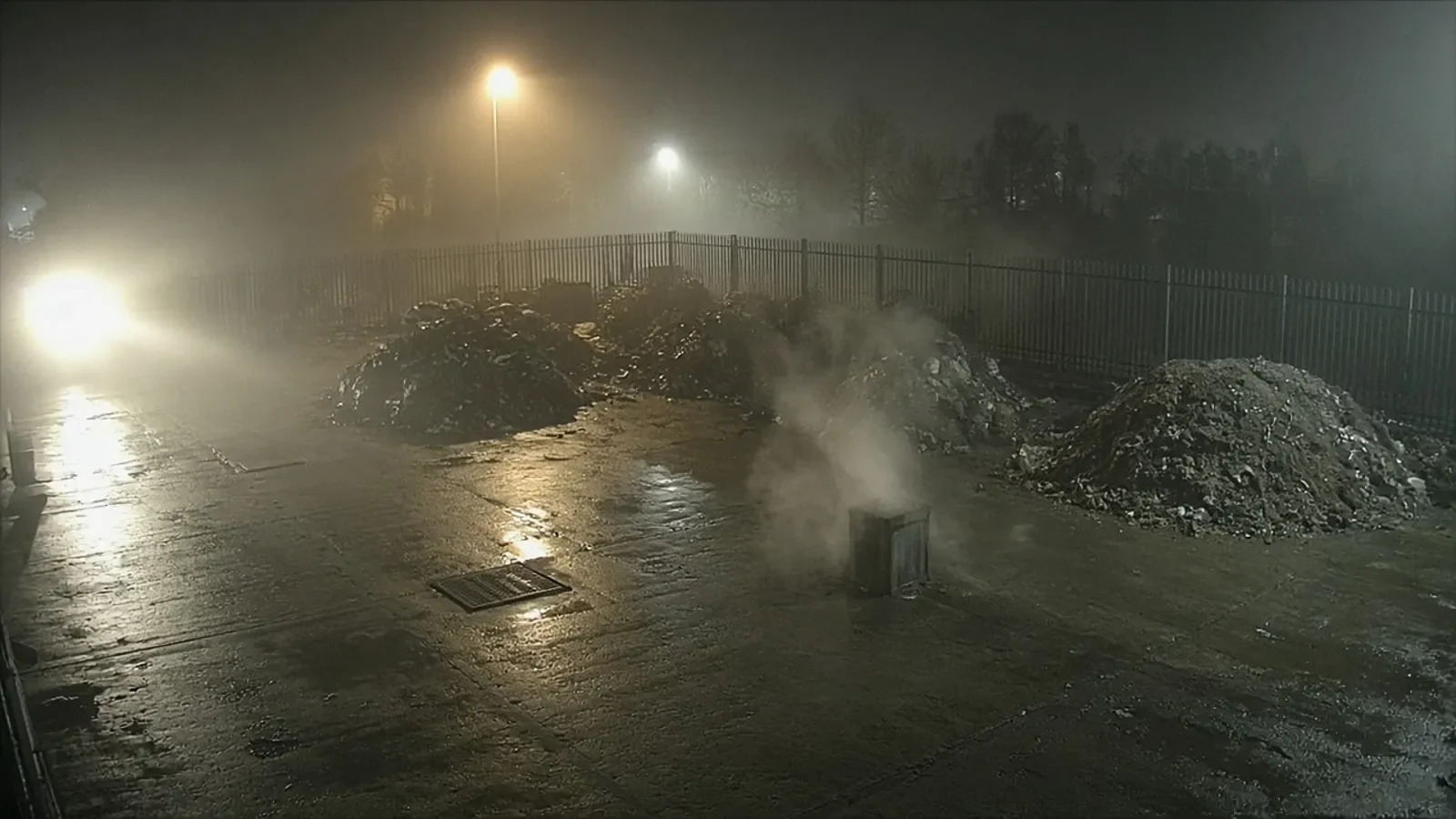
The usual fix is to turn the sensitivity down or shrink the area. Both trade one problem for another. Lower sensitivity misses a person moving slowly at the far end of the yard, and a smaller box leaves parts of the site unwatched. Many sites end up muting alerts altogether, which leaves cameras recording but nobody being told.
How is AI detection different?
AI CCTV looks at what is in the picture rather than how much of it changed. It recognises objects and events, such as a person, a vehicle, visible smoke or flame, and decides whether that is something you asked to be told about.
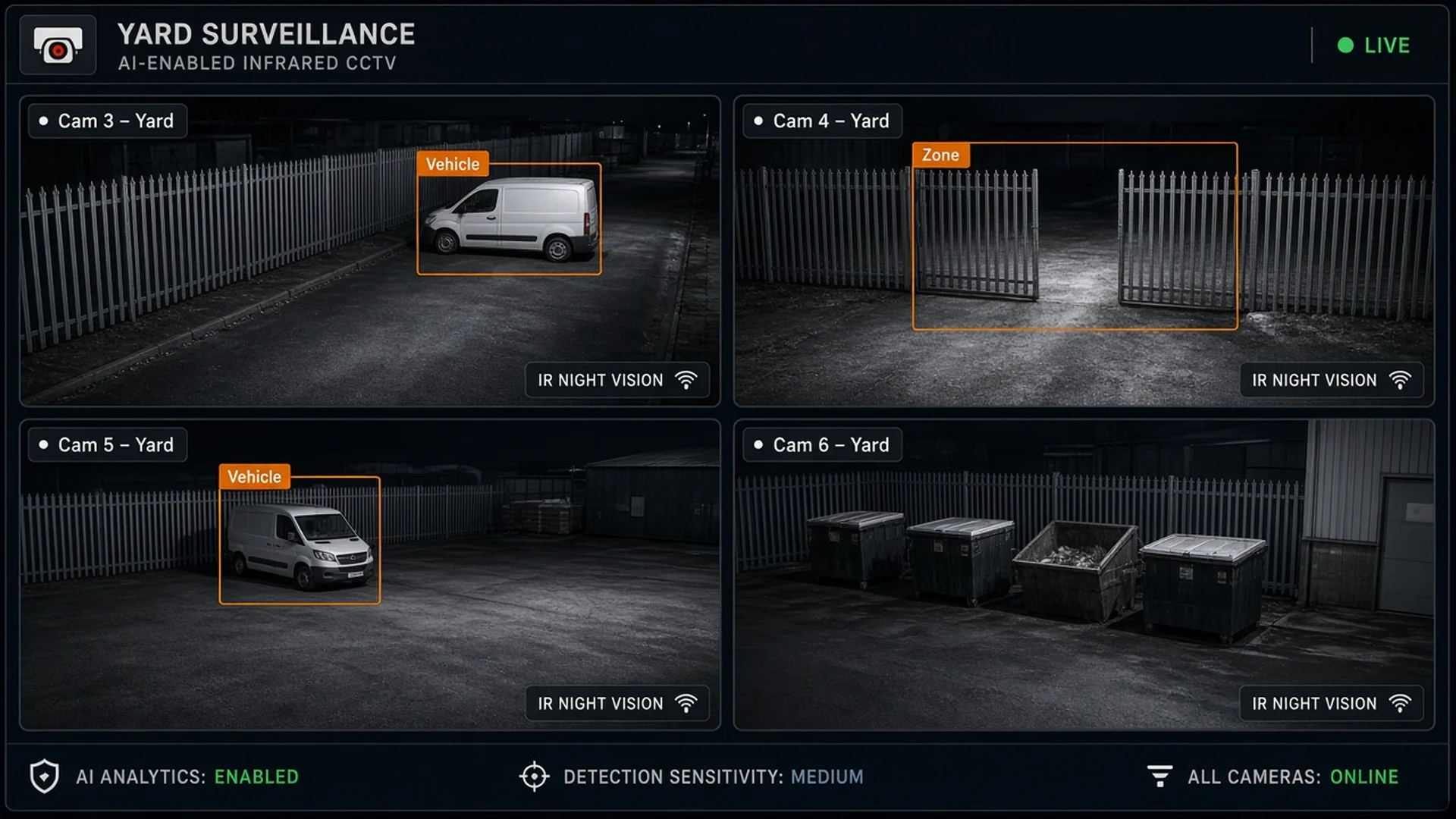
Woodcock AI runs on the IP cameras a site already has, through an on-site edge server or the Woodcock AI Cloud. You choose what each camera watches for, draw the areas that matter and set the hours each camera is armed. When the AI sees something that meets those rules, it sends an alert with the clip and a plain-English description of what the camera saw.
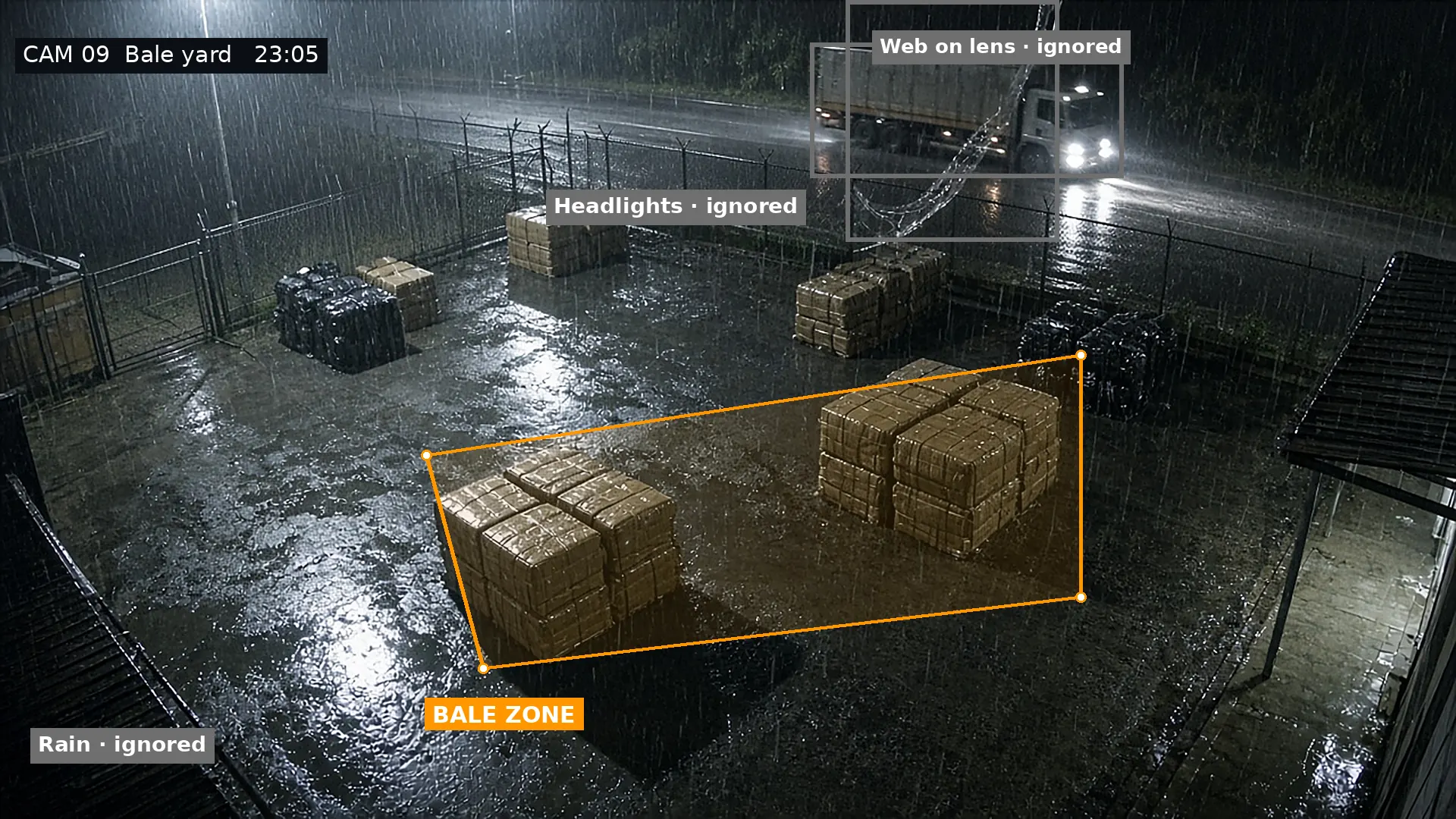
The difference shows most clearly when the same scene is viewed both ways. Below, five changes in the picture each look like an alert to a motion rule. The AI labels four of them as nuisance and keeps one.
It also learns your site. Every camera view has its own quirks, a steam vent, a tree that sways, a puddle that reflects the floodlight. The AI learns each camera, and every detection in the app has a feedback button. Marking an alert as correct or as a false alarm feeds into retraining for your cameras, so it keeps getting better at telling your normal from something that needs attention. Read more about self-learning AI.
What sets off motion alerts, and what does AI ignore?
Most nuisance motion comes from a short list of causes. A motion rule reacts to all of them. AI recognises them as not being a person, vehicle, smoke or flame, so they do not reach your phone.
- 1Rain, snow and insectsClose to the lens, and lit up by infrared at night, a single drop or moth can fill a large part of the picture.
- 2Headlights and floodlightsLight sweeping across a wall or fence changes many pixels at once, even though nothing on site has moved.
- 3Webs, plants and treesA spider web on the dome or a branch in the wind moves every few seconds, all night.
- 4AnimalsFoxes, cats and birds cross yards at night. When a camera watches for people and vehicles, they are not sent.
- 5Shadows and cloudMoving cloud and changing light at dawn and dusk shift the whole scene.
- 6Passing trafficCars on a road in view are real vehicles. A zone that leaves the road out keeps them from raising an alert.
For the full list of causes and quick fixes you can try on your current system, read our guide to reducing CCTV false alarms.
Why do polygon zones matter?
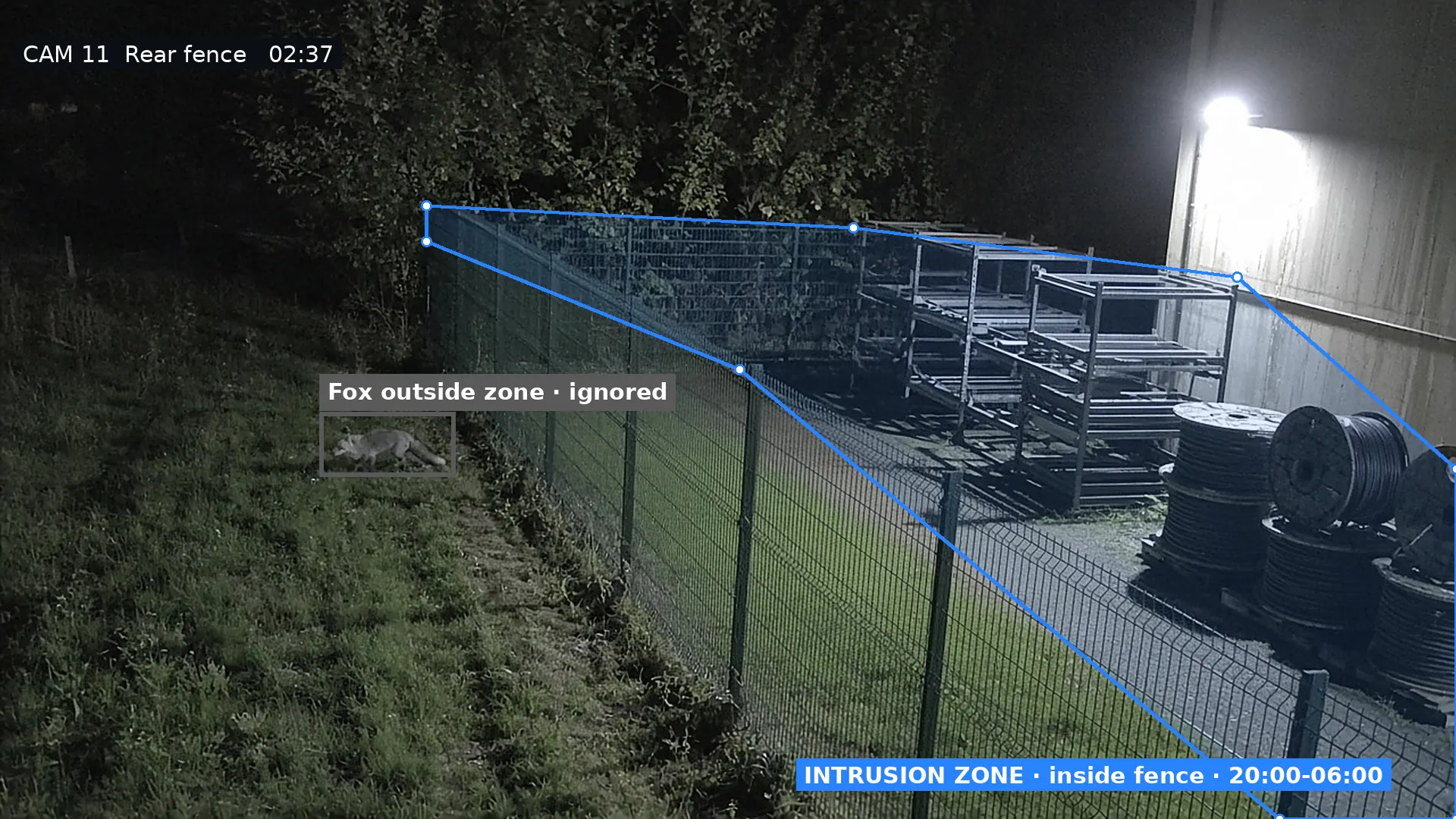
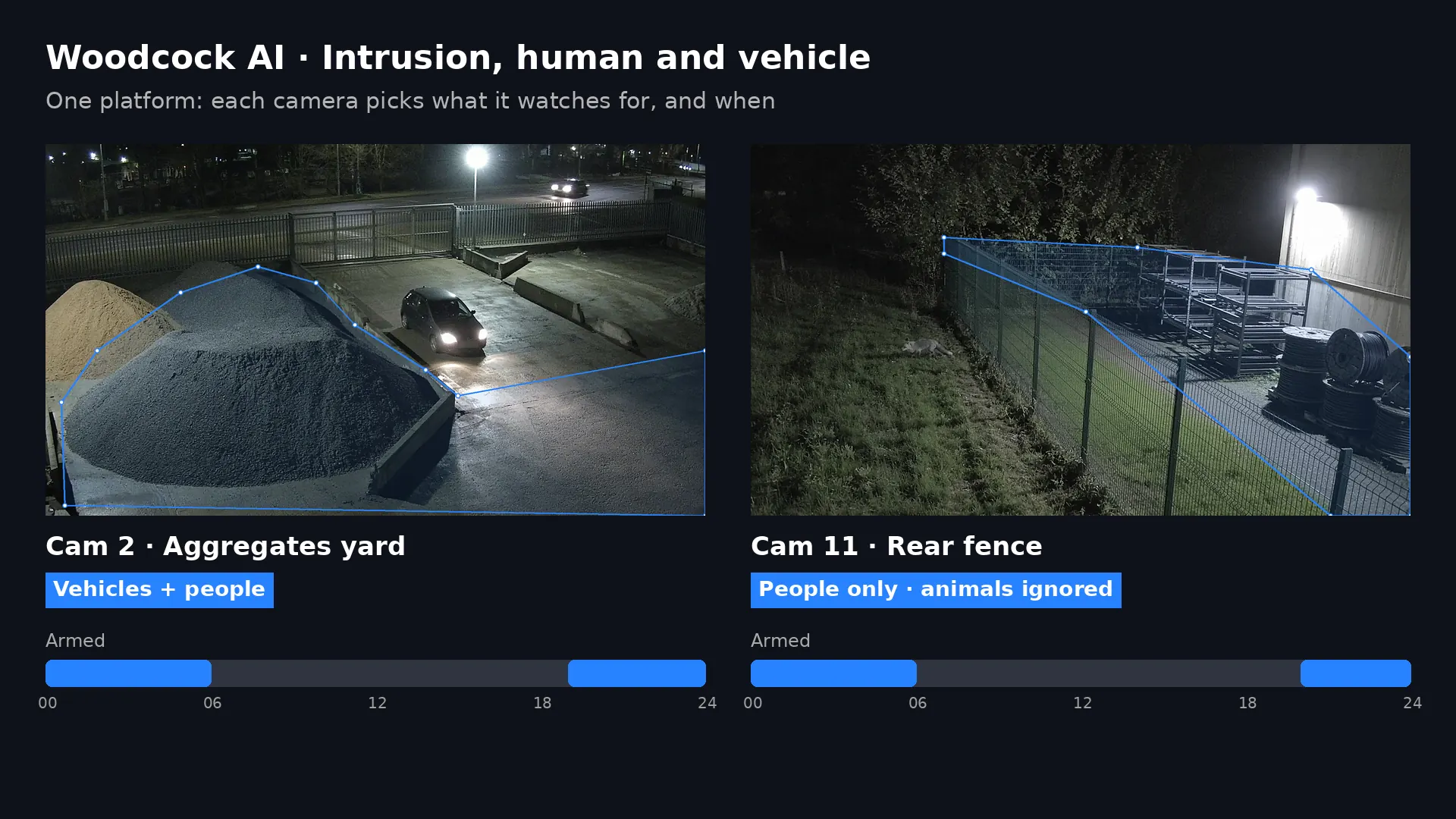
A zone decides where on the picture a detection counts. Motion rules usually offer a rectangle or a grid of boxes. Woodcock AI lets you draw a polygon with as many points as you need, so the zone follows the real shape of the site.
That matters on real sites, where the area you care about is rarely a neat rectangle. A yard runs at an angle away from the camera, a fence bends around a corner, a public footpath runs right alongside. A polygon can trace the inside of the fence and leave the path, the road and the neighbour's car park out of the rule, so a passer-by outside is not an alert while a person inside the fence is.
Zones and classification work together. A fox inside the zone is still not a person or a vehicle. A car on the road is a vehicle, but it is outside the zone. Only the right object in the right place raises an alert. See how to draw them on polygon detection zones.
Can each camera be armed at different times?
Yes. With Woodcock AI each camera has its own schedule and its own list of things to watch for, so a gate camera, a yard camera and a fire-risk camera can each work to their own hours.
Many recorders arm motion alerts for the whole system at once. That forces a choice between alerts all day, when staff and deliveries are moving about, or a single overnight window that may not suit every camera. Per-camera schedules let you arm the perimeter out of hours, watch the gate for vehicles after locking up, and keep smoke and flame detection running around the clock on the views that need it.
What happens to one night of motion events?
Each check removes a different kind of nuisance. Switch them on one at a time to see which events would still reach your phone. Without JavaScript, the list shows which check filters each event.
Motion rule only: every change is sent to your phone.
- 22:48Heavy rain across the lensFiltered by classification: not a person, vehicle, smoke or flame
- 23:15Headlights sweep the yard wallFiltered by classification: not a person, vehicle, smoke or flame
- 23:52Spider web moving on the domeFiltered by classification: not a person, vehicle, smoke or flame
- 00:20Fox crossing the verge outside the fenceFiltered by classification: not a person, vehicle, smoke or flame
- 01:05Car passing on the public roadFiltered by the zone: a vehicle, but outside the area you watch
- 01:40Cloud shadow over the stockpileFiltered by classification: not a person, vehicle, smoke or flame
- 02:37Person climbs the fence into the yardAlert: a person, inside the zone, while the camera is armed
- 06:40Early-shift van arrives before openingFiltered by the schedule: a vehicle or person, but the camera is not armed then
- 07:30Staff walking to the officeFiltered by the schedule: a vehicle or person, but the camera is not armed then
An example night on one camera, made up to show how the checks work, not real data. Switch each check on to see which events stop reaching your phone.
What does an AI alert tell you that a motion alert does not?
A motion alert says something moved on a camera. A Woodcock AI alert says what was seen, where and when, with the clip attached, so you can decide in moments whether to act.
Alerts arrive by push notification in the Woodcock AI app, with the clip and a plain-English description, and by email, so there is a record outside the app. Alerts to a monitoring centre (ARC) and phone-call alerts are available as optional paid add-ons. Because the AI has already removed the nuisance, the alerts that do arrive are the ones worth opening, which makes it easier to treat each one as real.
AI can also recognise things a motion rule never could. Visible smoke and flame on a camera view raise their own alerts, which is useful on waste, recycling and industrial sites where a fire can start out of hours. Smoke and flame detection on CCTV complements a fire alarm system; it does not replace one.
When is motion detection enough, and when do you need AI?
Motion detection is already built into most systems and is fine for some views. AI earns its place where scenes are busy, outdoors or out of hours, or where you need to know what happened rather than that something moved.
- The camera is indoors, in a room that should be empty at night
- You mainly want it to trigger recording, not alerts
- Someone reviews footage after an event rather than responding live
- Cameras face yards, fences, gates or open ground
- Weather, lights, trees, animals or traffic are in view
- You want alerts out of hours that say what was seen
- You need smoke and flame detection on existing cameras
How do you move from motion alerts to AI alerts?
You keep your cameras. The change is in what decides whether an alert is sent.
- 1List the cameras that send nuisance motionNote which views fire most often and what sets them off: weather, lights, trees, animals or traffic.
- 2Connect them to Woodcock AIYour existing IP cameras connect through an on-site edge server or the Woodcock AI Cloud, with no new cameras needed for most views.
- 3Choose what each camera watches forPeople, vehicles, smoke and flame, camera by camera.
- 4Draw polygon zonesTrace the yard, gate, roof or stockpile you care about and leave out roads, neighbours and trees.
- 5Set a schedule for each cameraArm security views out of hours, and keep smoke and flame on around the clock where you need it.
- 6Give feedback on alertsMark each alert as correct or a false alarm, and that feedback retrains the AI for your cameras.
Installers and resellers can add this to systems they already look after. See the installer and reseller programme or the guide to adding AI to existing CCTV. Comparing other options too? See AI CCTV vs remote monitoring and intrusion detection.
Motion detection and AI CCTV: common questions
What is the difference between motion detection and AI CCTV?
Motion detection raises an alert when enough pixels in the picture change, so rain, headlights, shadows and animals can all set it off. AI CCTV recognises what is in the picture, such as a person, a vehicle, smoke or flame, and only alerts for the things you chose, in the zones and at the times you set.
Why does my CCTV motion detection keep giving false alerts?
Because a motion rule cannot tell what moved. Raindrops and insects close to the lens, headlights sweeping a wall, swaying branches, cloud shadows and wildlife all change the picture, and each change looks the same to the rule. Turning the sensitivity down tends to hide real events as well. For quick fixes, see our guide to reducing CCTV false alarms.
Can AI work with my existing cameras and recorder?
Usually, yes. Woodcock AI runs on the IP cameras a site already has, through an on-site edge server or the Woodcock AI Cloud. A free site assessment confirms which of your cameras can be connected and what each one can see.
Does AI ignore animals?
When a camera is set to watch for people and vehicles, a fox, cat or bird is not sent as an alert. Zones help too: an animal outside the area you draw is outside the rule.
What are polygon zones?
A polygon zone is an area you draw on the camera view with as many points as you need, so it can follow a fence line, a stockpile or a gateway rather than a rough rectangle. Only detections inside the zone count. See polygon detection zones.
Can each camera have its own schedule?
Yes. Each camera can be armed for its own hours, so a perimeter view can watch out of hours while a smoke and flame view stays on all the time.
How are AI alerts sent?
By push notification in the Woodcock AI app with the clip and a plain-English description, and by email. Alerts to a monitoring centre (ARC) and phone-call alerts are available as optional paid add-ons.
Should I switch off motion detection on my recorder?
Not necessarily. Many sites keep the recorder's motion settings for recording while the AI decides what is worth an alert. Your installer can advise on recording settings for your system.
See what your cameras would really send
A free site assessment looks at the camera views that cause the most nuisance alerts and confirms which can be connected and what each can detect.
3D render